Compare commits
| Author | SHA1 | Date | |
|---|---|---|---|
 Oshgnacknak |
2cdc5f791e | ||
|
nixos-install.sh
|
1f426b698b | ||
|
Oshgnacknak
|
fd2790ad10 | ||
|
Oshgnacknak
|
b98f92426c | ||
|
Oshgnacknak
|
a759970488 | ||
|
Oshgnacknak
|
26c91c7ddd | ||
|
Oshgnacknak
|
1f6f43c7ec | ||
|
Oshgnacknak
|
2c84aeed5b | ||
|
Oshgnacknak
|
a0625b376d | ||
|
Oshgnacknak
|
866dfcec34 | ||
|
Oshgnacknak
|
977927810e | ||
|
Oshgnacknak
|
82d62be4ef | ||
|
Oshgnacknak
|
9008f77b8b | ||
|
Oshgnacknak
|
793b0ebf37 | ||
|
Oshgnacknak
|
2df42517a0 | ||
|
Oshgnacknak
|
026549c37f | ||
|
Oshgnacknak
|
c6a85d4fe0 | ||
|
Oshgnacknak
|
07d04f3204 | ||
|
Oshgnacknak
|
3c325ee386 |
No files matched your search
@@ -0,0 +1,3 @@
|
||||
.png filter=lfs diff=lfs merge=lfs -text
|
||||
.jpg filter=lfs diff=lfs merge=lfs -text
|
||||
.jpeg filter=lfs diff=lfs merge=lfs -text
|
||||
@@ -1,40 +0,0 @@
|
||||
---
|
||||
name: Bug report
|
||||
about: Create a report to help us improve
|
||||
title: 'BUG: '
|
||||
labels: ''
|
||||
assignees: ''
|
||||
|
||||
---
|
||||
|
||||
**Describe the bug**
|
||||
A clear and concise description of what the bug is.
|
||||
|
||||
**To Reproduce**
|
||||
Steps to reproduce the behavior:
|
||||
1. Navigate to '...'
|
||||
2. Select/Press '....'
|
||||
3. Execute operation '....'
|
||||
4. See error
|
||||
|
||||
**Expected behavior**
|
||||
A clear and concise description of what you expected to happen.
|
||||
|
||||
**Screenshots/Photos**
|
||||
If applicable, add screenshots from the HMI display or photos of the machine screen to help explain your problem.
|
||||
|
||||
**Machine Information (please complete the following):**
|
||||
- Machine Type: [Winder2, Laser, Aquapath...]
|
||||
- Control Software Version: [e.g. 2.4.1]
|
||||
- Settings: [e.g. Different Gear Ratios, PID Settings, …]
|
||||
|
||||
**Device Information (if issue occurs on external device):**
|
||||
- Device Type: [e.g. Tablet, PLC, Remote Control Panel]
|
||||
- OS: [e.g. Windows 10, Linux, etc.]
|
||||
- Connection Type: [e.g. Ethernet, USB]
|
||||
|
||||
**Error Messages/Codes**
|
||||
If applicable, provide exact error codes or messages displayed or found in the troubleshooting terminal.
|
||||
|
||||
**Additional context**
|
||||
Add any other context about the problem here (e.g., recent software updates, environmental factors).
|
||||
@@ -1,33 +0,0 @@
|
||||
---
|
||||
name: Feature request
|
||||
about: Suggest an idea for this project
|
||||
title: 'Feat: '
|
||||
labels: ''
|
||||
assignees: ''
|
||||
|
||||
---
|
||||
|
||||
**Is your feature request related to a problem? Please describe.**
|
||||
A clear and concise description of what the problem is. Ex. During operation, I'm always frustrated when [...]
|
||||
|
||||
**Describe the solution you'd like**
|
||||
A clear and concise description of what you want to happen.
|
||||
|
||||
**Describe alternatives you've considered**
|
||||
A clear and concise description of any alternative solutions, workarounds, or features you've considered.
|
||||
|
||||
**Use Case/Application:**
|
||||
- Machine Type(s): [e.g. All machines, Winder, Aquapath, ...]
|
||||
- Frequency of Use: [e.g. Daily, During setup, Occasionally]
|
||||
|
||||
**Expected Benefits:**
|
||||
- Efficiency Improvement: [e.g. Reduces setup time by X minutes, Eliminates manual steps]
|
||||
- Safety Enhancement: [e.g. Prevents operator error, Adds safety checks]
|
||||
- Production Impact: [e.g. Increases throughput, Reduces downtime, Improves quality]
|
||||
- User Experience: [e.g. Simplifies workflow, Reduces training time]
|
||||
|
||||
**Mockups/Sketches**
|
||||
If applicable, add sketches, mockups, or photos showing how the feature would appear on the HMI display or integrate with the machine.
|
||||
|
||||
**Additional context**
|
||||
Add any other context, industry standards, or examples from other control systems about the feature request here.
|
||||
@@ -3,73 +3,50 @@ name: Electron
|
||||
on:
|
||||
push:
|
||||
branches:
|
||||
- master
|
||||
- "**"
|
||||
pull_request:
|
||||
branches:
|
||||
- master
|
||||
|
||||
defaults:
|
||||
run:
|
||||
working-directory: electron
|
||||
- "*"
|
||||
|
||||
jobs:
|
||||
build:
|
||||
build-electron:
|
||||
runs-on: ubuntu-latest
|
||||
defaults:
|
||||
run:
|
||||
working-directory: electron
|
||||
|
||||
steps:
|
||||
- &checkout
|
||||
name: Checkout
|
||||
uses: actions/checkout@v4
|
||||
|
||||
- &setup-node
|
||||
name: Setup Node.js
|
||||
- name: Setup Node.js
|
||||
uses: actions/setup-node@v4
|
||||
with:
|
||||
node-version: 20
|
||||
cache: "npm"
|
||||
cache-dependency-path: |
|
||||
electron/package-lock.json
|
||||
node-version: "18" # or '20' for latest LTS
|
||||
|
||||
- &install
|
||||
name: Install dependencies
|
||||
run: npm ci
|
||||
- uses: actions/checkout@v4
|
||||
|
||||
- name: Compile
|
||||
run: tsc
|
||||
- name: Cache NPM dependencies
|
||||
uses: actions/cache@v3
|
||||
with:
|
||||
path: |
|
||||
~/.npm
|
||||
node_modules/
|
||||
key: ${{ runner.os }}-npm-${{ hashFiles('**/package-lock.json') }}
|
||||
restore-keys: |
|
||||
${{ runner.os }}-npm-
|
||||
|
||||
- name: Install
|
||||
run: npm i
|
||||
|
||||
- name: Build
|
||||
run: npm run build
|
||||
|
||||
test:
|
||||
runs-on: ubuntu-latest
|
||||
needs: build
|
||||
|
||||
steps:
|
||||
- *checkout
|
||||
- *setup-node
|
||||
- *install
|
||||
|
||||
- name: Test
|
||||
run: npm run test
|
||||
|
||||
format:
|
||||
runs-on: ubuntu-latest
|
||||
|
||||
steps:
|
||||
- *checkout
|
||||
- *setup-node
|
||||
- *install
|
||||
run: tsc
|
||||
|
||||
- name: Format
|
||||
run: npm run format
|
||||
|
||||
lint:
|
||||
runs-on: ubuntu-latest
|
||||
|
||||
steps:
|
||||
- *checkout
|
||||
- *setup-node
|
||||
- *install
|
||||
|
||||
- name: Lint
|
||||
run: npm run lint
|
||||
|
||||
- name: Test
|
||||
run: npm run test
|
||||
|
||||
- name: Package
|
||||
run: npm run package
|
||||
@@ -1,213 +0,0 @@
|
||||
name: Stale Assigned Issue Check
|
||||
|
||||
on:
|
||||
schedule:
|
||||
# Run every Sunday at 9:00 AM UTC
|
||||
- cron: '0 9 * * 0'
|
||||
workflow_dispatch: # Allow manual triggering for testing
|
||||
|
||||
jobs:
|
||||
check-stale-issues:
|
||||
runs-on: ubuntu-latest
|
||||
permissions:
|
||||
contents: read
|
||||
issues: write
|
||||
pull-requests: read
|
||||
|
||||
steps:
|
||||
- name: Check assigned issues for status updates
|
||||
uses: actions/github-script@v7
|
||||
with:
|
||||
script: |
|
||||
const ONE_WEEK_MS = 7 * 24 * 60 * 60 * 1000;
|
||||
const now = new Date();
|
||||
|
||||
// Helper function to check rate limits
|
||||
async function checkRateLimit() {
|
||||
try {
|
||||
const { data: rateLimit } = await github.rest.rateLimit.get();
|
||||
const remaining = rateLimit.resources.core.remaining;
|
||||
const reset = new Date(rateLimit.resources.core.reset * 1000);
|
||||
console.log(`Rate limit: ${remaining} requests remaining (resets at ${reset.toISOString()})`);
|
||||
return remaining > 10; // Stop if fewer than 10 requests remaining
|
||||
} catch (error) {
|
||||
console.log(`Could not check rate limit: ${error.message}`);
|
||||
return true; // Continue on error
|
||||
}
|
||||
}
|
||||
|
||||
// Get all open issues
|
||||
const issues = await github.paginate(github.rest.issues.listForRepo, {
|
||||
owner: context.repo.owner,
|
||||
repo: context.repo.repo,
|
||||
state: 'open',
|
||||
per_page: 100
|
||||
});
|
||||
|
||||
console.log(`Found ${issues.length} open issues`);
|
||||
|
||||
// Helper function to check if issue has linked PRs using GraphQL
|
||||
async function hasLinkedPRs(issueNumber) {
|
||||
try {
|
||||
const query = `
|
||||
query($owner: String!, $repo: String!, $issueNumber: Int!) {
|
||||
repository(owner: $owner, name: $repo) {
|
||||
issue(number: $issueNumber) {
|
||||
timelineItems(first: 100, itemTypes: CONNECTED_EVENT) {
|
||||
nodes {
|
||||
... on ConnectedEvent {
|
||||
subject {
|
||||
... on PullRequest {
|
||||
number
|
||||
state
|
||||
}
|
||||
}
|
||||
}
|
||||
}
|
||||
}
|
||||
}
|
||||
}
|
||||
}
|
||||
`;
|
||||
|
||||
const result = await github.graphql(query, {
|
||||
owner: context.repo.owner,
|
||||
repo: context.repo.repo,
|
||||
issueNumber: issueNumber
|
||||
});
|
||||
|
||||
const linkedPRs = result.repository.issue.timelineItems.nodes
|
||||
.filter(node => node.subject && node.subject.state === 'OPEN')
|
||||
.map(node => node.subject.number);
|
||||
|
||||
return linkedPRs.length > 0;
|
||||
} catch (error) {
|
||||
console.log(`Could not check linked PRs for issue #${issueNumber}: ${error.message}`);
|
||||
return false; // Assume no linked PRs on error to avoid false positives
|
||||
}
|
||||
}
|
||||
|
||||
let processedCount = 0;
|
||||
let commentedCount = 0;
|
||||
let errorCount = 0;
|
||||
|
||||
for (const issue of issues) {
|
||||
try {
|
||||
// Check rate limit periodically
|
||||
if (processedCount % 10 === 0 && !(await checkRateLimit())) {
|
||||
console.log('Rate limit nearly exhausted, stopping to avoid hitting limit');
|
||||
break;
|
||||
}
|
||||
|
||||
// Skip pull requests (they appear in issues list too)
|
||||
if (issue.pull_request) {
|
||||
continue;
|
||||
}
|
||||
|
||||
// Skip if not assigned
|
||||
if (!issue.assignees || issue.assignees.length === 0) {
|
||||
console.log(`Issue #${issue.number}: Not assigned, skipping`);
|
||||
continue;
|
||||
}
|
||||
|
||||
console.log(`Checking issue #${issue.number}: ${issue.title}`);
|
||||
processedCount++;
|
||||
|
||||
// Check if issue has linked PRs
|
||||
const hasOpenLinkedPR = await hasLinkedPRs(issue.number);
|
||||
|
||||
if (hasOpenLinkedPR) {
|
||||
console.log(`Issue #${issue.number}: Has linked open PR, skipping`);
|
||||
continue;
|
||||
}
|
||||
|
||||
// Get all comments on the issue
|
||||
let comments = [];
|
||||
try {
|
||||
comments = await github.paginate(github.rest.issues.listComments, {
|
||||
owner: context.repo.owner,
|
||||
repo: context.repo.repo,
|
||||
issue_number: issue.number,
|
||||
per_page: 100
|
||||
});
|
||||
} catch (commentError) {
|
||||
console.error(`Issue #${issue.number}: Could not fetch comments - ${commentError.message}`);
|
||||
errorCount++;
|
||||
continue;
|
||||
}
|
||||
|
||||
// Find the most recent comment or update
|
||||
let lastActivity = new Date(issue.created_at);
|
||||
|
||||
if (issue.updated_at) {
|
||||
lastActivity = new Date(issue.updated_at);
|
||||
}
|
||||
|
||||
if (comments.length > 0) {
|
||||
const lastComment = comments[comments.length - 1];
|
||||
const lastCommentDate = new Date(lastComment.created_at);
|
||||
if (lastCommentDate > lastActivity) {
|
||||
lastActivity = lastCommentDate;
|
||||
}
|
||||
}
|
||||
|
||||
// Check if last activity was more than a week ago
|
||||
const daysSinceActivity = Math.floor((now - lastActivity) / (1000 * 60 * 60 * 24));
|
||||
|
||||
if (daysSinceActivity >= 7) {
|
||||
console.log(`Issue #${issue.number}: No activity for ${daysSinceActivity} days`);
|
||||
|
||||
// Check if we already posted a status request in the last 7 days
|
||||
const recentComments = comments.filter(comment => {
|
||||
const commentDate = new Date(comment.created_at);
|
||||
return (now - commentDate) < ONE_WEEK_MS;
|
||||
});
|
||||
|
||||
const alreadyAsked = recentComments.some(comment =>
|
||||
comment.user.type === 'Bot' &&
|
||||
comment.body.includes('status update')
|
||||
);
|
||||
|
||||
if (alreadyAsked) {
|
||||
console.log(`Issue #${issue.number}: Already requested status this week, skipping`);
|
||||
continue;
|
||||
}
|
||||
|
||||
// Post a status request comment
|
||||
try {
|
||||
const assigneeNames = issue.assignees.map(a => `@${a.login}`).join(', ');
|
||||
await github.rest.issues.createComment({
|
||||
owner: context.repo.owner,
|
||||
repo: context.repo.repo,
|
||||
issue_number: issue.number,
|
||||
body: `Hi ${assigneeNames}! 👋\n\n` +
|
||||
`This issue has been assigned to you for ${daysSinceActivity} days with no recent activity or linked pull requests.\n\n` +
|
||||
`Could you please provide a status update? If you're:\n` +
|
||||
`- ✅ Working on it: Let us know your progress\n` +
|
||||
`- 🔄 Need help: Tag someone or describe what's blocking you\n` +
|
||||
`- 🚫 No longer working on it: Let us know so we can reassign\n\n` +
|
||||
`Thank you!`
|
||||
});
|
||||
|
||||
console.log(`Issue #${issue.number}: Posted status request comment`);
|
||||
commentedCount++;
|
||||
} catch (commentError) {
|
||||
console.error(`Issue #${issue.number}: Could not post comment - ${commentError.message}`);
|
||||
errorCount++;
|
||||
// Continue to next issue
|
||||
}
|
||||
} else {
|
||||
console.log(`Issue #${issue.number}: Activity ${daysSinceActivity} days ago, still fresh`);
|
||||
}
|
||||
} catch (error) {
|
||||
console.error(`Issue #${issue.number}: Error processing - ${error.message}`);
|
||||
errorCount++;
|
||||
// Continue to next issue instead of failing the entire workflow
|
||||
continue;
|
||||
}
|
||||
}
|
||||
|
||||
console.log(`\nStale issue check complete!`);
|
||||
console.log(`Processed: ${processedCount} issues`);
|
||||
console.log(`Commented on: ${commentedCount} issues`);
|
||||
console.log(`Errors: ${errorCount}`);
|
||||
@@ -1,96 +0,0 @@
|
||||
name: Nix CI
|
||||
|
||||
on:
|
||||
push:
|
||||
branches:
|
||||
- master
|
||||
pull_request:
|
||||
branches:
|
||||
- master
|
||||
|
||||
env:
|
||||
NIX_PATH: nixpkgs=channel:nixos-25.05
|
||||
|
||||
jobs:
|
||||
electron:
|
||||
runs-on: ubuntu-latest
|
||||
|
||||
steps:
|
||||
- &checkout
|
||||
name: Check out repository
|
||||
uses: actions/checkout@v4
|
||||
|
||||
- &nix-install
|
||||
uses: nixbuild/nix-quick-install-action@v34
|
||||
with:
|
||||
nix_conf: |
|
||||
keep-env-derivations = true
|
||||
keep-outputs = true
|
||||
|
||||
- uses: nix-community/cache-nix-action@v6
|
||||
with:
|
||||
primary-key: nix-electron-${{ runner.os }}-${{ hashFiles('**/*.nix', '**/flake.lock', './electron/package-lock.json') }}
|
||||
restore-prefixes-first-match: nix-${{ runner.os }}-
|
||||
purge: true
|
||||
purge-prefixes: nix-electron-${{ runner.os }}-
|
||||
|
||||
- name: Build Electron in Nix
|
||||
run: nix build ".#packages.x86_64-linux.electron"
|
||||
|
||||
rust:
|
||||
runs-on: ubuntu-latest
|
||||
|
||||
steps:
|
||||
- *checkout
|
||||
- *nix-install
|
||||
|
||||
- uses: nix-community/cache-nix-action@v6
|
||||
with:
|
||||
primary-key: nix-server-${{ runner.os }}-${{ hashFiles('**/*.nix', '**/flake.lock', './Cargo.lock') }}
|
||||
restore-prefixes-first-match: nix-${{ runner.os }}-
|
||||
purge: true
|
||||
purge-prefixes: nix-server-${{ runner.os }}-
|
||||
|
||||
- name: Build Server in Nix
|
||||
run: nix build ".#packages.x86_64-linux.server"
|
||||
|
||||
build:
|
||||
runs-on: ubuntu-latest
|
||||
needs: [electron, rust]
|
||||
|
||||
steps:
|
||||
- *checkout
|
||||
- *nix-install
|
||||
|
||||
- name: Use both Electron and Server Nix Store
|
||||
uses: nix-community/cache-nix-action@v6
|
||||
with:
|
||||
primary-key: nix-${{ runner.os }}-${{ hashFiles('**/*.nix', '**/flake.lock', './Cargo.lock', './electron/package-lock.json') }}
|
||||
|
||||
# if no hit on the primary key, merge individual caches
|
||||
restore-prefixes-all-matches: |
|
||||
nix-electron-${{ runner.os }}-
|
||||
nix-server-${{ runner.os }}-
|
||||
|
||||
- name: Build Flake and System Configuration
|
||||
run: nix build ".#nixosConfigurations.nixos.config.system.build.toplevel" --impure
|
||||
|
||||
format:
|
||||
runs-on: ubuntu-latest
|
||||
|
||||
steps:
|
||||
- *checkout
|
||||
- *nix-install
|
||||
|
||||
- name: Format
|
||||
run: nix run 'nixpkgs#nixfmt-classic' $(find . nixos -name '*.nix')
|
||||
|
||||
check:
|
||||
runs-on: ubuntu-latest
|
||||
|
||||
steps:
|
||||
- *checkout
|
||||
- *nix-install
|
||||
|
||||
- name: Build Flake and Configuration.nix
|
||||
run: nix flake check "." --impure
|
||||
@@ -3,10 +3,9 @@ name: Rust
|
||||
on:
|
||||
push:
|
||||
branches:
|
||||
- master
|
||||
- "**"
|
||||
pull_request:
|
||||
branches:
|
||||
- master
|
||||
branches: "*"
|
||||
|
||||
env:
|
||||
CARGO_TERM_COLOR: always
|
||||
@@ -17,24 +16,14 @@ jobs:
|
||||
runs-on: ubuntu-latest
|
||||
|
||||
steps:
|
||||
- &udev-install
|
||||
name: Install libudev development package
|
||||
- name: Install libudev development package
|
||||
run: sudo apt-get update && sudo apt-get install -y libudev-dev
|
||||
|
||||
- &checkout
|
||||
uses: actions/checkout@v4
|
||||
|
||||
- &setup-rust
|
||||
name: Install Rust toolchain
|
||||
uses: actions-rs/toolchain@v1
|
||||
with:
|
||||
toolchain: ${{ env.RUST_VERSION }}
|
||||
profile: minimal
|
||||
override: true
|
||||
components: rustfmt
|
||||
|
||||
- &cargo-cache
|
||||
name: Cache Rust dependencies
|
||||
- uses: actions/checkout@v4
|
||||
- name: Set Rust version
|
||||
run: rustup override set ${{ env.RUST_VERSION }}
|
||||
- name: Install Formatter
|
||||
run: rustup component add rustfmt
|
||||
- name: Cache Rust dependencies
|
||||
uses: actions/cache@v3
|
||||
with:
|
||||
path: |
|
||||
@@ -52,36 +41,11 @@ jobs:
|
||||
RUSTFLAGS: "-D warnings"
|
||||
run: cargo build --verbose
|
||||
|
||||
format:
|
||||
runs-on: ubuntu-latest
|
||||
|
||||
steps:
|
||||
- *checkout
|
||||
- *setup-rust
|
||||
|
||||
- name: Format
|
||||
run: cargo fmt --check --verbose
|
||||
|
||||
test:
|
||||
runs-on: ubuntu-latest
|
||||
|
||||
steps:
|
||||
- *udev-install
|
||||
- *checkout
|
||||
- *setup-rust
|
||||
- *cargo-cache
|
||||
|
||||
- name: Run tests
|
||||
run: cargo test --verbose
|
||||
|
||||
mock:
|
||||
runs-on: ubuntu-latest
|
||||
|
||||
steps:
|
||||
- *udev-install
|
||||
- *checkout
|
||||
- *setup-rust
|
||||
- *cargo-cache
|
||||
|
||||
- name: Mock Machine
|
||||
run: cargo build --features "development-build,mock-machine"
|
||||
run: cargo build --features development-build --features mock-machine
|
||||
@@ -1,80 +0,0 @@
|
||||
name: Update npm deps hash
|
||||
|
||||
on:
|
||||
pull_request:
|
||||
paths:
|
||||
- 'electron/package-lock.json'
|
||||
- 'electron/package.json'
|
||||
workflow_dispatch:
|
||||
|
||||
env:
|
||||
NIX_PATH: nixpkgs=channel:nixos-25.05
|
||||
|
||||
permissions:
|
||||
contents: write
|
||||
pull-requests: write
|
||||
actions: write
|
||||
|
||||
jobs:
|
||||
update-hash:
|
||||
runs-on: ubuntu-latest
|
||||
if: github.event.pull_request.head.repo.full_name == github.repository
|
||||
|
||||
steps:
|
||||
- name: Check out repository
|
||||
uses: actions/checkout@v4
|
||||
with:
|
||||
ref: ${{ github.head_ref }}
|
||||
token: ${{ secrets.GITHUB_TOKEN }}
|
||||
|
||||
- name: Install Nix
|
||||
uses: nixbuild/nix-quick-install-action@v34
|
||||
with:
|
||||
nix_conf: |
|
||||
keep-env-derivations = true
|
||||
keep-outputs = true
|
||||
|
||||
- name: Calculate new npm deps hash
|
||||
id: calc-hash
|
||||
run: |
|
||||
# Calculate the hash using nix run with nixpkgs
|
||||
NEW_HASH=$(nix run 'nixpkgs#prefetch-npm-deps' electron/package-lock.json)
|
||||
echo "hash=$NEW_HASH" >> $GITHUB_OUTPUT
|
||||
echo "Calculated hash: $NEW_HASH"
|
||||
|
||||
- name: Update npmDepsHash in electron.nix
|
||||
run: |
|
||||
NEW_HASH="${{ steps.calc-hash.outputs.hash }}"
|
||||
sed -i "s|npmDepsHash = \".*\";|npmDepsHash = \"$NEW_HASH\";|" nixos/packages/electron.nix
|
||||
|
||||
- name: Check if hash changed
|
||||
id: check-changes
|
||||
run: |
|
||||
if git diff --quiet nixos/packages/electron.nix; then
|
||||
echo "changed=false" >> $GITHUB_OUTPUT
|
||||
echo "No changes needed - hash is already correct"
|
||||
else
|
||||
echo "changed=true" >> $GITHUB_OUTPUT
|
||||
echo "Hash updated in electron.nix"
|
||||
fi
|
||||
|
||||
- name: Commit and push if changed
|
||||
if: steps.check-changes.outputs.changed == 'true'
|
||||
run: |
|
||||
git config --local user.email "github-actions[bot]@users.noreply.github.com"
|
||||
git config --local user.name "github-actions[bot]"
|
||||
git add nixos/packages/electron.nix
|
||||
git commit -m "chore: update npmDepsHash to ${{ steps.calc-hash.outputs.hash }}"
|
||||
git push
|
||||
|
||||
- name: Comment on PR
|
||||
if: steps.check-changes.outputs.changed == 'true'
|
||||
uses: actions/github-script@v7
|
||||
with:
|
||||
script: |
|
||||
github.rest.issues.createComment({
|
||||
issue_number: context.issue.number,
|
||||
owner: context.repo.owner,
|
||||
repo: context.repo.repo,
|
||||
body: 'Automatically updated `npmDepsHash` to `${{ steps.calc-hash.outputs.hash }}`\n\n**Next step:** Trigger the checks by pushing an empty commit:\n```bash\ngit commit --allow-empty -m "trigger ci" && git push\n```'
|
||||
})
|
||||
@@ -1,11 +1,10 @@
|
||||
target/
|
||||
dist/
|
||||
.DS_Store
|
||||
Cargo.lock
|
||||
dhat-heap.json
|
||||
build.sh
|
||||
shell.nix
|
||||
node_modules/
|
||||
runtime_metrics.csv
|
||||
compile_metrics.csv
|
||||
.idea/
|
||||
electron/dist-electron/
|
||||
compile_metrics.csv
|
||||
@@ -1,35 +1,3 @@
|
||||
# `2.14.1`
|
||||
_26.01.2026_
|
||||
|
||||
## Laser
|
||||
-[#1079](https://github.com/qitechgmbh/control/pull/1079) Fixed Overflowing of buffer for Graphs causing crashes
|
||||
|
||||
# `2.14.0`
|
||||
_22.01.2026_
|
||||
|
||||
## General
|
||||
- [#1040](https://github.com/qitechgmbh/control/pull/1040) Added API for reading Machine Data
|
||||
|
||||
# `2.13.0`
|
||||
_07.01.2026_
|
||||
|
||||
## General
|
||||
- [#925](https://github.com/qitechgmbh/control/pull/925) Switch to Setup when selected machine is disconnected
|
||||
- [#937](https://github.com/qitechgmbh/control/pull/937) Added minimal Support for WAGO
|
||||
- [#945](https://github.com/qitechgmbh/control/pull/945) Improvements for On-Screen Keyboard usage in Ethercat Setup Page
|
||||
|
||||
## Extruder V3
|
||||
- [#930](https://github.com/qitechgmbh/control/pull/930) Added Extruder V3
|
||||
|
||||
## Laser
|
||||
- [#924](https://github.com/qitechgmbh/control/pull/924) Roundness is now displayed as a percentage
|
||||
- [#885](https://github.com/qitechgmbh/control/pull/885) Added Min and Max Diameter
|
||||
- [#849](https://github.com/qitechgmbh/control/pull/849) Added a Warning if Filament is out of Spec
|
||||
|
||||
## Aquapath
|
||||
- [#976](https://github.com/qitechgmbh/control/pull/976) Improved Stability
|
||||
|
||||
|
||||
# `2.12.0`
|
||||
_17.11.2025_
|
||||
|
||||
|
||||
@@ -204,7 +204,7 @@ checksum = "9035ad2d096bed7955a320ee7e2230574d28fd3c3a0f186cbea1ff3c7eed5dbb"
|
||||
dependencies = [
|
||||
"proc-macro2",
|
||||
"quote",
|
||||
"syn 2.0.114",
|
||||
"syn 2.0.111",
|
||||
]
|
||||
|
||||
[[package]]
|
||||
@@ -221,7 +221,7 @@ checksum = "99e1aca718ea7b89985790c94aad72d77533063fe00bc497bb79a7c2dae6a661"
|
||||
dependencies = [
|
||||
"proc-macro2",
|
||||
"quote",
|
||||
"syn 2.0.114",
|
||||
"syn 2.0.111",
|
||||
]
|
||||
|
||||
[[package]]
|
||||
@@ -232,9 +232,9 @@ checksum = "c08606f8c3cbf4ce6ec8e28fb0014a2c086708fe954eaa885384a6165172e7e8"
|
||||
|
||||
[[package]]
|
||||
name = "axum"
|
||||
version = "0.8.8"
|
||||
version = "0.8.7"
|
||||
source = "registry+https://github.com/rust-lang/crates.io-index"
|
||||
checksum = "8b52af3cb4058c895d37317bb27508dccc8e5f2d39454016b297bf4a400597b8"
|
||||
checksum = "5b098575ebe77cb6d14fc7f32749631a6e44edbef6b796f89b020e99ba20d425"
|
||||
dependencies = [
|
||||
"axum-core",
|
||||
"axum-macros",
|
||||
@@ -291,7 +291,7 @@ checksum = "604fde5e028fea851ce1d8570bbdc034bec850d157f7569d10f347d06808c05c"
|
||||
dependencies = [
|
||||
"proc-macro2",
|
||||
"quote",
|
||||
"syn 2.0.114",
|
||||
"syn 2.0.111",
|
||||
]
|
||||
|
||||
[[package]]
|
||||
@@ -390,9 +390,9 @@ checksum = "1fd0f2584146f6f2ef48085050886acf353beff7305ebd1ae69500e27c67f64b"
|
||||
|
||||
[[package]]
|
||||
name = "bytes"
|
||||
version = "1.11.1"
|
||||
version = "1.11.0"
|
||||
source = "registry+https://github.com/rust-lang/crates.io-index"
|
||||
checksum = "1e748733b7cbc798e1434b6ac524f0c1ff2ab456fe201501e6497c8417a4fc33"
|
||||
checksum = "b35204fbdc0b3f4446b89fc1ac2cf84a8a68971995d0bf2e925ec7cd960f9cb3"
|
||||
dependencies = [
|
||||
"serde",
|
||||
]
|
||||
@@ -539,7 +539,7 @@ version = "0.1.0"
|
||||
dependencies = [
|
||||
"proc-macro2",
|
||||
"quote",
|
||||
"syn 2.0.114",
|
||||
"syn 2.0.111",
|
||||
]
|
||||
|
||||
[[package]]
|
||||
@@ -682,7 +682,7 @@ dependencies = [
|
||||
"deluxe-macros",
|
||||
"once_cell",
|
||||
"proc-macro2",
|
||||
"syn 2.0.114",
|
||||
"syn 2.0.111",
|
||||
]
|
||||
|
||||
[[package]]
|
||||
@@ -695,7 +695,7 @@ dependencies = [
|
||||
"proc-macro2",
|
||||
"quote",
|
||||
"strsim",
|
||||
"syn 2.0.114",
|
||||
"syn 2.0.111",
|
||||
]
|
||||
|
||||
[[package]]
|
||||
@@ -710,7 +710,7 @@ dependencies = [
|
||||
"proc-macro-crate",
|
||||
"proc-macro2",
|
||||
"quote",
|
||||
"syn 2.0.114",
|
||||
"syn 2.0.111",
|
||||
]
|
||||
|
||||
[[package]]
|
||||
@@ -721,7 +721,7 @@ checksum = "1e567bd82dcff979e4b03460c307b3cdc9e96fde3d73bed1496d2bc75d9dd62a"
|
||||
dependencies = [
|
||||
"proc-macro2",
|
||||
"quote",
|
||||
"syn 2.0.114",
|
||||
"syn 2.0.111",
|
||||
]
|
||||
|
||||
[[package]]
|
||||
@@ -962,13 +962,14 @@ dependencies = [
|
||||
"deluxe",
|
||||
"proc-macro2",
|
||||
"quote",
|
||||
"syn 2.0.114",
|
||||
"syn 2.0.111",
|
||||
]
|
||||
|
||||
[[package]]
|
||||
name = "ethercrab"
|
||||
version = "0.6.0"
|
||||
source = "git+https://github.com/v-morlock/ethercrab?branch=main#d297d13389d85a4edb4e69cc98f9dd7f12626cac"
|
||||
source = "registry+https://github.com/rust-lang/crates.io-index"
|
||||
checksum = "fbb13becfa15713adb09b27fdb74468b827cdc78aa99aea638a89c1b0db3ce94"
|
||||
dependencies = [
|
||||
"async-io",
|
||||
"atomic-waker",
|
||||
@@ -997,7 +998,8 @@ dependencies = [
|
||||
[[package]]
|
||||
name = "ethercrab-wire"
|
||||
version = "0.2.0"
|
||||
source = "git+https://github.com/v-morlock/ethercrab?branch=main#d297d13389d85a4edb4e69cc98f9dd7f12626cac"
|
||||
source = "registry+https://github.com/rust-lang/crates.io-index"
|
||||
checksum = "d15828cb020fb44c92ca67e1ee3c122c9621c2e00d383d066e488f0619023ba2"
|
||||
dependencies = [
|
||||
"ethercrab-wire-derive",
|
||||
"heapless",
|
||||
@@ -1006,19 +1008,20 @@ dependencies = [
|
||||
[[package]]
|
||||
name = "ethercrab-wire-derive"
|
||||
version = "0.2.0"
|
||||
source = "git+https://github.com/v-morlock/ethercrab?branch=main#d297d13389d85a4edb4e69cc98f9dd7f12626cac"
|
||||
source = "registry+https://github.com/rust-lang/crates.io-index"
|
||||
checksum = "0e790b8011211ed70babfcacbd4277b91ee21402ad5ba6a2c293db02e2f12919"
|
||||
dependencies = [
|
||||
"criterion",
|
||||
"proc-macro2",
|
||||
"quote",
|
||||
"syn 2.0.114",
|
||||
"syn 2.0.111",
|
||||
]
|
||||
|
||||
[[package]]
|
||||
name = "euclid"
|
||||
version = "0.22.13"
|
||||
version = "0.22.11"
|
||||
source = "registry+https://github.com/rust-lang/crates.io-index"
|
||||
checksum = "df61bf483e837f88d5c2291dcf55c67be7e676b3a51acc48db3a7b163b91ed63"
|
||||
checksum = "ad9cdb4b747e485a12abb0e6566612956c7a1bafa3bdb8d682c5b6d403589e48"
|
||||
dependencies = [
|
||||
"num-traits",
|
||||
]
|
||||
@@ -1875,7 +1878,7 @@ dependencies = [
|
||||
"pest_meta",
|
||||
"proc-macro2",
|
||||
"quote",
|
||||
"syn 2.0.114",
|
||||
"syn 2.0.111",
|
||||
]
|
||||
|
||||
[[package]]
|
||||
@@ -1905,7 +1908,7 @@ checksum = "6e918e4ff8c4549eb882f14b3a4bc8c8bc93de829416eacf579f1207a8fbf861"
|
||||
dependencies = [
|
||||
"proc-macro2",
|
||||
"quote",
|
||||
"syn 2.0.114",
|
||||
"syn 2.0.111",
|
||||
]
|
||||
|
||||
[[package]]
|
||||
@@ -2218,7 +2221,7 @@ checksum = "22f968c5ea23d555e670b449c1c5e7b2fc399fdaec1d304a17cd48e288abc107"
|
||||
dependencies = [
|
||||
"proc-macro2",
|
||||
"quote",
|
||||
"syn 2.0.114",
|
||||
"syn 2.0.111",
|
||||
]
|
||||
|
||||
[[package]]
|
||||
@@ -2248,20 +2251,20 @@ checksum = "d540f220d3187173da220f885ab66608367b6574e925011a9353e4badda91d79"
|
||||
dependencies = [
|
||||
"proc-macro2",
|
||||
"quote",
|
||||
"syn 2.0.114",
|
||||
"syn 2.0.111",
|
||||
]
|
||||
|
||||
[[package]]
|
||||
name = "serde_json"
|
||||
version = "1.0.149"
|
||||
version = "1.0.145"
|
||||
source = "registry+https://github.com/rust-lang/crates.io-index"
|
||||
checksum = "83fc039473c5595ace860d8c4fafa220ff474b3fc6bfdb4293327f1a37e94d86"
|
||||
checksum = "402a6f66d8c709116cf22f558eab210f5a50187f702eb4d7e5ef38d9a7f1c79c"
|
||||
dependencies = [
|
||||
"itoa",
|
||||
"memchr",
|
||||
"ryu",
|
||||
"serde",
|
||||
"serde_core",
|
||||
"zmij",
|
||||
]
|
||||
|
||||
[[package]]
|
||||
@@ -2329,7 +2332,6 @@ dependencies = [
|
||||
"smol",
|
||||
"socketioxide",
|
||||
"spin_sleep",
|
||||
"ta",
|
||||
"textplots",
|
||||
"tokio",
|
||||
"tower-http",
|
||||
@@ -2571,9 +2573,9 @@ dependencies = [
|
||||
|
||||
[[package]]
|
||||
name = "syn"
|
||||
version = "2.0.114"
|
||||
version = "2.0.111"
|
||||
source = "registry+https://github.com/rust-lang/crates.io-index"
|
||||
checksum = "d4d107df263a3013ef9b1879b0df87d706ff80f65a86ea879bd9c31f9b307c2a"
|
||||
checksum = "390cc9a294ab71bdb1aa2e99d13be9c753cd2d7bd6560c77118597410c4d2e87"
|
||||
dependencies = [
|
||||
"proc-macro2",
|
||||
"quote",
|
||||
@@ -2586,12 +2588,6 @@ version = "1.0.2"
|
||||
source = "registry+https://github.com/rust-lang/crates.io-index"
|
||||
checksum = "0bf256ce5efdfa370213c1dabab5935a12e49f2c58d15e9eac2870d3b4f27263"
|
||||
|
||||
[[package]]
|
||||
name = "ta"
|
||||
version = "0.5.0"
|
||||
source = "registry+https://github.com/rust-lang/crates.io-index"
|
||||
checksum = "609409d472a0a7d8d4dd9e19891bbdef546b9dce670c3057d0e02192dc541226"
|
||||
|
||||
[[package]]
|
||||
name = "tap"
|
||||
version = "1.0.1"
|
||||
@@ -2625,7 +2621,7 @@ checksum = "3ff15c8ecd7de3849db632e14d18d2571fa09dfc5ed93479bc4485c7a517c913"
|
||||
dependencies = [
|
||||
"proc-macro2",
|
||||
"quote",
|
||||
"syn 2.0.114",
|
||||
"syn 2.0.111",
|
||||
]
|
||||
|
||||
[[package]]
|
||||
@@ -2685,7 +2681,7 @@ checksum = "af407857209536a95c8e56f8231ef2c2e2aff839b22e07a1ffcbc617e9db9fa5"
|
||||
dependencies = [
|
||||
"proc-macro2",
|
||||
"quote",
|
||||
"syn 2.0.114",
|
||||
"syn 2.0.111",
|
||||
]
|
||||
|
||||
[[package]]
|
||||
@@ -2829,9 +2825,9 @@ checksum = "8df9b6e13f2d32c91b9bd719c00d1958837bc7dec474d94952798cc8e69eeec3"
|
||||
|
||||
[[package]]
|
||||
name = "tracing"
|
||||
version = "0.1.44"
|
||||
version = "0.1.41"
|
||||
source = "registry+https://github.com/rust-lang/crates.io-index"
|
||||
checksum = "63e71662fa4b2a2c3a26f570f037eb95bb1f85397f3cd8076caed2f026a6d100"
|
||||
checksum = "784e0ac535deb450455cbfa28a6f0df145ea1bb7ae51b821cf5e7927fdcfbdd0"
|
||||
dependencies = [
|
||||
"log",
|
||||
"pin-project-lite",
|
||||
@@ -2841,20 +2837,20 @@ dependencies = [
|
||||
|
||||
[[package]]
|
||||
name = "tracing-attributes"
|
||||
version = "0.1.31"
|
||||
version = "0.1.30"
|
||||
source = "registry+https://github.com/rust-lang/crates.io-index"
|
||||
checksum = "7490cfa5ec963746568740651ac6781f701c9c5ea257c58e057f3ba8cf69e8da"
|
||||
checksum = "81383ab64e72a7a8b8e13130c49e3dab29def6d0c7d76a03087b3cf71c5c6903"
|
||||
dependencies = [
|
||||
"proc-macro2",
|
||||
"quote",
|
||||
"syn 2.0.114",
|
||||
"syn 2.0.111",
|
||||
]
|
||||
|
||||
[[package]]
|
||||
name = "tracing-core"
|
||||
version = "0.1.36"
|
||||
version = "0.1.34"
|
||||
source = "registry+https://github.com/rust-lang/crates.io-index"
|
||||
checksum = "db97caf9d906fbde555dd62fa95ddba9eecfd14cb388e4f491a66d74cd5fb79a"
|
||||
checksum = "b9d12581f227e93f094d3af2ae690a574abb8a2b9b7a96e7cfe9647b2b617678"
|
||||
dependencies = [
|
||||
"once_cell",
|
||||
"valuable",
|
||||
@@ -2884,9 +2880,9 @@ dependencies = [
|
||||
|
||||
[[package]]
|
||||
name = "tracing-subscriber"
|
||||
version = "0.3.22"
|
||||
version = "0.3.20"
|
||||
source = "registry+https://github.com/rust-lang/crates.io-index"
|
||||
checksum = "2f30143827ddab0d256fd843b7a66d164e9f271cfa0dde49142c5ca0ca291f1e"
|
||||
checksum = "2054a14f5307d601f88daf0553e1cbf472acc4f2c51afab632431cdcd72124d5"
|
||||
dependencies = [
|
||||
"chrono",
|
||||
"matchers",
|
||||
@@ -3078,7 +3074,7 @@ dependencies = [
|
||||
"bumpalo",
|
||||
"proc-macro2",
|
||||
"quote",
|
||||
"syn 2.0.114",
|
||||
"syn 2.0.111",
|
||||
"wasm-bindgen-shared",
|
||||
]
|
||||
|
||||
@@ -3143,7 +3139,7 @@ checksum = "053e2e040ab57b9dc951b72c264860db7eb3b0200ba345b4e4c3b14f67855ddf"
|
||||
dependencies = [
|
||||
"proc-macro2",
|
||||
"quote",
|
||||
"syn 2.0.114",
|
||||
"syn 2.0.111",
|
||||
]
|
||||
|
||||
[[package]]
|
||||
@@ -3154,7 +3150,7 @@ checksum = "3f316c4a2570ba26bbec722032c4099d8c8bc095efccdc15688708623367e358"
|
||||
dependencies = [
|
||||
"proc-macro2",
|
||||
"quote",
|
||||
"syn 2.0.114",
|
||||
"syn 2.0.111",
|
||||
]
|
||||
|
||||
[[package]]
|
||||
@@ -3430,11 +3426,5 @@ checksum = "88d2b8d9c68ad2b9e4340d7832716a4d21a22a1154777ad56ea55c51a9cf3831"
|
||||
dependencies = [
|
||||
"proc-macro2",
|
||||
"quote",
|
||||
"syn 2.0.114",
|
||||
"syn 2.0.111",
|
||||
]
|
||||
|
||||
[[package]]
|
||||
name = "zmij"
|
||||
version = "1.0.19"
|
||||
source = "registry+https://github.com/rust-lang/crates.io-index"
|
||||
checksum = "3ff05f8caa9038894637571ae6b9e29466c1f4f829d26c9b28f869a29cbe3445"
|
||||
@@ -2,76 +2,162 @@
|
||||
|
||||
# QiTech Control
|
||||
|
||||
QiTech Control is an open-source framework designed to bring modern software development practices to certified industrial hardware.
|
||||
QiTech Control is an industrial control panel software for the next generation of QiTech recycling machines built on top of Beckhoff Automation hardware.
|
||||
|
||||
It frees developers from proprietary, license-heavy PLC ecosystems and rigid "point-and-click" workflows that are no longer adequate for today's complex automation challenges.
|
||||
[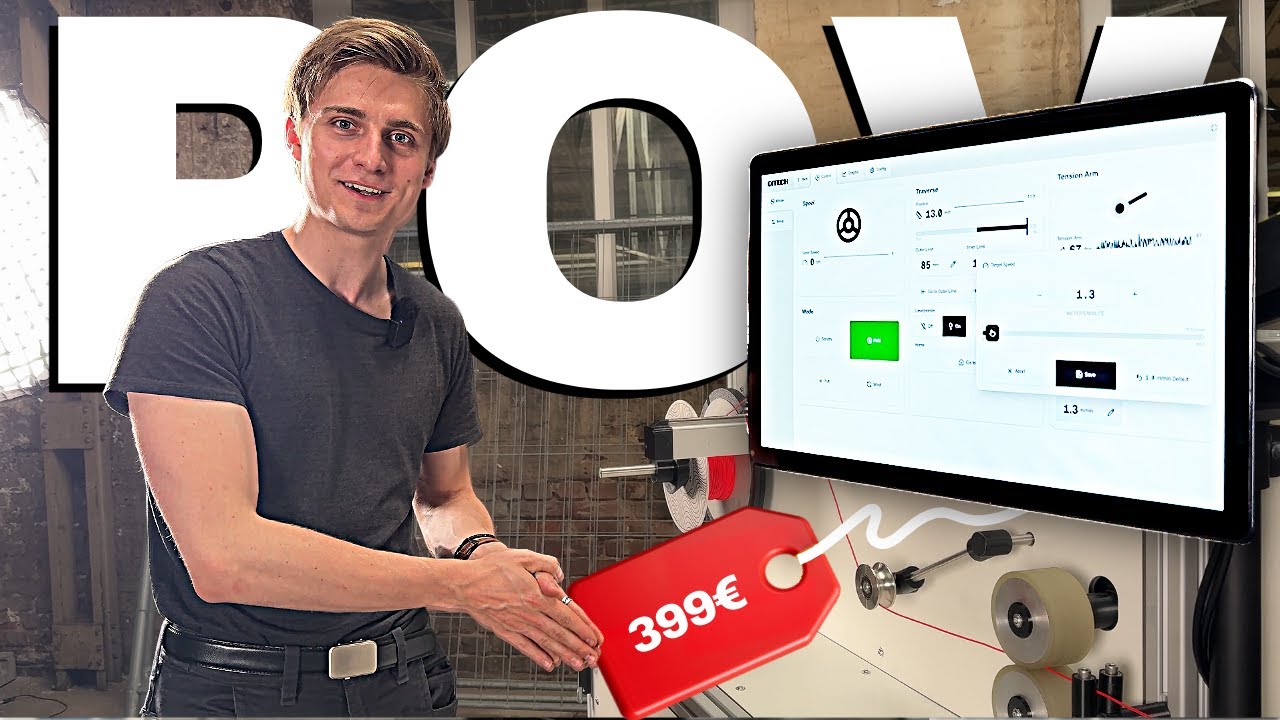](https://www.youtube.com/watch?v=KI3YeBwfV-s)
|
||||
*Click here to watch a video demo of our software.*
|
||||
|
||||
QiTech Control combines the modularity and reliability of standard EtherCAT terminals (e.g., WAGO, Beckhoff) with the power of a modern Rust & React stack.
|
||||
[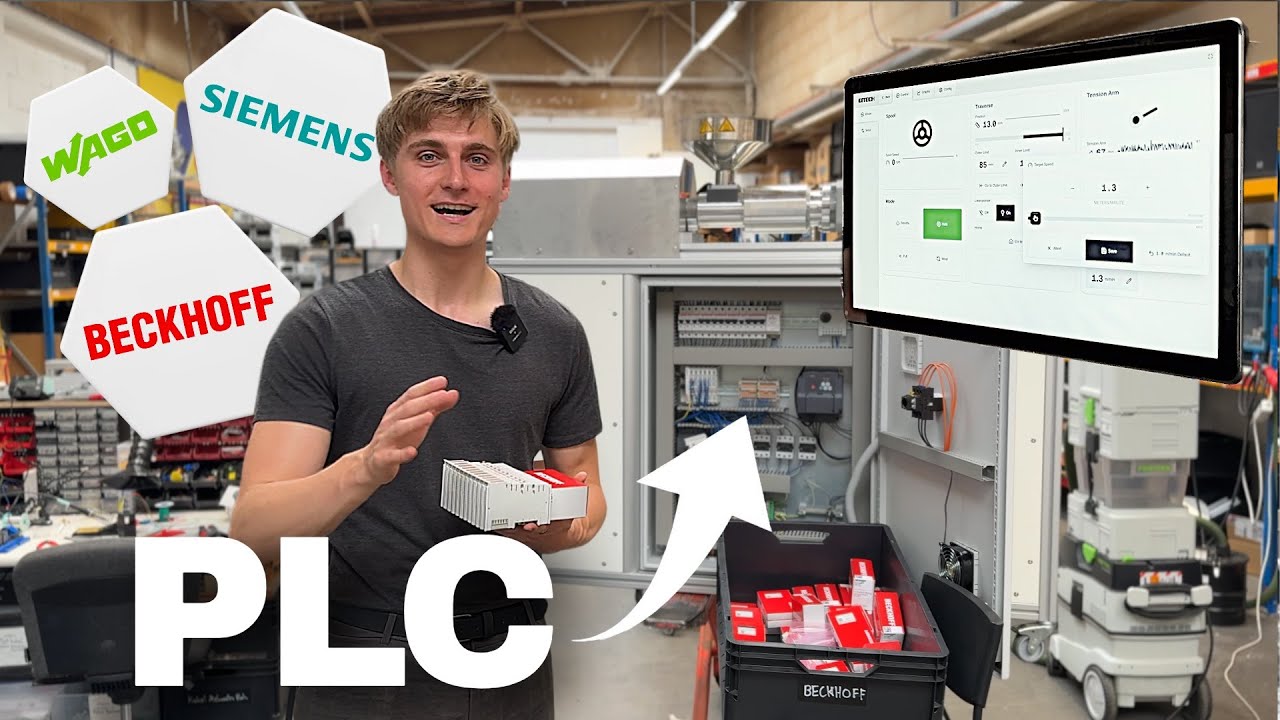](https://youtu.be/55egCAkQgyM)
|
||||
*Click here to watch a full explainer Video of our Software.*
|
||||
|
||||
## Documentation
|
||||
# Repo Structure
|
||||
|
||||
**[View Full Documentation Wiki](https://github.com/qitechgmbh/control/wiki)**
|
||||
Frontend
|
||||
|
||||
- [Getting Started](https://github.com/qitechgmbh/control/wiki/Getting-Started)
|
||||
- [Architecture Overview](https://github.com/qitechgmbh/control/wiki/Architecture-Overview)
|
||||
- [EtherCAT Basics](https://github.com/qitechgmbh/control/wiki/Ethercat-Basics)
|
||||
- [Device Examples](https://github.com/qitechgmbh/control/wiki/Hardware-Examples)
|
||||
- [REST API Reference](https://github.com/qitechgmbh/control/wiki/Rest-Api)
|
||||
- `/electron`: Frontend code for the control software built with React and Electron.
|
||||
|
||||
## Videos
|
||||
Backend
|
||||
|
||||
| Software Demo | Full Explainer |
|
||||
|---------------|----------------|
|
||||
| [](https://www.youtube.com/watch?v=KI3YeBwfV-s)<br/>*Watch a demo of the control software in action* | [](https://youtu.be/55egCAkQgyM)<br/>*Watch a complete overview of QiTech Control* |
|
||||
- `/server`: Glue between Beckhoff and Electron. Implements machine logic.
|
||||
- `/ethercat-hal`: Hardware abstraction layer for Beckhoff (and possibly other EtherCat) devices and protocols.
|
||||
- `/ethercat-hal-derive`: Macros for `ethercat-hal`
|
||||
- `/control-core`: Core control logic for the server.
|
||||
|
||||
## Repository Structure
|
||||
Operating System
|
||||
|
||||
- **`/electron`** - React + Electron frontend
|
||||
- **`/server`** - Rust backend implementing machine logic
|
||||
- **`/ethercat-hal`** - Hardware abstraction layer for EtherCAT devices
|
||||
- **`/control-core`** - Core control logic
|
||||
- **`/nixos`** - Custom Linux OS with realtime kernel
|
||||
- `/nixos`: Custom Linux with realtime kernel & preconfigured for touchscreens.
|
||||
|
||||
## Technology Stack
|
||||
Other
|
||||
|
||||
**Backend:** Rust with [Ethercrab](https://github.com/ethercrab-rs/ethercrab) for EtherCAT, [SocketIO](https://socket.io/) for real-time communication, [axum](https://docs.rs/axum/latest/axum/) for REST API
|
||||
- `/docs`: Documentation for the project.
|
||||
|
||||
**Frontend:** [Electron](https://www.electronjs.org/) + [React](https://react.dev/) with [Shadcn](https://ui.shadcn.com/) components and [Tailwind](https://tailwindcss.com/) styling
|
||||
# Technology Choices
|
||||
|
||||
## Backend
|
||||
|
||||
To interface with Beckhoff and other EtherCAT devices we need an EtherCAT master software. Possibilities are [PySOEM](https://github.com/bnjmnp/pysoem) (Python), [SOEM](https://github.com/OpenEtherCATsociety/SOEM) (C) and [Ethercrab](https://github.com/ethercrab-rs/ethercrab) (Rust). For realtime operation only C and Rust are suitable. We chose Rust because of safety and confidence in the written code.
|
||||
|
||||
[SocketIO](https://socket.io/) was chosen for performant event driven communication from the backend to the server. But we still use REST with [axum](https://docs.rs/axum/latest/axum/) for the communication thet benefits from the request/response model.
|
||||
|
||||
We use [Smol](https://github.com/smol-rs/smol) for EtherCAT IO in the control loop for it's performance and [Tokio](https://tokio.rs/) for server IO because of it's ecosystem and maturity.
|
||||
|
||||
## Frontend
|
||||
|
||||
We could combine the code of the frontend and backend using [Doxius](https://dioxuslabs.com/) but it lacks good Linux support. We chose [Electron](https://www.electronjs.org/) with [React](https://react.dev/) for it's maturity and ecosystem. For the UI we use [Shadcn](https://ui.shadcn.com/) components and [Tailwind](https://tailwindcss.com/) for styling. For routing we use [TanStack Router](https://tanstack.com/router/v1).
|
||||
|
||||
# Dev Setup
|
||||
|
||||
[Developer Documentation](./docs/developer-docs/)
|
||||
|
||||
## Backend
|
||||
|
||||
- Rust stable 1.86^ toolchain (install via [rustup](https://rustup.rs/))
|
||||
- `rust-analyzer` extension for VSCode
|
||||
- Set your interface in `server/src/ethercat/init.rs` like `en10`
|
||||
- Connect a Beckhoff EK1100 to your interface
|
||||
- run `cd server && cargo run` to start the server (localhost:3001)
|
||||
|
||||
## Frontend
|
||||
|
||||
- nodejs and npm installed
|
||||
- run `cd electron && npm i && npm run start` to start the frontend
|
||||
|
||||
# Machines
|
||||
|
||||
| Machine Type | Version | Release Date | Description | Change to Previous Version | Vendor ID | Machine ID | Implemented | Docs |
|
||||
| ------------ | ------- | ------------ | --------------------------- | ------------------------------------------------------ | -------------------------- | ---------- | ----------- | ------------------------------- |
|
||||
| Winder | V1 | ??? | Winding Filaments & Similar | - | 1 (Qitech Industries GmbH) | 1 | Reserved | - |
|
||||
| Winder | V2 | 2025 | Winding Filaments & Similar | Reengineered Traverse | 1 (Qitech Industries GmbH) | 2 | Yes | [](./docs/machines/winder-1.md) |
|
||||
| Extruder | V1 | ??? | Single Screw Extruder | - | 1 (Qitech Industries GmbH) | 3 | Reserved | - |
|
||||
| Extruder | V2 | 2025 | Single Screw Extruder | PT100 Thermometers, Optional Additional Heating Zone 4 | 1 (Qitech Industries GmbH) | 4 | Yes | |
|
||||
| Waterway | V1 | 2025 | Filament Water Cooling | - | 1 (Qitech Industries GmbH) | 5 | In Progress | |
|
||||
| Laser | V1 | ??? | Diameter Measuring Laser | - | 1 (Qitech Industries GmbH) | 6 | Yes | |
|
||||
| Mock | - | ??? | Mock Machine for Testing | - | 1 (Qitech Industries GmbH) | 7 | Yes | - |
|
||||
|
||||
# Minimal Hardware Examples
|
||||
|
||||
For complete step-by-step tutorials on setting up your first hardware, including wiring diagrams and software configuration, see the [Getting Started Guide](./docs/developer-docs/getting-started.md#minimal-hardware-examples).
|
||||
|
||||
Available examples:
|
||||
- **LED Control with EL2004** - Digital output control (simplest setup)
|
||||
- **Analog Input with EL3021** - Reading analog current measurements
|
||||
|
||||
|
||||
## Hardware Examples
|
||||
# More Docs
|
||||
|
||||
QiTech Control supports a wide range of EtherCAT hardware from WAGO and Beckhoff. We provide complete step-by-step tutorials with wiring diagrams and software configuration for many common modules.
|
||||
- [x] [Architecture & Data Flow](./docs/architecture-overview.md)
|
||||
|
||||
**[View all hardware examples and tutorials on the wiki](https://github.com/qitechgmbh/control/wiki/Hardware-Examples)**
|
||||
- [x] Example Winder V2
|
||||
|
||||
Quick links to popular examples:
|
||||
- [EL2004 - LED Control](https://github.com/qitechgmbh/control/wiki/Minimal-Example-El2004) (simplest setup for beginners)
|
||||
- [EL3021 - Analog Input](https://github.com/qitechgmbh/control/wiki/Minimal-Example-El3021)
|
||||
- [EL7031 - Stepper Motor Control](https://github.com/qitechgmbh/control/wiki/Minimal-Example-El7031-Motor)
|
||||
- [WAGO 750-402 - Digital Input](https://github.com/qitechgmbh/control/wiki/Minimal-Example-Wago750-402)
|
||||
- [WAGO 750-455 - Analog Input](https://github.com/qitechgmbh/control/wiki/Minimal-Example-Wago-750-455)
|
||||
- [ ] Electron
|
||||
|
||||
## QiTech Machines
|
||||
- Folder Structure
|
||||
- Routing with TanStack Router
|
||||
- Design with Tailwind & Shadcn
|
||||
- ...
|
||||
|
||||
QiTech Control powers 10+ production machines for filament extrusion, winding, measurement, and material processing.
|
||||
- [ ] Interfacing with Electron/Server
|
||||
|
||||
**[View complete machine catalog on the wiki](https://github.com/qitechgmbh/control/wiki/QiTech-Machines)**
|
||||
- [ ] SocketIO
|
||||
- Machine Namespace
|
||||
- Main Namespace
|
||||
- [ ] REST
|
||||
- Machine Mutations
|
||||
- Write Device Identification
|
||||
|
||||
- Server
|
||||
|
||||
## Contributing
|
||||
- [x] [Threading](./docs/control-loop.md)
|
||||
- [x] [Logging](./docs/logging.md)
|
||||
- [ ] Control Loop Setup
|
||||
- Control Loop Thread
|
||||
- [ ] realtime
|
||||
- Maindevice
|
||||
- Group
|
||||
- Extracting Device Identifications
|
||||
- Identifying Groups
|
||||
- Validating Machines
|
||||
- Run Control Loop
|
||||
- [x] [Control Loop](./docs/control-loop.md)
|
||||
- [x] [Machine/Device Identification](./docs/identification.md)
|
||||
- [ ] Machines
|
||||
- When to create a new Machine?
|
||||
- Versioning
|
||||
- Code sharing
|
||||
- Creating/Validating a Machine
|
||||
- Validation
|
||||
- Configuration
|
||||
- [ ] Machine Implementation Guide
|
||||
- Link: How to create a Device
|
||||
- Link: How to create an Actor
|
||||
- Link: How to create a Machine
|
||||
- API (SocketIO + REST)
|
||||
- Creation/Validation Logic
|
||||
- Optional/Mandatory Devices
|
||||
- Validate Devices
|
||||
- Business Logic
|
||||
- Link: How to create Machine Abstraction (Like Traverse/Puller/...)
|
||||
- Forward `act` in winder.
|
||||
|
||||
This is an open-source project. Contributions are welcome! Please see the [wiki](https://github.com/qitechgmbh/control/wiki) for development guidelines.
|
||||
- [ ] Control Core
|
||||
|
||||
- [x] [Actors](./docs/actors.md)
|
||||
- [ ] SocketIO
|
||||
- Namespaces & Caching
|
||||
- Joining leaving namespaces
|
||||
- NamespaceId
|
||||
- Caching
|
||||
- Serverside Caching
|
||||
- Clientside Caching
|
||||
- [ ] REST
|
||||
|
||||
- [x] Ethercat HAL
|
||||
|
||||
## Additional Videos
|
||||
- [x] [Devices](./docs/devices.md)
|
||||
- [x] [Configuration (CoE)](./docs/coe.md)
|
||||
- [x] [IO](./docs/io.md)
|
||||
- [x] [PDO](./docs/pdo.md)
|
||||
|
||||
| Episode Highlights | |
|
||||
|--------------------|--------------------|
|
||||
| [](https://www.youtube.com/watch?v=U2wNN6sF4to&t=163s)<br/>**Day in the Software Team**<br/>*Behind the scenes with Robin and how the team ships control software.* | [](https://www.youtube.com/watch?v=R5WGAY3WRWA&t=1s)<br/>**Software Stack Day**<br/>*A fast tour through the tools, stack, and daily workflow.* |
|
||||
| [](https://www.youtube.com/watch?v=xyaHwxXguw4&t=32s)<br/>**First Client**<br/>*A milestone week building the first real client project.* | [](https://www.youtube.com/watch?v=moI7z2PVdF4)<br/>**Steelworks Week**<br/>*A deep-dive week on a demanding steelworks order.* |
|
||||
- [x] [Ethercat Basics](./docs/ethercat-basics.md)
|
||||
|
||||
## License
|
||||
|
||||
See [LICENSE](LICENSE) file for details.
|
||||
- [x] [NixOS Operating System](./docs/nixos/README.md)
|
||||
@@ -9,11 +9,11 @@ workspace = true
|
||||
[dependencies]
|
||||
anyhow = "1.0.100"
|
||||
|
||||
axum = "0.8.8"
|
||||
axum = "0.8.6"
|
||||
|
||||
ethercat_hal = { path = "../ethercat-hal" }
|
||||
units = { path = "../units" }
|
||||
ethercrab = { git = "https://github.com/v-morlock/ethercrab", branch = "main" }
|
||||
ethercrab = "0.6"
|
||||
interfaces = "0.0.9"
|
||||
serde = "1.0.219"
|
||||
serialport = "4.7.3"
|
||||
@@ -21,7 +21,7 @@ smol = "2.0.2"
|
||||
socketioxide = "0.17.2"
|
||||
bitvec = { version = "1.0.1", features = ["alloc"] }
|
||||
crc = "3.3.0"
|
||||
tracing = "0.1.44"
|
||||
tracing = "0.1.41"
|
||||
erased-serde = "0.4.8"
|
||||
core_affinity = "0.8.3"
|
||||
control_core_derive = { version = "0.1.0", path = "../control-core-derive" }
|
||||
|
||||
@@ -1,189 +0,0 @@
|
||||
use ethercrab::{
|
||||
MainDevice, MainDeviceConfig, PduStorage, Timeouts,
|
||||
std::{ethercat_now, tx_rx_task},
|
||||
};
|
||||
use interfaces::Interface;
|
||||
use std::{process::Command, sync::Arc, time::Duration};
|
||||
|
||||
// Constants for EtherCAT configuration
|
||||
const IFACE_DISCOVERY_MAX_SUBDEVICES: usize = 16; // Must be power of 2 > 1
|
||||
const IFACE_DISCOVERY_MAX_PDU_DATA: usize = PduStorage::element_size(1100);
|
||||
const IFACE_DISCOVERY_MAX_FRAMES: usize = 16;
|
||||
const IFACE_DISCOVERY_MAX_PDI_LEN: usize = 128;
|
||||
|
||||
/// Sets a network interface to unmanaged by NetworkManager.
|
||||
/// Returns true if the command succeeded.
|
||||
pub fn set_interface_managed(interface: &str, managed: bool) -> bool {
|
||||
let managed_str = match managed {
|
||||
true => "yes",
|
||||
false => "no",
|
||||
};
|
||||
tracing::info!(
|
||||
"set_interface_managed for {} managed was set to: {}",
|
||||
interface,
|
||||
managed_str
|
||||
);
|
||||
let status = Command::new("nmcli")
|
||||
.args(["dev", "set", interface, "managed", managed_str])
|
||||
.status();
|
||||
|
||||
matches!(status, Ok(s) if s.success())
|
||||
}
|
||||
|
||||
/// Returns true if the given network interface is Ethernet.
|
||||
/// Prevents testing wlan,loopback and other non ethernet devices
|
||||
fn is_ethernet(interface: &str) -> std::io::Result<bool> {
|
||||
#[cfg(target_os = "linux")]
|
||||
{
|
||||
let base_path = format!("/sys/class/net/{}", interface);
|
||||
let type_path = std::path::Path::new(&base_path).join("type");
|
||||
let iface_type = std::fs::read_to_string(&type_path)?.trim().to_string();
|
||||
// 1 means Ethernet
|
||||
let reports_as_ethernet = iface_type == "1";
|
||||
// Double-check that it's not a wireless interface
|
||||
let uevent_path = std::path::Path::new(&base_path).join("uevent");
|
||||
let uevent = std::fs::read_to_string(&uevent_path).unwrap_or_default();
|
||||
// If "DEVTYPE=wlan" appears, it's lying
|
||||
let actually_wifi = uevent.contains("DEVTYPE=wlan");
|
||||
return Ok(reports_as_ethernet && !actually_wifi);
|
||||
}
|
||||
#[cfg(not(target_os = "linux"))]
|
||||
return Ok(true);
|
||||
}
|
||||
|
||||
pub async fn discover_ethercat_interface() -> Result<String, anyhow::Error> {
|
||||
tracing::info!("Discovering EtherCAT interface...");
|
||||
|
||||
// Set up a custom panic hook that suppresses panic output
|
||||
let default_hook = std::panic::take_hook();
|
||||
std::panic::set_hook(Box::new(move |panic_info| {
|
||||
// Optional: log the panic in a controlled way
|
||||
if let Some(location) = panic_info.location() {
|
||||
tracing::debug!(
|
||||
"Suppressed panic in interface test: {} (at {}:{})",
|
||||
panic_info,
|
||||
location.file(),
|
||||
location.line()
|
||||
);
|
||||
} else {
|
||||
tracing::debug!("Suppressed panic in interface test: {}", panic_info);
|
||||
}
|
||||
}));
|
||||
|
||||
// Get eligible interfaces
|
||||
let mut interfaces = Interface::get_all()
|
||||
.map_err(|e| anyhow::anyhow!("Failed to get network interfaces: {}", e))?
|
||||
.into_iter()
|
||||
.filter(|iface| {
|
||||
iface.is_up()
|
||||
&& iface.is_running()
|
||||
&& !iface.is_loopback()
|
||||
&& is_ethernet(&iface.name).unwrap_or(false)
|
||||
&& !iface.name.starts_with("bridge")
|
||||
&& !iface.name.starts_with("utun") // Exclude tunnel interfaces
|
||||
&& !iface.name.starts_with("awdl") // Exclude Apple Wireless Direct Link
|
||||
&& !iface.name.starts_with("anpi") // Exclude Apple Network Privacy Interface
|
||||
&& !iface.name.starts_with("llw") // Exclude Apple low-latency WLAN
|
||||
})
|
||||
.collect::<Vec<_>>();
|
||||
|
||||
interfaces.sort_by(|a, b| a.name.cmp(&b.name));
|
||||
let mut interface: Option<&str> = None;
|
||||
|
||||
for i in 0..interfaces.len() {
|
||||
match test_interface(&interfaces[i].name) {
|
||||
Ok(_) => {
|
||||
// if interface found with ethercat Exit early, we expect only one interface with ethercat
|
||||
interface = Some(&interfaces[i].name);
|
||||
break;
|
||||
}
|
||||
Err(_) => (),
|
||||
}
|
||||
}
|
||||
|
||||
for i in 0..interfaces.len() {
|
||||
if interface.is_some() && interface.unwrap() == &interfaces[i].name {
|
||||
set_interface_managed(&interfaces[i].name, false);
|
||||
} else {
|
||||
set_interface_managed(&interfaces[i].name, true);
|
||||
}
|
||||
}
|
||||
|
||||
// Restore the default panic hook
|
||||
std::panic::set_hook(default_hook);
|
||||
|
||||
match interface {
|
||||
Some(interface) => return Ok(interface.to_string()),
|
||||
None => return Err(anyhow::anyhow!("No suitable EtherCAT interface found")),
|
||||
}
|
||||
}
|
||||
|
||||
fn test_interface(interface: &str) -> Result<(), anyhow::Error> {
|
||||
tracing::info!("Testing interface: {}", interface);
|
||||
|
||||
let pdu_storage = Box::leak(Box::new(PduStorage::<
|
||||
IFACE_DISCOVERY_MAX_FRAMES,
|
||||
IFACE_DISCOVERY_MAX_PDU_DATA,
|
||||
>::new()));
|
||||
let (tx, rx, pdu_loop) = pdu_storage
|
||||
.try_split()
|
||||
.map_err(|e| anyhow::anyhow!("Failed to split PDU storage: {:?}", e))?;
|
||||
|
||||
let rt = smol::LocalExecutor::new();
|
||||
|
||||
let result = rt.run(async {
|
||||
let tx_rx_handle = rt.spawn(
|
||||
tx_rx_task(interface, tx, rx)
|
||||
.map_err(|e| anyhow::anyhow!("Failed to spawn TX/RX task: {}", e))?,
|
||||
);
|
||||
|
||||
let maindevice = Arc::new(MainDevice::new(
|
||||
pdu_loop,
|
||||
Timeouts {
|
||||
// Default 5000ms
|
||||
state_transition: Duration::from_millis(5000),
|
||||
// Default 30_000us
|
||||
pdu: Duration::from_micros(30_000),
|
||||
// Default 10ms
|
||||
eeprom: Duration::from_millis(10),
|
||||
// Default 0ms
|
||||
wait_loop_delay: Duration::from_millis(0),
|
||||
// Default 100ms
|
||||
mailbox_echo: Duration::from_millis(100),
|
||||
// Default 1000ms
|
||||
mailbox_response: Duration::from_millis(1000),
|
||||
},
|
||||
MainDeviceConfig {
|
||||
// Default 10000
|
||||
dc_static_sync_iterations: 10000,
|
||||
// Default None
|
||||
retry_behaviour: ethercrab::RetryBehaviour::Count(3),
|
||||
},
|
||||
));
|
||||
|
||||
let result = maindevice
|
||||
.init_single_group::<IFACE_DISCOVERY_MAX_SUBDEVICES, IFACE_DISCOVERY_MAX_PDI_LEN>(
|
||||
ethercat_now,
|
||||
)
|
||||
.await
|
||||
.map(|_| ())
|
||||
.map_err(|e| anyhow::anyhow!("Failed to initialize group: {}", e));
|
||||
|
||||
tx_rx_handle.cancel().await;
|
||||
|
||||
result
|
||||
});
|
||||
|
||||
// await the result of the async block
|
||||
let result = smol::block_on(result);
|
||||
|
||||
if let Err(e) = result {
|
||||
return Err(anyhow::anyhow!(
|
||||
"Failed to initialize EtherCAT on interface {}: {:?}",
|
||||
interface,
|
||||
e
|
||||
));
|
||||
}
|
||||
|
||||
Ok(())
|
||||
}
|
||||
@@ -1 +0,0 @@
|
||||
pub mod interface_discovery;
|
||||
@@ -0,0 +1,126 @@
|
||||
use anyhow::{Context, Result};
|
||||
use ethercrab::{
|
||||
MainDevice, MainDeviceConfig, PduStorage, RetryBehaviour, Timeouts,
|
||||
std::{ethercat_now, tx_rx_task},
|
||||
};
|
||||
|
||||
use crate::{
|
||||
ethernet::{get_interfaces, set_interface_managed},
|
||||
futures::FutureIteratorExt,
|
||||
};
|
||||
|
||||
// Constants for EtherCAT configuration
|
||||
const IFACE_DISCOVERY_MAX_SUBDEVICES: usize = 16; // Must be power of 2 > 1
|
||||
const IFACE_DISCOVERY_MAX_PDU_DATA: usize = PduStorage::element_size(1100);
|
||||
const IFACE_DISCOVERY_MAX_FRAMES: usize = 16;
|
||||
const IFACE_DISCOVERY_MAX_PDI_LEN: usize = 128;
|
||||
|
||||
pub async fn probe_ethercat() -> Option<String> {
|
||||
let interfaces = match get_interfaces() {
|
||||
Ok(x) => x,
|
||||
Err(_) => return None,
|
||||
};
|
||||
|
||||
interfaces
|
||||
.iter()
|
||||
.map(|iface| iface.name.to_owned())
|
||||
.map(probe_ethercat_interface)
|
||||
.join_all()
|
||||
.await
|
||||
.into_iter()
|
||||
.find_map(|x| x.ok())
|
||||
}
|
||||
|
||||
async fn probe_ethercat_interface(interface: String) -> Result<String> {
|
||||
tracing::info!("Testing ethercat on interface: {}", interface);
|
||||
|
||||
let pdu_storage = Box::leak(Box::new(PduStorage::<
|
||||
IFACE_DISCOVERY_MAX_FRAMES,
|
||||
IFACE_DISCOVERY_MAX_PDU_DATA,
|
||||
>::new()));
|
||||
|
||||
let (tx, rx, pdu_loop) = pdu_storage
|
||||
.try_split()
|
||||
.expect("Failed to split PDU storage");
|
||||
|
||||
let tx_rx_handle =
|
||||
smol::spawn(tx_rx_task(&interface, tx, rx).context("Failed to spawn TX/RX task")?);
|
||||
|
||||
let maindevice = MainDevice::new(
|
||||
pdu_loop,
|
||||
Timeouts::default(),
|
||||
MainDeviceConfig {
|
||||
// Default 10000
|
||||
dc_static_sync_iterations: 10000,
|
||||
// Default None
|
||||
retry_behaviour: RetryBehaviour::Count(3),
|
||||
},
|
||||
);
|
||||
|
||||
let res = maindevice
|
||||
.init_single_group::<IFACE_DISCOVERY_MAX_SUBDEVICES, IFACE_DISCOVERY_MAX_PDI_LEN>(
|
||||
ethercat_now,
|
||||
)
|
||||
.await
|
||||
.context(format!(
|
||||
"Failed to initialize EtherCAT on interface {}",
|
||||
interface
|
||||
));
|
||||
|
||||
tx_rx_handle.cancel().await;
|
||||
|
||||
res?;
|
||||
Ok(interface)
|
||||
}
|
||||
|
||||
pub async fn discover_ethercat_interface() -> Result<String, anyhow::Error> {
|
||||
tracing::info!("Discovering EtherCAT interface...");
|
||||
|
||||
// Set up a custom panic hook that suppresses panic output
|
||||
let default_hook = std::panic::take_hook();
|
||||
std::panic::set_hook(Box::new(move |panic_info| {
|
||||
// Optional: log the panic in a controlled way
|
||||
if let Some(location) = panic_info.location() {
|
||||
tracing::debug!(
|
||||
"Suppressed panic in interface test: {} (at {}:{})",
|
||||
panic_info,
|
||||
location.file(),
|
||||
location.line()
|
||||
);
|
||||
} else {
|
||||
tracing::debug!("Suppressed panic in interface test: {}", panic_info);
|
||||
}
|
||||
}));
|
||||
|
||||
let mut interfaces = get_interfaces()?;
|
||||
|
||||
interfaces.sort_by(|a, b| a.name.cmp(&b.name));
|
||||
let mut interface: Option<&str> = None;
|
||||
|
||||
for i in 0..interfaces.len() {
|
||||
match probe_ethercat_interface(interfaces[i].name.to_string()).await {
|
||||
Ok(_) => {
|
||||
// if interface found with ethercat Exit early, we expect only one interface with ethercat
|
||||
interface = Some(&interfaces[i].name);
|
||||
break;
|
||||
}
|
||||
Err(_) => (),
|
||||
}
|
||||
}
|
||||
|
||||
for i in 0..interfaces.len() {
|
||||
if interface.is_some() && interface.unwrap() == &interfaces[i].name {
|
||||
set_interface_managed(&interfaces[i].name, false);
|
||||
} else {
|
||||
set_interface_managed(&interfaces[i].name, true);
|
||||
}
|
||||
}
|
||||
|
||||
// Restore the default panic hook
|
||||
std::panic::set_hook(default_hook);
|
||||
|
||||
match interface {
|
||||
Some(interface) => Ok(interface.to_string()),
|
||||
None => Err(anyhow::anyhow!("No suitable EtherCAT interface found")),
|
||||
}
|
||||
}
|
||||
@@ -3,6 +3,7 @@ use std::process::Command;
|
||||
use anyhow::Result;
|
||||
use interfaces::Interface;
|
||||
|
||||
pub mod ethercat_interface_discovery;
|
||||
pub mod modbus_tcp_discovery;
|
||||
|
||||
/// Returns true if the given network interface is Ethernet.
|
||||
|
||||
@@ -47,7 +47,7 @@ async fn probe_modbus_tcp_addresses(interface: Interface) -> Vec<ModbusTcpProbe>
|
||||
let prefix = min(24, m.count_ones()); // mask → prefix length
|
||||
let size = 1u32 << (32 - prefix); // number of addresses
|
||||
|
||||
(0..size).map(move |i| SocketAddr::new(Ipv4Addr::from(network + i).into(), 502))
|
||||
(200..size).map(move |i| SocketAddr::new(Ipv4Addr::from(network + i).into(), 502))
|
||||
})
|
||||
.map(|addr| smol::spawn(ping_modbus_device(addr)))
|
||||
.join_all()
|
||||
|
||||
@@ -1,7 +1,6 @@
|
||||
pub mod controllers;
|
||||
pub mod converters;
|
||||
pub mod downcast;
|
||||
pub mod ethercat;
|
||||
pub mod ethernet;
|
||||
pub mod futures;
|
||||
pub mod helpers;
|
||||
|
||||
@@ -1,11 +1,12 @@
|
||||
pub mod modbus_serial_interface;
|
||||
pub mod tcp;
|
||||
|
||||
use anyhow::Error;
|
||||
use crc::{CRC_16_MODBUS, Crc};
|
||||
use serialport::SerialPort;
|
||||
use std::time::Duration;
|
||||
|
||||
pub mod tcp;
|
||||
|
||||
#[derive(Debug, Clone, Copy, PartialEq, Eq)]
|
||||
pub enum ParityType {
|
||||
Even,
|
||||
|
||||
@@ -77,22 +77,29 @@ impl ModbusTcpDevice {
|
||||
}
|
||||
|
||||
async fn read_and_check_responce_header(&mut self, func_code: u8) -> Result<()> {
|
||||
if self.read_u16().await? != self.transactions {
|
||||
bail!("Modbus device sent unexpected transaction id!");
|
||||
}
|
||||
assert_eq!(
|
||||
self.read_u16().await?,
|
||||
self.transactions,
|
||||
"Modbus device sent unexpected transaction id!"
|
||||
);
|
||||
|
||||
if self.read_u16().await? != PROTOCOL_ID {
|
||||
bail!("Modbus device sent unexpected protocol id!");
|
||||
}
|
||||
assert_eq!(
|
||||
self.read_u16().await?,
|
||||
PROTOCOL_ID,
|
||||
"Modbus device sent unexpected protocol id!"
|
||||
);
|
||||
|
||||
let length = self.read_u16().await?;
|
||||
if length < 2 {
|
||||
bail!("Modbus device will send too few bytes to understand the response!");
|
||||
}
|
||||
assert!(
|
||||
length >= 2,
|
||||
"Modbus device will send too few bytes to understand the response!"
|
||||
);
|
||||
|
||||
if self.read_u8().await? != UNIT_ID {
|
||||
bail!("Modbus device sent unexpected unit id!");
|
||||
}
|
||||
assert_eq!(
|
||||
self.read_u8().await?,
|
||||
UNIT_ID,
|
||||
"Modbus device sent unexpected unit id!"
|
||||
);
|
||||
|
||||
let func_code_res = self.read_u8().await?;
|
||||
if func_code != func_code_res {
|
||||
@@ -126,11 +133,11 @@ impl ModbusTcpDevice {
|
||||
.await?;
|
||||
|
||||
let num_data_bytes = self.read_u8().await? as u16;
|
||||
if count * 2 != num_data_bytes {
|
||||
bail!(
|
||||
"Modbus device wants to send only a portion of the requested range - UNIMPLEMENTED!"
|
||||
);
|
||||
}
|
||||
assert_eq!(
|
||||
count * 2,
|
||||
num_data_bytes,
|
||||
"Modbus device wants to send only a portion of the requested range - UNIMPLEMENTED!"
|
||||
);
|
||||
|
||||
Ok(num_data_bytes)
|
||||
}
|
||||
@@ -178,13 +185,17 @@ impl ModbusTcpDevice {
|
||||
self.read_and_check_responce_header(WRITE_HOLDING_FUNCTION_CODE)
|
||||
.await?;
|
||||
|
||||
if self.read_u16().await? != addr {
|
||||
bail!("Modbus device wrote to wrong register address!");
|
||||
}
|
||||
assert_eq!(
|
||||
self.read_u16().await?,
|
||||
addr,
|
||||
"Modbus device wrote to wrong register address!"
|
||||
);
|
||||
|
||||
if self.read_u16().await? != count as u16 {
|
||||
bail!("Modbus device wrote wrong number of registers!");
|
||||
}
|
||||
assert_eq!(
|
||||
self.read_u16().await?,
|
||||
count as u16,
|
||||
"Modbus device wrote wrong number of registers!"
|
||||
);
|
||||
|
||||
Ok(())
|
||||
}
|
||||
@@ -209,7 +220,7 @@ impl ModbusTcpDevice {
|
||||
pub async fn set_string<const N: usize>(&mut self, _addr: u16, s: &str) -> Result<()> {
|
||||
assert!(s.len() <= N, "String is too long to fit!");
|
||||
|
||||
todo!()
|
||||
Ok(())
|
||||
}
|
||||
|
||||
pub async fn get_u16(&mut self, addr: u16) -> Result<u16> {
|
||||
|
||||
@@ -1,24 +0,0 @@
|
||||
#!/bin/sh
|
||||
|
||||
# Generate 18 random alphanumeric characters base64 encode It
|
||||
password=$(head -c 18 /dev/urandom | base64)
|
||||
|
||||
echo "Basic Authentication; user=machine password=$password"
|
||||
echo $password > /tmp/machine_password
|
||||
|
||||
caddy_hash=$(caddy hash-password --plaintext $password)
|
||||
|
||||
echo "(machine_basic_auth) {
|
||||
basic_auth {
|
||||
machine $caddy_hash
|
||||
}
|
||||
}" | sudo tee /var/lib/caddy/auth_snippet.conf
|
||||
|
||||
# Transfer ownership to caddy user
|
||||
sudo chown caddy:caddy /var/lib/caddy/auth_snippet.conf
|
||||
|
||||
# Tigther permissions (Only readable by root or caddy user)
|
||||
sudo chmod 600 /var/lib/caddy/auth_snippet.conf
|
||||
|
||||
sudo systemctl restart caddy.service
|
||||
|
||||

|
Before Width: | Height: | Size: 2.3 MiB |

|
Before Width: | Height: | Size: 29 KiB |

|
Before Width: | Height: | Size: 1.4 MiB |

|
Before Width: | Height: | Size: 2.1 MiB |

|
Before Width: | Height: | Size: 2.2 MiB |

|
Before Width: | Height: | Size: 687 KiB |

|
Before Width: | Height: | Size: 32 KiB |

|
Before Width: | Height: | Size: 68 KiB |

|
Before Width: | Height: | Size: 6.6 MiB |

|
Before Width: | Height: | Size: 72 KiB |

|
Before Width: | Height: | Size: 5.2 MiB |

|
Before Width: | Height: | Size: 4.3 MiB |

|
Before Width: | Height: | Size: 28 KiB |

|
Before Width: | Height: | Size: 29 KiB |

|
Before Width: | Height: | Size: 37 KiB |

|
Before Width: | Height: | Size: 5.9 MiB |

|
Before Width: | Height: | Size: 203 KiB |

|
Before Width: | Height: | Size: 74 KiB |

|
Before Width: | Height: | Size: 83 KiB |

|
Before Width: | Height: | Size: 5.4 MiB |

|
Before Width: | Height: | Size: 5.9 MiB |

|
Before Width: | Height: | Size: 2.1 MiB |

|
Before Width: | Height: | Size: 41 KiB |

|
Before Width: | Height: | Size: 41 KiB |

|
Before Width: | Height: | Size: 64 KiB |

|
Before Width: | Height: | Size: 4.6 MiB |

|
Before Width: | Height: | Size: 4.2 MiB |

|
Before Width: | Height: | Size: 4.3 MiB |

|
Before Width: | Height: | Size: 2.1 MiB |

|
Before Width: | Height: | Size: 30 KiB |

|
Before Width: | Height: | Size: 45 KiB |

|
Before Width: | Height: | Size: 2.4 MiB |

|
Before Width: | Height: | Size: 2.3 MiB |

|
Before Width: | Height: | Size: 985 KiB |

|
Before Width: | Height: | Size: 55 KiB |
@@ -1,931 +0,0 @@
|
||||
# Wago Stepper Controller - Developer Documentation
|
||||
|
||||
**Models:** 750-671 & 750-672
|
||||
**Last Updated:** February 2026
|
||||
|
||||
## Table of Contents
|
||||
|
||||
1. [Overview](#overview)
|
||||
2. [Hardware Quick Reference](#hardware-quick-reference)
|
||||
3. [Architecture & Code Organization](#architecture--code-organization)
|
||||
4. [Control & Status Bytes](#control--status-bytes)
|
||||
5. [Implementation Details](#implementation-details)
|
||||
6. [Prescalers & Calculations](#prescalers--calculations)
|
||||
7. [Common Pitfalls & Debug Tips](#common-pitfalls--debug-tips)
|
||||
|
||||
---
|
||||
|
||||
## Overview
|
||||
|
||||
The Wago Stepper Controllers (750-671 and 750-672) drive stepper motors via EtherCAT. This documentation focuses on **velocity/speed control mode** implementation.
|
||||
|
||||
### Key Differences Between Models
|
||||
|
||||
| Feature | 750-671 | 750-672 |
|
||||
| --------------- | ------------------------------------------ | ------------------------------------ |
|
||||
| Max Voltage | 50 VDC | 70 VDC |
|
||||
| Max Current | 5 A | 7.5 A |
|
||||
| Speed Control | Via Application Selector in config | Via Control Byte C1 command |
|
||||
| Control Byte C1 | Different bit layout (M_Speed_Control bit) | Command field (0x18 = Speed Control) |
|
||||
|
||||
**For 750-671:** Must set `Application_Selector = 2` and `PWM_Period = 0` in WAGO I/O CHECK before using speed control.
|
||||
|
||||
**For 750-672:** Speed control is selected directly via command in Control Byte C1 (no config needed).
|
||||
|
||||
### Process Image
|
||||
|
||||
Both models use **12 bytes bidirectional** (96 bits each way):
|
||||
|
||||
```
|
||||
Input (TxPDO - Controller → PLC):
|
||||
[0] S0 (status)
|
||||
[1] Reserved
|
||||
[2-3] Actual Velocity (i16)
|
||||
[4-5] Reserved
|
||||
[6-8] Actual Position (24-bit: L, M, H)
|
||||
[9] S3 (digital inputs, warnings)
|
||||
[10] S2 (busy, error, on_speed, etc.)
|
||||
[11] S1 (acknowledgments)
|
||||
|
||||
Output (RxPDO - PLC → Controller):
|
||||
[0] C0 (control)
|
||||
[1] Reserved
|
||||
[2-3] Target Velocity (i16, clamped to ±25000)
|
||||
[4-5] Acceleration (u16)
|
||||
[6-8] Position (24-bit: L, M, H)
|
||||
[9] C3 (position/reset control)
|
||||
[10] C2 (prescalers, error quit)
|
||||
[11] C1 (main control: enable, start, mode)
|
||||
```
|
||||
|
||||
---
|
||||
|
||||
## Hardware Quick Reference
|
||||
|
||||
### Connections
|
||||
|
||||
| Pin | Name | Purpose |
|
||||
|-----|------|---------|
|
||||
| DI1+ | Digital Input 1 | Enable input (connect to 24V or control via software) |
|
||||
| DI2+ | Digital Input 2 | Referencing input |
|
||||
| DI- | Ground | Reference potential for DI1/DI2 |
|
||||
| A1, A2 | Motor Winding A | Connect to motor phase A |
|
||||
| B1, B2 | Motor Winding B | Connect to motor phase B |
|
||||
|
||||
### Status LEDs
|
||||
|
||||
- **LED H:** Shows error codes via blink patterns (see Wago manual section 3.3 for error codes)
|
||||
- Other LEDs show Ready, Enable, Busy states (see manual section 2.1.2.3)
|
||||
|
||||
---
|
||||
|
||||
## Architecture & Code Organization
|
||||
|
||||
### File Structure
|
||||
|
||||
```
|
||||
devices/
|
||||
wago_modules/
|
||||
wago_750_672.rs # Device struct, EtherCAT interface
|
||||
|
||||
io/
|
||||
stepper_velocity_wago_750_672.rs # High-level wrapper & byte helpers
|
||||
```
|
||||
|
||||
### Key Components
|
||||
|
||||
#### 1. `Wago750_672` Struct (EtherCAT Device)
|
||||
|
||||
Located in `devices/wago_modules/wago_750_672.rs`
|
||||
|
||||
```rust
|
||||
pub struct Wago750_672 {
|
||||
is_used: bool,
|
||||
tx_bit_offset: usize, // Input data offset
|
||||
rx_bit_offset: usize, // Output data offset
|
||||
pub rxpdo: Wago750_672RxPdo, // Data we send
|
||||
pub txpdo: Wago750_672TxPdo, // Data we receive
|
||||
module: Option<Module>,
|
||||
pub state: InitState,
|
||||
pub initialized: bool,
|
||||
}
|
||||
```
|
||||
|
||||
**Responsibilities:**
|
||||
- Implements EtherCAT device traits
|
||||
- Handles bit-level I/O with process image
|
||||
- Runs state machine in `input()` method
|
||||
- Thread-safe (used via `Arc<RwLock<>>`)
|
||||
|
||||
#### 2. `StepperVelocityWago750672` Wrapper
|
||||
|
||||
Located in `io/stepper_velocity_wago_750_672.rs`
|
||||
|
||||
```rust
|
||||
pub struct StepperVelocityWago750672 {
|
||||
pub device: Arc<RwLock<Wago750_672>>,
|
||||
pub state: InitState,
|
||||
pub target_velocity: i16,
|
||||
pub target_acceleration: u16,
|
||||
pub enabled: bool,
|
||||
pub freq_range_sel: u8,
|
||||
pub acc_range_sel: u8,
|
||||
}
|
||||
```
|
||||
|
||||
**Responsibilities:**
|
||||
- Provides high-level API (`set_velocity()`, `set_enabled()`)
|
||||
- Manages prescaler settings
|
||||
- Abstracts away state machine complexity
|
||||
|
||||
### Why Two Layers?
|
||||
|
||||
1. **`Wago750_672`:** Low-level EtherCAT device that handles cycle-by-cycle I/O
|
||||
2. **`StepperVelocityWago750672`:** High-level wrapper for application logic
|
||||
|
||||
This separation allows:
|
||||
- EtherCAT device to run in tight real-time loop
|
||||
- Application code to use simple API without worrying about cycles/acknowledgments
|
||||
- Easy testing of each layer independently
|
||||
|
||||
---
|
||||
|
||||
## Control & Status Bytes
|
||||
|
||||
### Design Pattern: Type-Safe Byte Construction
|
||||
|
||||
Instead of hardcoding hex values like `0x1B`, we use builder pattern with enums:
|
||||
|
||||
```rust
|
||||
// ❌ BAD - magic numbers, error-prone
|
||||
dev.rxpdo.c1 = 0x1B;
|
||||
|
||||
// ✅ GOOD - explicit, self-documenting
|
||||
let c1 = ControlByteC1::new()
|
||||
.with_flag(C1Flag::Enable)
|
||||
.with_flag(C1Flag::Stop2N)
|
||||
.with_command(C1Command::SpeedControl)
|
||||
.bits();
|
||||
dev.rxpdo.c1 = c1;
|
||||
```
|
||||
|
||||
### Wago 750-672 Control Bytes
|
||||
|
||||
#### Control Byte C1 (Offset 11) - Main Control
|
||||
|
||||
```rust
|
||||
pub struct ControlByteC1(u8);
|
||||
|
||||
pub enum C1Flag {
|
||||
Enable = 0b0000_0001, // Bit 0: Must be 1 to enable
|
||||
Stop2N = 0b0000_0010, // Bit 1: Must be 1 for normal operation
|
||||
Start = 0b0000_0100, // Bit 2: Rising edge triggers action
|
||||
}
|
||||
|
||||
pub enum C1Command {
|
||||
Idle = 0b0000_0000, // Bits 3-7: Operating mode
|
||||
SinglePosition = 0b0000_1000,
|
||||
RunProgram = 0b0001_0000,
|
||||
SpeedControl = 0b0001_1000, // ← We use this
|
||||
Reference = 0b0010_0000,
|
||||
JogMode = 0b0010_1000,
|
||||
Mailbox = 0b0011_0000,
|
||||
}
|
||||
```
|
||||
|
||||
**Implementation:**
|
||||
|
||||
```rust
|
||||
impl ControlByteC1 {
|
||||
pub const fn new() -> Self {
|
||||
Self(0)
|
||||
}
|
||||
|
||||
pub const fn with_flag(mut self, flag: C1Flag) -> Self {
|
||||
self.0 |= flag as u8; // OR in the bit
|
||||
self
|
||||
}
|
||||
|
||||
pub const fn with_command(mut self, cmd: C1Command) -> Self {
|
||||
self.0 = (self.0 & 0b0000_0111) | (cmd as u8); // Mask lower 3 bits, set upper 5
|
||||
self
|
||||
}
|
||||
|
||||
pub const fn bits(self) -> u8 {
|
||||
self.0
|
||||
}
|
||||
}
|
||||
```
|
||||
|
||||
**Key Points:**
|
||||
- `const fn` allows compile-time evaluation
|
||||
- Chainable builder pattern
|
||||
- Command overwrites bits 3-7 while preserving 0-2
|
||||
- Flags are additive (multiple can be set)
|
||||
|
||||
#### Control Byte C2 (Offset 10) - Prescalers & Error Handling
|
||||
|
||||
```rust
|
||||
pub struct ControlByteC2(u8);
|
||||
|
||||
pub enum C2Flag {
|
||||
FreqRangeSelL = 0b0000_0001, // Bit 0: Freq prescaler LSB
|
||||
FreqRangeSelH = 0b0000_0010, // Bit 1: Freq prescaler MSB
|
||||
AccRangeSelL = 0b0000_0100, // Bit 2: Acc prescaler LSB
|
||||
AccRangeSelH = 0b0000_1000, // Bit 3: Acc prescaler MSB
|
||||
PreCalc = 0b0100_0000, // Bit 6: Pre-calculation
|
||||
ErrorQuit = 0b1000_0000, // Bit 7: Acknowledge error
|
||||
}
|
||||
|
||||
impl ControlByteC2 {
|
||||
pub const fn with_freq_range(mut self, sel: u8) -> Self {
|
||||
self.0 = (self.0 & 0b1111_1100) | (sel & 0b0000_0011);
|
||||
self
|
||||
}
|
||||
|
||||
pub const fn with_acc_range(mut self, sel: u8) -> Self {
|
||||
self.0 = (self.0 & 0b1111_0011) | ((sel & 0b0000_0011) << 2);
|
||||
self
|
||||
}
|
||||
}
|
||||
```
|
||||
|
||||
**Critical:** Prescalers can only be changed when controller is **disabled** (before Enable state).
|
||||
|
||||
#### Control Byte C3 (Offset 9) - Position & Reset
|
||||
|
||||
```rust
|
||||
pub struct ControlByteC3(u8);
|
||||
|
||||
pub enum C3Flag {
|
||||
SetActualPos = 0b0000_0001, // Bit 0: Set current position
|
||||
DirectionPos = 0b0000_0010, // Bit 2: Force positive direction
|
||||
DirectionNeg = 0b0000_0100, // Bit 3: Force negative direction
|
||||
ResetQuit = 0b1000_0000, // Bit 7: Acknowledge reset
|
||||
}
|
||||
```
|
||||
|
||||
### Status Bytes (Read-Only)
|
||||
|
||||
#### Status Byte S1 (Offset 11) - Acknowledgments
|
||||
|
||||
```rust
|
||||
pub struct StatusByteS1(u8);
|
||||
|
||||
pub enum S1Flag {
|
||||
Ready = 0b0000_0001, // Bit 0: Acknowledges Enable
|
||||
Stop2NAck = 0b0000_0010, // Bit 1: Acknowledges Stop2_N
|
||||
StartAck = 0b0000_0100, // Bit 2: Acknowledges Start
|
||||
}
|
||||
// Bits 3-7: Mirrors C1 command when acknowledged
|
||||
|
||||
impl StatusByteS1 {
|
||||
pub const fn has_flag(self, flag: S1Flag) -> bool {
|
||||
(self.0 & flag as u8) != 0
|
||||
}
|
||||
}
|
||||
```
|
||||
|
||||
**Usage Pattern:**
|
||||
```rust
|
||||
// Wait for acknowledgment
|
||||
if self.txpdo.s1 == c1 {
|
||||
// All bits acknowledged, proceed
|
||||
}
|
||||
```
|
||||
|
||||
#### Status Byte S2 (Offset 10) - Operation Status
|
||||
|
||||
```rust
|
||||
pub struct StatusByteS2(u8);
|
||||
|
||||
pub enum S2Flag {
|
||||
OnTarget = 0b0000_0001, // Bit 0: Position reached (positioning mode)
|
||||
Busy = 0b0000_0010, // Bit 1: Executing command
|
||||
StandStill = 0b0000_0100, // Bit 2: Motor not moving
|
||||
OnSpeed = 0b0000_1000, // Bit 3: Target velocity reached
|
||||
Direction = 0b0001_0000, // Bit 4: Rotation direction (0=neg, 1=pos)
|
||||
ReferenceOk = 0b0010_0000, // Bit 5: Referencing complete
|
||||
PreCalcAck = 0b0100_0000, // Bit 6: Pre-calc acknowledged
|
||||
Error = 0b1000_0000, // Bit 7: Error occurred (check LED H)
|
||||
}
|
||||
```
|
||||
|
||||
**Critical for velocity control:** Monitor `OnSpeed` bit to know when target velocity is reached.
|
||||
|
||||
#### Status Byte S3 (Offset 9) - Digital Inputs & Warnings
|
||||
|
||||
```rust
|
||||
pub struct StatusByteS3(u8);
|
||||
|
||||
pub enum S3Flag {
|
||||
Input1 = 0b0000_0001, // Bits 0-5: Digital input states
|
||||
Input2 = 0b0000_0010,
|
||||
Input3 = 0b0000_0100,
|
||||
Input4 = 0b0000_1000,
|
||||
Input5 = 0b0001_0000,
|
||||
Input6 = 0b0010_0000,
|
||||
Warning = 0b0100_0000, // Bit 6: Warning condition
|
||||
Reset = 0b1000_0000, // Bit 7: Reset requested
|
||||
}
|
||||
```
|
||||
|
||||
---
|
||||
|
||||
## Implementation Details
|
||||
|
||||
### Critical Initialization Sequence
|
||||
|
||||
⚠️ **This sequence MUST be followed exactly or the controller won't work:**
|
||||
|
||||
1. **Set non-zero acceleration** (before enabling)
|
||||
2. **Set Enable + Stop2_N** (wait for ack)
|
||||
3. **Set operating mode** (0x18 for speed control, wait for ack)
|
||||
4. **Issue Start pulse** (set to 1, wait for ack, set to 0, wait for ack clear)
|
||||
5. **Running** (repeat step 4 every time velocity changes)
|
||||
|
||||
### State Machine (Why It Exists)
|
||||
|
||||
The state machine exists because **acknowledgments happen in different EtherCAT cycles**. You can't just set everything in one cycle.
|
||||
|
||||
```rust
|
||||
#[derive(Debug, Clone)]
|
||||
pub enum InitState {
|
||||
Off, // Controller disabled
|
||||
Enable, // Setting Enable + Stop2_N, waiting for ack
|
||||
SetMode, // Setting speed control mode, waiting for ack
|
||||
StartPulseStart, // Setting Start bit, waiting for ack
|
||||
StartPulseEnd, // Clearing Start bit, waiting for ack clear
|
||||
Running, // Normal operation
|
||||
ErrorQuit, // Handling error
|
||||
ResetQuit, // Handling reset
|
||||
}
|
||||
```
|
||||
|
||||
### State Machine Implementation
|
||||
|
||||
Located in `Wago750_672::input()` method (runs every EtherCAT cycle):
|
||||
|
||||
```rust
|
||||
fn input(&mut self, input: &BitSlice) -> Result<(), anyhow::Error> {
|
||||
// 1. Read process image from controller
|
||||
let base = self.tx_bit_offset;
|
||||
let mut b = [0u8; 12];
|
||||
for i in 0..12 {
|
||||
b[i] = input[base + i * 8..base + (i + 1) * 8].load_le();
|
||||
}
|
||||
|
||||
self.txpdo = Wago750_672TxPdo {
|
||||
s0: b[0],
|
||||
actual_velocity: i16::from_le_bytes([b[2], b[3]]),
|
||||
position_l: b[6],
|
||||
position_m: b[7],
|
||||
position_h: b[8],
|
||||
s3: b[9],
|
||||
s2: b[10],
|
||||
s1: b[11],
|
||||
};
|
||||
|
||||
// 2. State machine logic
|
||||
match self.state {
|
||||
InitState::Off => {
|
||||
self.initialized = false;
|
||||
// Do nothing until external enable request
|
||||
}
|
||||
|
||||
InitState::Enable => {
|
||||
// Build C1 byte with Enable and Stop2_N
|
||||
let c1 = ControlByteC1::new()
|
||||
.with_flag(C1Flag::Enable)
|
||||
.with_flag(C1Flag::Stop2N)
|
||||
.bits();
|
||||
self.rxpdo.c1 = c1;
|
||||
|
||||
// Wait for acknowledgment
|
||||
if self.txpdo.s1 == c1 {
|
||||
self.state = InitState::SetMode;
|
||||
}
|
||||
}
|
||||
|
||||
InitState::SetMode => {
|
||||
// Add speed control command
|
||||
let c1 = ControlByteC1::new()
|
||||
.with_flag(C1Flag::Enable)
|
||||
.with_flag(C1Flag::Stop2N)
|
||||
.with_command(C1Command::SpeedControl)
|
||||
.bits();
|
||||
self.rxpdo.c1 = c1;
|
||||
|
||||
// Wait for mode acknowledgment
|
||||
if self.txpdo.s1 == c1 {
|
||||
self.initialized = true;
|
||||
self.state = InitState::StartPulseStart;
|
||||
}
|
||||
}
|
||||
|
||||
InitState::StartPulseStart => {
|
||||
// Set Start bit
|
||||
let c1 = ControlByteC1::new()
|
||||
.with_flag(C1Flag::Enable)
|
||||
.with_flag(C1Flag::Stop2N)
|
||||
.with_flag(C1Flag::Start) // ← Rising edge
|
||||
.with_command(C1Command::SpeedControl)
|
||||
.bits();
|
||||
self.rxpdo.c1 = c1;
|
||||
|
||||
// Wait for Start acknowledgment
|
||||
if self.txpdo.s1 == c1 {
|
||||
self.state = InitState::StartPulseEnd;
|
||||
}
|
||||
}
|
||||
|
||||
InitState::StartPulseEnd => {
|
||||
// Clear Start bit
|
||||
let c1 = ControlByteC1::new()
|
||||
.with_flag(C1Flag::Enable)
|
||||
.with_flag(C1Flag::Stop2N)
|
||||
.with_command(C1Command::SpeedControl)
|
||||
.bits();
|
||||
self.rxpdo.c1 = c1;
|
||||
|
||||
// Wait for acknowledgment to clear
|
||||
if self.txpdo.s1 == c1 {
|
||||
self.state = InitState::Running;
|
||||
}
|
||||
}
|
||||
|
||||
InitState::Running => {
|
||||
// Monitor for errors and resets
|
||||
let c2_error_mask = ControlByteC2::new().with_flag(C2Flag::ErrorQuit).bits();
|
||||
let c3_reset_mask = ControlByteC3::new().with_flag(C3Flag::ResetQuit).bits();
|
||||
|
||||
if self.txpdo.s2 & c2_error_mask != 0 {
|
||||
self.state = InitState::ErrorQuit;
|
||||
} else if self.txpdo.s3 & c3_reset_mask != 0 {
|
||||
self.state = InitState::ResetQuit;
|
||||
}
|
||||
}
|
||||
|
||||
InitState::ErrorQuit => {
|
||||
// Set Error_Quit bit to acknowledge
|
||||
self.rxpdo.c2 |= ControlByteC2::new().with_flag(C2Flag::ErrorQuit).bits();
|
||||
tracing::error!("Stepper Controller Errored. Trying to reenable...");
|
||||
self.state = InitState::Enable; // Restart initialization
|
||||
}
|
||||
|
||||
InitState::ResetQuit => {
|
||||
// Set Reset_Quit bit to acknowledge
|
||||
self.rxpdo.c3 |= ControlByteC3::new().with_flag(C3Flag::ResetQuit).bits();
|
||||
tracing::error!("Stepper Controller Reset. Trying to reenable...");
|
||||
self.state = InitState::Enable; // Restart initialization
|
||||
}
|
||||
}
|
||||
|
||||
Ok(())
|
||||
}
|
||||
```
|
||||
|
||||
**Key Implementation Notes:**
|
||||
|
||||
1. **State changes happen AFTER acknowledgment:** We wait for `self.txpdo.s1 == c1` before moving to next state
|
||||
2. **Enable and Stop2_N stay high:** They're included in every C1 byte after Enable state
|
||||
3. **Start pulse is a rising edge:** Must go 1 → 0, not just stay at 1
|
||||
4. **Error recovery:** Automatically attempts to re-enable on error/reset
|
||||
|
||||
### High-Level API Implementation
|
||||
|
||||
Located in `StepperVelocityWago750672`:
|
||||
|
||||
```rust
|
||||
pub fn set_enabled(&mut self, enabled: bool) {
|
||||
// Prevent redundant enables
|
||||
if self.enabled && enabled {
|
||||
return;
|
||||
}
|
||||
|
||||
// Safety check: acceleration must be non-zero
|
||||
if self.get_target_acceleration() == 0 {
|
||||
return;
|
||||
}
|
||||
|
||||
self.enabled = enabled;
|
||||
if enabled {
|
||||
self.change_init_state(InitState::Enable);
|
||||
} else {
|
||||
self.change_init_state(InitState::Off);
|
||||
self.write_control_byte(ControlByte::C1, 0b00000000);
|
||||
}
|
||||
}
|
||||
|
||||
pub fn set_velocity(&mut self, velocity: i16) {
|
||||
self.target_velocity = velocity;
|
||||
|
||||
let mut dev = block_on(self.device.write());
|
||||
|
||||
// Clamp to valid range
|
||||
dev.rxpdo.velocity = velocity.clamp(-25000, 25000);
|
||||
|
||||
// Trigger Start pulse if already initialized
|
||||
if dev.initialized {
|
||||
dev.state = InitState::StartPulseStart;
|
||||
}
|
||||
}
|
||||
|
||||
pub fn set_acceleration(&mut self, acceleration: u16) {
|
||||
self.target_acceleration = acceleration;
|
||||
|
||||
let mut dev = block_on(self.device.write());
|
||||
dev.rxpdo.acceleration = acceleration;
|
||||
}
|
||||
```
|
||||
|
||||
**Why the wrapper?**
|
||||
- Application code doesn't need to know about state machine
|
||||
- Handles common errors (zero acceleration check)
|
||||
- Thread-safe access to device
|
||||
- Clamping and validation in one place
|
||||
|
||||
### Changing Velocity at Runtime
|
||||
|
||||
⚠️ **Critical:** Must issue a **new Start pulse** for every velocity change:
|
||||
|
||||
```rust
|
||||
// User calls this
|
||||
stepper.set_velocity(15000);
|
||||
|
||||
// Internally, set_velocity() does:
|
||||
dev.rxpdo.velocity = 15000;
|
||||
if dev.initialized {
|
||||
dev.state = InitState::StartPulseStart; // ← Triggers new pulse
|
||||
}
|
||||
|
||||
// State machine then handles:
|
||||
// StartPulseStart → StartPulseEnd → Running
|
||||
// (Takes 2-3 EtherCAT cycles)
|
||||
```
|
||||
|
||||
**Common mistake:** Setting velocity without triggering Start pulse - motor won't change speed.
|
||||
|
||||
---
|
||||
|
||||
## Prescalers & Calculations
|
||||
|
||||
Prescalers scale the velocity and acceleration values. They **can only be changed when disabled**.
|
||||
|
||||
### Frequency Prescaler (Bits 0-1 of C2)
|
||||
|
||||
Controls velocity scaling:
|
||||
|
||||
| Freq_Range_Sel | Prescaler | Max Frequency | Resolution |
|
||||
|----------------|-----------|---------------|------------|
|
||||
| 00 | 200 (default) | 10 kHz | Configurable |
|
||||
| 01 | 80 | 25 kHz | 1 Hz |
|
||||
| 10 | 20 | 100 kHz | 20 Hz |
|
||||
| 11 | 4 | 500 kHz | 20 Hz |
|
||||
|
||||
**Formula:**
|
||||
```
|
||||
Output Frequency (fp) = Velocity × 80 / Freq_Prescaler [Hz]
|
||||
```
|
||||
|
||||
**Example:**
|
||||
```rust
|
||||
// Freq_Range_Sel = 01 (prescaler = 80)
|
||||
// Velocity = 10000
|
||||
// Output: 10000 × 80 / 80 = 10000 Hz
|
||||
|
||||
stepper.set_freq_range_sel(1); // Must be done BEFORE enable
|
||||
stepper.set_velocity(10000);
|
||||
```
|
||||
|
||||
### Acceleration Prescaler (Bits 2-3 of C2)
|
||||
|
||||
Controls acceleration scaling:
|
||||
|
||||
| Acc_Range_Sel | Multiplier | Time to Max Speed |
|
||||
|---------------|------------|-------------------|
|
||||
| 00 | 8 (default) | 7600 ms |
|
||||
| 01 | 80 | 760 ms |
|
||||
| 10 | 800 | 76 ms |
|
||||
| 11 | 8000 | 7.6 ms |
|
||||
|
||||
**Formula:**
|
||||
```
|
||||
Acceleration (a) = Acceleration_Value × Acc_Multiplier / Freq_Prescaler [Hz/s]
|
||||
```
|
||||
|
||||
**Example:**
|
||||
```rust
|
||||
// Acc_Range_Sel = 01 (multiplier = 80)
|
||||
// Freq_Range_Sel = 01 (prescaler = 80)
|
||||
// Acceleration_Value = 10000
|
||||
// Output: 10000 × 80 / 80 = 10000 Hz/s
|
||||
|
||||
stepper.set_acc_range_sel(1); // Must be done BEFORE enable
|
||||
stepper.set_acceleration(10000);
|
||||
```
|
||||
|
||||
### Setting Prescalers (Implementation)
|
||||
|
||||
```rust
|
||||
pub fn set_freq_range_sel(&mut self, factor: u8) {
|
||||
// Safety checks
|
||||
if self.enabled || factor > 3 {
|
||||
return; // Can't change while enabled
|
||||
}
|
||||
|
||||
self.freq_range_sel = factor;
|
||||
|
||||
let mut dev = block_on(self.device.write());
|
||||
let c2 = ControlByteC2::from_bits(dev.rxpdo.c2)
|
||||
.with_freq_range(factor)
|
||||
.bits();
|
||||
dev.rxpdo.c2 = c2;
|
||||
}
|
||||
|
||||
pub fn set_acc_range_sel(&mut self, factor: u8) {
|
||||
if self.enabled || factor > 3 {
|
||||
return;
|
||||
}
|
||||
|
||||
self.acc_range_sel = factor;
|
||||
|
||||
let mut dev = block_on(self.device.write());
|
||||
let c2 = ControlByteC2::from_bits(dev.rxpdo.c2)
|
||||
.with_acc_range(factor)
|
||||
.bits();
|
||||
dev.rxpdo.c2 = c2;
|
||||
}
|
||||
```
|
||||
|
||||
**Usage:**
|
||||
```rust
|
||||
let mut stepper = StepperVelocityWago750672::new(device);
|
||||
|
||||
// Set prescalers FIRST (before enabling)
|
||||
stepper.set_freq_range_sel(1);
|
||||
stepper.set_acc_range_sel(1);
|
||||
stepper.set_acceleration(10000);
|
||||
|
||||
// Then enable
|
||||
stepper.set_enabled(true);
|
||||
|
||||
// Now can set velocity
|
||||
stepper.set_velocity(15000);
|
||||
```
|
||||
|
||||
---
|
||||
|
||||
## Common Pitfalls & Debug Tips
|
||||
|
||||
### 1. Controller Won't Enable
|
||||
|
||||
**Symptoms:**
|
||||
- State stuck in `Enable`
|
||||
- `initialized` never becomes true
|
||||
- Motor doesn't move
|
||||
|
||||
**Debug checklist:**
|
||||
```rust
|
||||
// Check acceleration is non-zero
|
||||
println!("Acceleration: {}", dev.rxpdo.acceleration); // Must be > 0
|
||||
|
||||
// Check DI1 if hardware enable is configured
|
||||
println!("DI1 state: {}", (dev.txpdo.s3 & 0x01) != 0); // Should be 1
|
||||
|
||||
// Check status byte acknowledgment
|
||||
println!("C1: {:#010b}", dev.rxpdo.c1);
|
||||
println!("S1: {:#010b}", dev.txpdo.s1); // Should match C1
|
||||
```
|
||||
|
||||
**Common causes:**
|
||||
```rust
|
||||
// ❌ Forgot to set acceleration
|
||||
stepper.set_acceleration(0); // Won't enable!
|
||||
|
||||
// ✅ Always set non-zero acceleration
|
||||
stepper.set_acceleration(10000);
|
||||
stepper.set_enabled(true);
|
||||
```
|
||||
|
||||
### 2. Velocity Won't Change
|
||||
|
||||
**Symptoms:**
|
||||
- Motor running but won't change speed
|
||||
- `set_velocity()` called but no effect
|
||||
|
||||
**Debug:**
|
||||
```rust
|
||||
// Check initialized flag
|
||||
println!("Initialized: {}", dev.initialized);
|
||||
|
||||
// Check state after velocity change
|
||||
println!("State: {:?}", dev.state); // Should become StartPulseStart
|
||||
|
||||
// Manually trigger Start pulse (bypass wrapper)
|
||||
dev.state = InitState::StartPulseStart;
|
||||
```
|
||||
|
||||
**Common causes:**
|
||||
```rust
|
||||
// ❌ Setting velocity before initialization
|
||||
stepper.set_velocity(10000); // Controller not ready yet
|
||||
|
||||
// ✅ Check initialized first
|
||||
if stepper.device.read().initialized {
|
||||
stepper.set_velocity(10000);
|
||||
}
|
||||
```
|
||||
|
||||
### 3. Prescaler Not Working
|
||||
|
||||
**Symptoms:**
|
||||
- Velocity calculation seems wrong
|
||||
- Can't reach expected frequency
|
||||
|
||||
**Debug:**
|
||||
```rust
|
||||
// Check prescalers were set BEFORE enabling
|
||||
println!("Freq prescaler: {}", stepper.freq_range_sel);
|
||||
println!("Acc prescaler: {}", stepper.acc_range_sel);
|
||||
println!("Enabled: {}", stepper.enabled);
|
||||
|
||||
// Check C2 byte
|
||||
let dev = stepper.device.read();
|
||||
println!("C2: {:#010b}", dev.rxpdo.c2);
|
||||
// Bits 0-1: freq, Bits 2-3: acc
|
||||
```
|
||||
|
||||
**Common causes:**
|
||||
```rust
|
||||
// ❌ Setting prescaler after enable
|
||||
stepper.set_enabled(true);
|
||||
stepper.set_freq_range_sel(1); // Too late! Ignored.
|
||||
|
||||
// ✅ Set prescalers FIRST
|
||||
stepper.set_freq_range_sel(1);
|
||||
stepper.set_acc_range_sel(1);
|
||||
stepper.set_enabled(true);
|
||||
```
|
||||
|
||||
### 4. State Machine Stuck
|
||||
|
||||
**Symptoms:**
|
||||
- State doesn't progress
|
||||
- Acknowledgments not received
|
||||
|
||||
**Debug:**
|
||||
```rust
|
||||
// Add logging to state machine
|
||||
match self.state {
|
||||
InitState::Enable => {
|
||||
println!("Enable state: C1={:#010b}, S1={:#010b}", self.rxpdo.c1, self.txpdo.s1);
|
||||
// ...
|
||||
}
|
||||
}
|
||||
|
||||
// Check EtherCAT communication
|
||||
// - Is cycle running?
|
||||
// - Are other devices working?
|
||||
// - Check bus topology
|
||||
```
|
||||
|
||||
### 5. Error Bit Set
|
||||
|
||||
**Symptoms:**
|
||||
- Error bit (S2 bit 7) is 1
|
||||
- LED H blinking
|
||||
- Controller stops
|
||||
|
||||
**Debug:**
|
||||
```rust
|
||||
// Check error state
|
||||
let s2 = StatusByteS2::from_bits(dev.txpdo.s2);
|
||||
if s2.has_flag(S2Flag::Error) {
|
||||
println!("ERROR DETECTED");
|
||||
|
||||
// Count LED H blinks for error code
|
||||
// See Wago manual section 3.3
|
||||
|
||||
// Check other status flags for clues
|
||||
println!("Busy: {}", s2.has_flag(S2Flag::Busy));
|
||||
println!("StandStill: {}", s2.has_flag(S2Flag::StandStill));
|
||||
}
|
||||
```
|
||||
|
||||
**Common error codes:**
|
||||
- **2 blinks:** Overcurrent
|
||||
- **3 blinks:** Position error
|
||||
- **4 blinks:** Encoder fault
|
||||
- See Wago manual for complete list
|
||||
|
||||
---
|
||||
|
||||
### Supporting Wago 750-671
|
||||
|
||||
The 750-671 uses different C1 bit layout:
|
||||
|
||||
1. **Create separate enum:**
|
||||
```rust
|
||||
// For 750-671
|
||||
pub enum C1Flag671 {
|
||||
Enable = 0b0000_0001, // Bit 0
|
||||
Stop2N = 0b0000_0010, // Bit 1
|
||||
Start = 0b0000_0100, // Bit 2
|
||||
MSpeedControl = 0b0000_1000, // Bit 3 (instead of command field)
|
||||
MProgram = 0b0001_0000, // Bit 4
|
||||
MReference = 0b0010_0000, // Bit 5
|
||||
MJog = 0b0100_0000, // Bit 6
|
||||
MDriveByMBX = 0b1000_0000, // Bit 7
|
||||
}
|
||||
```
|
||||
|
||||
---
|
||||
|
||||
## Quick Reference Card
|
||||
|
||||
### Initialization Checklist
|
||||
```rust
|
||||
// 1. Create and configure
|
||||
let stepper = StepperVelocityWago750672::new(device);
|
||||
|
||||
// 2. Set prescalers (optional, before enable)
|
||||
stepper.set_freq_range_sel(1); // 0-3
|
||||
stepper.set_acc_range_sel(1); // 0-3
|
||||
|
||||
// 3. Set non-zero acceleration (REQUIRED)
|
||||
stepper.set_acceleration(10000);
|
||||
|
||||
// 4. Enable
|
||||
stepper.set_enabled(true);
|
||||
|
||||
// 5. Set velocity (after initialized)
|
||||
stepper.set_velocity(15000); // ±25000 max
|
||||
```
|
||||
|
||||
### Key Constants
|
||||
```rust
|
||||
const SPEED_CONTROL_CMD: u8 = 0x18; // C1 command for 750-672
|
||||
const MAX_VELOCITY: i16 = 25000;
|
||||
const MIN_VELOCITY: i16 = -25000;
|
||||
const DEFAULT_ACCELERATION: u16 = 10000;
|
||||
```
|
||||
|
||||
### Critical Rules
|
||||
1. ⚠️ **Never enable with zero acceleration**
|
||||
2. ⚠️ **Always wait for acknowledgments**
|
||||
3. ⚠️ **Issue Start pulse for every velocity change**
|
||||
4. ⚠️ **Prescalers can only be changed when disabled**
|
||||
5. ⚠️ **Keep Enable and Stop2_N high during operation**
|
||||
|
||||
### Common Bit Patterns
|
||||
```rust
|
||||
// Enable + Stop2_N
|
||||
0b0000_0011
|
||||
|
||||
// Enable + Stop2_N + Speed Control
|
||||
0b0001_1011
|
||||
|
||||
// Enable + Stop2_N + Speed Control + Start
|
||||
0b0001_1111
|
||||
```
|
||||
|
||||
### Debug Commands
|
||||
```bash
|
||||
# View byte values
|
||||
println!("C1: {:#010b}", dev.rxpdo.c1);
|
||||
println!("S1: {:#010b}", dev.txpdo.s1);
|
||||
|
||||
# Check specific flags
|
||||
let s2 = StatusByteS2::from_bits(dev.txpdo.s2);
|
||||
println!("Error: {}", s2.has_flag(S2Flag::Error));
|
||||
println!("OnSpeed: {}", s2.has_flag(S2Flag::OnSpeed));
|
||||
|
||||
# Monitor state
|
||||
println!("State: {:?}", dev.state);
|
||||
println!("Initialized: {}", dev.initialized);
|
||||
```
|
||||
|
||||
---
|
||||
|
||||
## Additional Resources
|
||||
|
||||
- **Wago Manual:** Section 2.1.2.3 (LEDs), 3.3 (Error Codes)
|
||||
- **WAGO I/O CHECK:** Configuration software for 750-671 application selector
|
||||
- **EtherCAT Specification:** www.ethercat.org
|
||||
- **Code Location:**
|
||||
- Device: `devices/wago_modules/wago_750_672.rs`
|
||||
- Wrapper: `io/stepper_velocity_wago_750_672.rs`
|
||||
|
||||
---
|
||||
|
||||
## Changelog
|
||||
|
||||
| Version | Date | Changes |
|
||||
| ------- | ------- | ------------------------------------------- |
|
||||
| 1.0 | 2025 | Initial implementation with state machine |
|
||||
| 2.0 | 2026-02 | Added comprehensive developer documentation |
|
||||
|
||||
---
|
||||
|
||||
**Need help?** Check the troubleshooting section or add debug logging using the template above.
|
||||
@@ -1,139 +0,0 @@
|
||||
# XTREM Communication Protocol
|
||||
|
||||
**Version:** 3.007
|
||||
**Device:** XTREM / XTREM-S Weighing Module
|
||||
**Standard:** OIML R76:2006 / EN45501:2015 compliant
|
||||
|
||||
---
|
||||
|
||||
## Overview
|
||||
|
||||
The **XTREM communication protocol** allows a terminal or host controller to exchange data and commands with the XTREM weighing module.
|
||||
The device transmits and receives ASCII-coded frames over a serial interface (RS232, RS485, Wi-Fi, or Ethernet, depending on configuration).
|
||||
|
||||
Since we are using the Ethernet interface we need to provide some kind of DHCP to assign an IP - Address to each XTREM Device.
|
||||
They then may be addressed via a **broadcast** IP (e.g.: 192.168.4.255/24).
|
||||
A **Unicast** communication is applied through the device ID inside the XTREM Frame.
|
||||
|
||||
---
|
||||
|
||||
## Frame Structure
|
||||
|
||||
Each message—both query and response—has the same format:
|
||||
|
||||
```
|
||||
STX ID_O ID_D F D_ADDRESS D_L DATA LRC ETX
|
||||
```
|
||||
|
||||
| Field | Description | Length (bytes) |
|
||||
| :------------ | :------------------------------------------------ | :------------: |
|
||||
| **STX** | Start of message (ASCII `02h`) | 1 |
|
||||
| **ID_O** | Sender address (2 ASCII hex chars) | 2 |
|
||||
| **ID_D** | Destination address (2 ASCII hex chars) | 2 |
|
||||
| **F** | Function code (`R`, `W`, `E`, etc.) | 1 |
|
||||
| **D_ADDRESS** | Data address (register, 4 ASCII hex chars) | 4 |
|
||||
| **D_L** | Data length (2 ASCII hex chars) | 2 |
|
||||
| **DATA** | Optional data field | Variable |
|
||||
| **LRC** | Longitudinal Redundancy Check (2 ASCII hex chars) | 2 |
|
||||
| **ETX** | End of message (ASCII `03h`) | 1 |
|
||||
|
||||
In the default configuration the Frame also requires a CRLF at the end.
|
||||
|
||||
**Example:**
|
||||
|
||||
```
|
||||
STX ‘1’ ‘7’ ‘0’ ‘1’ ‘R’ ‘0’ ‘1’ ‘0’ ‘1’ ‘0’ ‘0’ LRC ETX CR LF
|
||||
```
|
||||
|
||||
---
|
||||
|
||||
## Function Codes
|
||||
|
||||
| Function | ASCII | Hex | Description |
|
||||
| :------- | :---- | :---| :-------------- |
|
||||
| **R** | R | 52h | Read request |
|
||||
| **r** | r | 72h | Read response |
|
||||
| **W** | W | 57h | Write request |
|
||||
| **w** | w | 77h | Write response |
|
||||
| **E** | E | 45h | Execute command |
|
||||
| **e** | e | 65h | Execute response|
|
||||
|
||||
### Write response codes
|
||||
|
||||
* `'0'` – OK
|
||||
* `'1'` – Write denied (sealed)
|
||||
* `'2'` – Read-only register
|
||||
* `'3'` – Invalid value / out of range
|
||||
|
||||
### Execute response codes
|
||||
|
||||
* `'0'` – Executed successfully
|
||||
* `'1'` – Blocked by seal switch
|
||||
|
||||
---
|
||||
|
||||
## LRC Calculation
|
||||
|
||||
The **Longitudinal Redundancy Check** is a one-byte XOR of all message bytes, excluding:
|
||||
|
||||
* `STX`
|
||||
* `ETX`
|
||||
* The LRC itself
|
||||
|
||||
Example C function:
|
||||
|
||||
```c
|
||||
unsigned char LRC(unsigned char* s) {
|
||||
unsigned char lrc = 0;
|
||||
while (*s) {
|
||||
lrc ^= *(s++);
|
||||
}
|
||||
return lrc;
|
||||
}
|
||||
```
|
||||
|
||||
Example Rust function:
|
||||
```rust
|
||||
pub fn compute_lrc(data: &[u8]) -> u8 {
|
||||
data.iter().fold(0u8, |acc, &b| acc ^ b)
|
||||
}
|
||||
|
||||
```
|
||||
|
||||
---
|
||||
|
||||
## Key Data Registers
|
||||
|
||||
| Address (hex) | Description | Type | Notes |
|
||||
| :------------ | :------------------------- | :--: | :------------------------------------ |
|
||||
| **0000h** | Serial number | R | Factory-set |
|
||||
| **0001h** | Device ID | RW | Network address |
|
||||
| **0007h** | Hardware version | R | Read-only |
|
||||
| **0008h** | Software version | R | Read-only |
|
||||
| **0009h** | Sealing switch status | R | `0=UNLOCK`, `1=LOCK` |
|
||||
| **0010h** | Baud rate | RW | `0–4` → 9600–115200 baud |
|
||||
| **0013h** | Stream mode output rate | RW | Time in ms |
|
||||
| **0100h** | Device state | R | Status bits (power, Wi-Fi, ADC, etc.) |
|
||||
| **0101h** | Weight value | R | Gross weight |
|
||||
| **0102h** | Tare value | RE | Read/Execute |
|
||||
| **0103h** | Net weight | R | Gross − Tare |
|
||||
| **0110h** | ADC counts (instant) | R | Raw ADC data |
|
||||
| **0111h** | ADC counts (filtered) | R | Post-filter data |
|
||||
| **1010h** | Stop stream mode | E | Execute |
|
||||
| **1011h** | Start stream mode (weight) | E | Continuous output |
|
||||
| **9999h** | Device reset | E | Software reset |
|
||||
| **EEEEh** | Factory reset | E | Restores defaults |
|
||||
|
||||
---
|
||||
|
||||
## Post-Factory Reset Configuration
|
||||
|
||||
After performing a factory reset, several registers must be configured to ensure proper operation of the device.
|
||||
|
||||
Note: The unit may remain set to 'g' after a factory reset, but the values received may be in 'kg' depending on the device configuration.
|
||||
|
||||
The following registers should be reviewed and set as required:
|
||||
1. **Address: 0022 | Max (Max1) (scale maximum capacity)**
|
||||
The default value for this register may vary between devices (e.g., 60000 or 6000). Set this value to 6000 to ensure correct operation.
|
||||
2. **Address: 0023 | e (e1) (scale interval)**
|
||||
3. **Address: 0026 | Decimal position**
|
||||
@@ -89,86 +89,5 @@ To get started with actual hardware, check out these step-by-step tutorials:
|
||||
|
||||
- **[LED Control with EL2004](./minimal-example-el2004.md)** - Digital output control, the simplest possible hardware setup
|
||||
- **[Analog Input with EL3021](./minimal-example-el3021.md)** - Reading analog current measurements
|
||||
- **[Stepper Motor Control with EL7031-0030](./minimal-example-el7031-motor.md)** - Complete motor control integration with velocity control
|
||||
|
||||
These examples provide complete hardware wiring diagrams and software setup instructions.
|
||||
|
||||
|
||||
# More Docs
|
||||
|
||||
- [x] [Architecture & Data Flow](./docs/architecture-overview.md)
|
||||
|
||||
- [x] Example Winder V2
|
||||
|
||||
- [ ] Electron
|
||||
|
||||
- Folder Structure
|
||||
- Routing with TanStack Router
|
||||
- Design with Tailwind & Shadcn
|
||||
- ...
|
||||
|
||||
- [ ] Interfacing with Electron/Server
|
||||
|
||||
- [ ] SocketIO
|
||||
- Machine Namespace
|
||||
- Main Namespace
|
||||
- [ ] REST
|
||||
- Machine Mutations
|
||||
- Write Device Identification
|
||||
|
||||
- Server
|
||||
|
||||
- [x] [Threading](./docs/control-loop.md)
|
||||
- [x] [Logging](./docs/logging.md)
|
||||
- [ ] Control Loop Setup
|
||||
- Control Loop Thread
|
||||
- [ ] realtime
|
||||
- Maindevice
|
||||
- Group
|
||||
- Extracting Device Identifications
|
||||
- Identifying Groups
|
||||
- Validating Machines
|
||||
- Run Control Loop
|
||||
- [x] [Control Loop](./docs/control-loop.md)
|
||||
- [x] [Machine/Device Identification](./docs/identification.md)
|
||||
- [ ] Machines
|
||||
- When to create a new Machine?
|
||||
- Versioning
|
||||
- Code sharing
|
||||
- Creating/Validating a Machine
|
||||
- Validation
|
||||
- Configuration
|
||||
- [ ] Machine Implementation Guide
|
||||
- Link: How to create a Device
|
||||
- Link: How to create an Actor
|
||||
- Link: How to create a Machine
|
||||
- API (SocketIO + REST)
|
||||
- Creation/Validation Logic
|
||||
- Optional/Mandatory Devices
|
||||
- Validate Devices
|
||||
- Business Logic
|
||||
- Link: How to create Machine Abstraction (Like Traverse/Puller/...)
|
||||
- Forward `act` in winder.
|
||||
|
||||
- [ ] Control Core
|
||||
|
||||
- [x] [Actors](./docs/actors.md)
|
||||
- [ ] SocketIO
|
||||
- Namespaces & Caching
|
||||
- Joining leaving namespaces
|
||||
- NamespaceId
|
||||
- Caching
|
||||
- Serverside Caching
|
||||
- Clientside Caching
|
||||
- [ ] REST
|
||||
|
||||
- [x] Ethercat HAL
|
||||
|
||||
- [x] [Devices](./docs/devices.md)
|
||||
- [x] [Configuration (CoE)](./docs/coe.md)
|
||||
- [x] [IO](./docs/io.md)
|
||||
- [x] [PDO](./docs/pdo.md)
|
||||
|
||||
- [x] [Ethercat Basics](./docs/ethercat-basics.md)
|
||||
|
||||
- [x] [NixOS Operating System](./docs/nixos/README.md)
|
||||
@@ -1,236 +0,0 @@
|
||||
# Minimal Example — Beckhoff EL7031-0030 Stepper Motor Integration
|
||||
A complete hardware + software walkthrough
|
||||
|
||||
---
|
||||
|
||||
## Table of Contents
|
||||
1. [Introduction](#1-introduction)
|
||||
2. [Requirements](#2-requirements)
|
||||
3. [Hardware Setup](#3-hardware-setup)
|
||||
- [3.2 EK1100 Wiring](#32-ek1100-wiring)
|
||||
- [3.2.1 Safe Wiring Procedure](#321-safe-wiring-procedure-beckhoff-recommended)
|
||||
- [3.2.2 Wiring (EL7031-0030)](#322-wiring-el7031-0030)
|
||||
- [3.3 Safety Warning](#33--safety-warning)
|
||||
4. [Software Setup](#4-software-setup)
|
||||
- [4.1 Installing on Linux](#41-installing-on-linux-this-depends-on-your-distro)
|
||||
- [4.2 Running the Backend](#42-running-the-backend)
|
||||
- [4.3 Running the Frontend](#43-running-the-frontend)
|
||||
5. [Demo](#5-demo)
|
||||
- [5.1 Assigning Devices in the Dashboard](#51-assigning-devices-in-the-dashboard)
|
||||
6. [Documentation](#6-documentation)
|
||||
7. [Software Architecture](#7-software-architecture)
|
||||
|
||||
---
|
||||
|
||||
## 1. Introduction
|
||||
|
||||
This project documents the successful integration of a **Beckhoff EL7031-0030 Stepper Motor Terminal** into the QiTech control software stack.
|
||||
The goal was to control a 24V stepper motor via EtherCAT using a custom Rust backend and a React/Electron frontend.
|
||||
|
||||
---
|
||||
|
||||
## 2. Requirements
|
||||
|
||||
### Software
|
||||
- Rust toolchain
|
||||
- Node.js + npm
|
||||
- Git
|
||||
- QiTech Control repository
|
||||
- EtherCAT HAL (included inside repo)
|
||||
|
||||
### Hardware
|
||||
- **EtherCAT Master:** Linux PC
|
||||
- **Bus Coupler:** EtherCAT Beckhoff EK1100
|
||||
- **Stepper Driver:** Beckhoff EL7031-0030 (THIS IS DIFFERENT FROM EL7031)
|
||||
- **Motor:** Standard 4-wire Stepper Motor
|
||||
- **Power Supply:** 24V DC
|
||||
- **Ethernet Cable:** Standard Ethernet cable
|
||||
- **Wiring Tools:** Screwdriver, wires
|
||||
|
||||
---
|
||||
|
||||
## 3. Hardware Setup
|
||||
|
||||
### 3.2 EK1100 Wiring
|
||||
|
||||
This wiring configuration powers the EL7031-0030.
|
||||
It is not the only possible wiring but is the **simplest functional setup**.
|
||||
|
||||
#### ⚠️ Safety Warning
|
||||
Always disconnect power before wiring.
|
||||
Working on live EtherCAT terminals can cause serious damage or electrical shock.
|
||||
|
||||
---
|
||||
|
||||
#### 3.2.1 Safe Wiring Procedure (Beckhoff Recommended)
|
||||
|
||||
1. Insert a screwdriver **straight** into the square release hole.
|
||||
2. Insert the stripped wire into the round opening.
|
||||
3. Remove the screwdriver — the spring clamp locks the wire.
|
||||
|
||||

|
||||
|
||||
---
|
||||
|
||||
We supply power using a **DC hollow-plug adapter**, like this one:
|
||||
https://www.amazon.de/dp/B093FTFZ8Q
|
||||
|
||||
Perform the following wiring on the EK1100:
|
||||
|
||||
1. Red wire **(+24 V)** → Terminal **2**
|
||||
2. Black wire **(0 V)** → Terminal **3**
|
||||
3. Jumper wire from **Terminal 1 → Terminal 6**
|
||||
4. Jumper wire from **Terminal 5 → Terminal 7**
|
||||
|
||||
After wiring, your module should look like **Figure 1**.
|
||||
|
||||
---
|
||||
|
||||
#### **Figure 1 — EK1100 Minimal Wiring**
|
||||
<img src="../assets/ek1100.jpeg" width="400">
|
||||
|
||||
---
|
||||
|
||||
#### **Figure 2 — EL7031-0030 Terminal**
|
||||
|
||||
<img src="../assets/EL7031_0030.jpg" width="300">
|
||||
|
||||
Slide the EL7031-0030 onto the right side of the EK1100 until it locks.
|
||||
The EtherCAT E-Bus and power contacts connect automatically — **no wiring required**.
|
||||
|
||||
---
|
||||
|
||||
#### **Figure 3 — Motor**
|
||||
<img src="../assets/motor.jpg" width="300">
|
||||
|
||||
---
|
||||
|
||||
#### **Figure 4 — Motor Wiring**
|
||||
<img src="../assets/motor_wiring.jpg" width="300">
|
||||
|
||||
Now the motor is wired via the pins 4, 5, 12, 13 on the EL7031-0030.
|
||||
|
||||
---
|
||||
|
||||
#### **Figure 5 — EL7031 Integration Connected**
|
||||
|
||||
<img src="../assets/EL7031_0030_connected.jpg" width="400">
|
||||
|
||||
That's what the pin should look like.
|
||||
|
||||
---
|
||||
|
||||
### 3.2.2 Wiring (EL7031-0030)
|
||||
|
||||
**Crucial:** The EL7031 requires two power sources: E-Bus (side contacts) for logic, and Front Terminal (6 & 14) for motor power.
|
||||
|
||||
| Terminal Point | Function | Cable Color (Example) |
|
||||
| :------------- | :--------------- | :-------------------- |
|
||||
| **4** | Motor Coil A1 | Red |
|
||||
| **12** | Motor Coil A2 | Blue |
|
||||
| **5** | Motor Coil B1 | Green |
|
||||
| **13** | Motor Coil B2 | Black |
|
||||
| **6** | **Power +24V** | PSU Red (+) |
|
||||
| **14** | **Power 0V/GND** | PSU Black (-) |
|
||||
|
||||
---
|
||||
|
||||
### 3.3 ⚠️ Safety Warning
|
||||
|
||||
- **Mandatory Power Supply:** Without 24V connected to **Pin 6 (+24V)** and **Pin 14 (GND)**, the terminal will remain in `PREOP` state or show a "Warning" LED (No Power). The motor will **not** move without this external supply.
|
||||
|
||||
#### Risk of Destruction (Short Circuit):
|
||||
- **Never** connect the 24V Power Supply to the Motor Output pins (**4, 5, 12, 13**). This will instantly destroy the terminal (causing pins 12 & 13 to glow red/burn).
|
||||
- Ensure strict separation: **Pins 4/5/12/13 are for the MOTOR ONLY**.
|
||||
- **Pins 6/14 are for POWER ONLY**.
|
||||
|
||||
Also, see the documentation of the EtherCAT terminal ([EL7031-0030](https://download.beckhoff.com/download/document/io/ethercat-terminals/el7031-0030de.pdf)) for the different power modes (page 46 ff.)
|
||||
|
||||
---
|
||||
|
||||
## 4. Software Setup
|
||||
|
||||
### 4.1 Installing on Linux (this depends on your distro)
|
||||
|
||||
Paste this into your terminal:
|
||||
|
||||
```bash
|
||||
# Press Enter when prompted
|
||||
curl --proto '=https' --tlsv1.2 -sSf https://sh.rustup.rs | sh
|
||||
|
||||
sudo apt update
|
||||
sudo apt install -y npm nodejs git
|
||||
|
||||
git clone git@github.com:qitechgmbh/control.git
|
||||
cd control/electron
|
||||
npm install
|
||||
```
|
||||
|
||||
### 4.2 Running the Backend
|
||||
|
||||
```bash
|
||||
./cargo_run_linux.sh
|
||||
```
|
||||
|
||||
This script:
|
||||
- Builds the backend
|
||||
- Grants required system capabilities (raw sockets)
|
||||
- Starts EtherCAT communication
|
||||
|
||||
### 4.3 Running the Frontend
|
||||
|
||||
```bash
|
||||
# move to the control directory
|
||||
cd electron
|
||||
npm run start
|
||||
```
|
||||
|
||||
This launches the QiTech Control dashboard.
|
||||
|
||||
---
|
||||
|
||||
## 5. Demo
|
||||
|
||||
### 5.1 Assigning Devices in the Dashboard
|
||||
|
||||
Once the backend + frontend are running, you should see:
|
||||
|
||||

|
||||
|
||||
Make sure that under "Assign" → "Machine Assignment"
|
||||
the correct serial number is selected (each device should have the same one, here it is 1).
|
||||
Under "Machine" select your new Machine however you named it (I named it "TestMotor V1"), else it will detect that there is something connected to it but the connection won't work.
|
||||
|
||||

|
||||
|
||||
**NOW THE MOTOR SHOULD TURN!**
|
||||
|
||||
In the interface "TestMotor" on the left side, you can now control the motor (its state and its speed).
|
||||
|
||||

|
||||
|
||||
---
|
||||
|
||||
## 6. Documentation
|
||||
|
||||
Use the official documentation of the EL7031-0030 for more information:
|
||||
[Beckhoff EL7031-0030 Documentation](https://download.beckhoff.com/download/document/io/ethercat-terminals/el7031-0030de.pdf)
|
||||
|
||||
---
|
||||
|
||||
## 7. Software Architecture
|
||||
|
||||
### Backend (Rust)
|
||||
Located in [machines/src/motor_test_machine/](/machines/src/motor_test_machine/).
|
||||
|
||||
1. **`mod.rs`**: Defines the `MotorTestMachine` struct and holds the state (driver wrapper, enabled state, target velocity).
|
||||
2. **`api.rs`**: Handles incoming JSON commands from the frontend (Enable/Disable, Set Velocity) via WebSockets/SocketIO.
|
||||
3. **`act.rs`**: The real-time control loop. It updates the `StepperVelocityEL70x1` driver wrapper in every cycle based on the current state.
|
||||
4. **`new.rs`**: Initializes the hardware.
|
||||
|
||||
### Frontend (TypeScript/React)
|
||||
Located in [electron/src/machines/motor_test_machine/](/electron/src/machines/motor_test_machine/) and [electron/src/routes/routes.tsx](/electron/src/routes/routes.tsx).
|
||||
|
||||
1. **`useTestMotor.ts`**: Custom hook managing the optimistic state and communication with the backend.
|
||||
2. **`TestMotorControlPage.tsx`**: The UI using QiTech UI components (`ControlCard`, `EditValue`, `SelectionGroupBoolean`) to match the look and feel of the Winder2.
|
||||
3. **Routing**: Integrated into `routes.tsx` using TanStack Router, ensuring the machine appears in the sidebar and navigation works correctly.
|
||||
@@ -1,196 +0,0 @@
|
||||
# Minimal Example — Analog Input Wago 750-455
|
||||
|
||||
## Table of Contents
|
||||
1. [Introduction](#1-introduction)
|
||||
2. [Requirements](#2-requirements)
|
||||
3. [Hardware Setup](#3-hardware-setup)
|
||||
4. [Software Setup](#4-software-setup)
|
||||
5. [Demo](#5-demo)
|
||||
6. [References](#6-references)
|
||||
|
||||
## 1. Introduction
|
||||
The Wago 750-455 Analog Input example demonstrates how to measure analog current on a **Wago 750-455 EtherCAT module** using the QiTech machine framework. This module provides 4 independent analog input channels that can read 4-20mA signals.
|
||||
|
||||
## 2. Requirements
|
||||
|
||||
### Hardware
|
||||
- **Wago 750-354 EtherCAT Coupler**
|
||||
- **Wago 750-602 Power Supply** (24V VDC)
|
||||
- **Wago 750-455 EtherCAT Module** (4-channel analog input, 4-20mA)
|
||||
- **Wago 750-600 End Module**
|
||||
- **24 V DC power supply** for the Wago system
|
||||
- **Adjustable DC power supply** (or any other means of producing 4-20mA DC @ <10V)
|
||||
- Jumper / bridge wires (0.5–1.5 mm² recommended)
|
||||
- A **Linux PC** (Ubuntu/Debian recommended)
|
||||
- Standard Ethernet cable
|
||||
- Flat screwdriver
|
||||
|
||||
### Software
|
||||
*(Installation steps in Section 4)*
|
||||
- Rust toolchain
|
||||
- Node.js + npm
|
||||
- Git
|
||||
- QiTech Control repository
|
||||
- EtherCAT HAL (included inside repo)
|
||||
|
||||
## 3. Hardware Setup
|
||||
|
||||
### 3.1 Overview
|
||||
The Wago 750-455 is a 4-channel analog input module that measures current signals in the 4-20mA range. Each channel has its own input terminals and can operate independently.
|
||||
|
||||
#### ⚠️ Safety Warning
|
||||
Always disconnect power before wiring.
|
||||
Working on live EtherCAT modules can cause serious damage or electrical shock.
|
||||
|
||||
### 3.2 Wiring Procedure
|
||||
|
||||
#### 3.2.1 Safe Wiring (Wago Spring Clamp)
|
||||
1. Insert a screwdriver **straight** into the square release hole.
|
||||
2. Insert the stripped wire into the round opening.
|
||||
3. Remove the screwdriver — the spring clamp locks the wire.
|
||||
|
||||

|
||||
|
||||
---
|
||||
|
||||
### 3.3 Wago 750-455 Module Wiring
|
||||
|
||||
The Wago 750-455 has 4 analog input channels. Each channel requires two terminals:
|
||||
|
||||
**Channel 1 (AI1):**
|
||||
- Terminal 1: ⊕ (Positive input)
|
||||
- Terminal 2: ⊖ (Negative input/Ground)
|
||||
|
||||
**Channel 2 (AI2):**
|
||||
- Terminal 3: ⊕ (Positive input)
|
||||
- Terminal 4: ⊖ (Negative input/Ground)
|
||||
|
||||
**Channel 3 (AI3):**
|
||||
- Terminal 5: ⊕ (Positive input)
|
||||
- Terminal 6: ⊖ (Negative input/Ground)
|
||||
|
||||
**Channel 4 (AI4):**
|
||||
- Terminal 7: ⊕ (Positive input)
|
||||
- Terminal 8: ⊖ (Negative input/Ground)
|
||||
|
||||
For this minimal example, we'll connect at least one channel to an adjustable power supply:
|
||||
|
||||
1. Wire adjustable power supply ⊕ to **Terminal 1** (Channel 1 positive)
|
||||
2. Wire adjustable power supply ⊖ to **Terminal 2** (Channel 1 negative)
|
||||
|
||||
*Repeat for additional channels as needed.*
|
||||
|
||||
---
|
||||
|
||||
### 3.4 Wago I/O System Integration
|
||||
|
||||
The Wago 750-455 module plugs into a Wago fieldbus system. Consult your specific Wago controller/coupler documentation for:
|
||||
- Power supply requirements
|
||||
- Network configuration
|
||||
- Module placement in the I/O rack
|
||||
|
||||
The module automatically connects to the backplane for EtherCAT communication and power.
|
||||
|
||||
---
|
||||
|
||||
### 3.5 Power & Ethernet
|
||||
|
||||
#### Power
|
||||
Ensure your Wago system has adequate 24V DC power connected per manufacturer specifications.
|
||||
|
||||
#### Ethernet
|
||||
Connect your PC to the Wago controller/coupler using a standard Ethernet cable.
|
||||
|
||||
---
|
||||
|
||||
## 4. Software Setup
|
||||
|
||||
### 4.1 Installing on Ubuntu/Debian
|
||||
|
||||
Paste this into your terminal:
|
||||
|
||||
```bash
|
||||
# Press Enter when prompted
|
||||
curl --proto '=https' --tlsv1.2 -sSf https://sh.rustup.rs | sh
|
||||
|
||||
sudo apt update
|
||||
sudo apt install -y npm nodejs git
|
||||
|
||||
git clone git@github.com:qitechgmbh/control.git
|
||||
cd control/electron
|
||||
npm install
|
||||
```
|
||||
|
||||
### 4.2 Running the Backend
|
||||
|
||||
```bash
|
||||
./cargo_run_linux.sh
|
||||
```
|
||||
|
||||
This script:
|
||||
- Builds the backend
|
||||
- Grants required system capabilities (raw sockets)
|
||||
- Starts EtherCAT communication
|
||||
|
||||
Ensure the Wago controller is connected and powered.
|
||||
|
||||
### 4.3 Running the Frontend
|
||||
|
||||
```bash
|
||||
cd electron
|
||||
npm run start
|
||||
```
|
||||
|
||||
This launches the QiTech Control dashboard.
|
||||
|
||||
---
|
||||
|
||||
## 5. Demo
|
||||
|
||||
### 5.1 Assigning Devices in the Dashboard
|
||||
|
||||
Once both backend and frontend are running:
|
||||
|
||||
1. Navigate to **Setup → EtherCAT** page
|
||||
2. You should see your Wago controller and the 750-455 module listed
|
||||
3. Select the Device called 750-354 and assign the Wago AI Test V1 Machine, set the Serial to 1 and set the device role to 0 (Wago Bus Coupler)
|
||||
4. Press write thn restart the backend to load the changes
|
||||
|
||||
### 5.2 Testing Analog Input
|
||||
|
||||
1. Set your adjustable power supply to output a current in the 4-20mA range
|
||||
2. In the dashboard, navigate to the monitoring view
|
||||
3. Observe the analog input value for the connected channel(s)
|
||||
|
||||
### 5.3 Channel Specifications
|
||||
|
||||
The Wago 750-455 provides:
|
||||
- **Input Range:** 4-20mA
|
||||
- **Wiring Error Detection:** Built-in detection for open/short circuit conditions
|
||||
- **4 Independent Channels:** Each can be read separately
|
||||
|
||||
### 5.4 Error Detection
|
||||
|
||||
The module includes wiring error detection. If you see a wiring error flag:
|
||||
- Check that your current source is within the 4-20mA range
|
||||
- Verify all wire connections are secure
|
||||
- Ensure the current loop is properly closed
|
||||
|
||||
---
|
||||
|
||||
## 6. References
|
||||
|
||||
### Wago Documentation
|
||||
- [Wago 750-455 Product Page](https://www.wago.com/de-en/io-systems/4-channel-analog-input/p/750-455)
|
||||
- Wago I/O System manual
|
||||
- EtherCAT configuration guide for Wago systems
|
||||
|
||||
### QiTech Control
|
||||
- [Architecture Overview](../architecture-overview.md)
|
||||
- [EtherCAT Basics](../ethercat-basics.md)
|
||||
- [Device Documentation](../devices.md)
|
||||
- [Getting Started Guide](getting-started.md)
|
||||
|
||||
### Related Examples
|
||||
- [Minimal Example — EL3021](minimal-example-el3021.md) (Single channel analog input)
|
||||
- [Minimal Example — EL2004](minimal-example-el2004.md) (Digital output)
|
||||
@@ -1,240 +0,0 @@
|
||||
# Minimal Example — LED Control on the WAGO750-402
|
||||
A complete hardware + software walkthrough
|
||||
|
||||
---
|
||||
|
||||
## Table of Contents
|
||||
1. [Introduction](#1-introduction)
|
||||
2. [Requirements](#2-requirements)
|
||||
3. [Hardware Setup](#3-hardware-setup)
|
||||
4. [Software Setup](#4-software-setup)
|
||||
5. [Demo](#5-demo)
|
||||
6. [References](#6-references)
|
||||
|
||||
---
|
||||
|
||||
## 1. Introduction
|
||||
The WAGO 750-402 Display Example is a minimal demonstation showing how to display the digital inputs on a WAGO 750-402 EtherCAT terminal using the QiTech machine framework.
|
||||
It represents the simplest possible hardware interaction in the system:
|
||||
Displaying the Digital Inputs using the QiTech Control Dashboard.
|
||||
## 2. Requirements
|
||||
|
||||
### Hardware
|
||||
- WAGO **2787-2144 EtherCAT**
|
||||
- WAGO **750-354 EtherCAT Coupler**
|
||||
- WAGO **750-602 EtherCAT Power Terminal**
|
||||
- WAGO **750-402 EtherCAT Terminal** (4.channle digital input)
|
||||
- WAGO **750-600 EtherCAT Endmodule**
|
||||
- WAGO **852-1322 Ethernet-Switch**
|
||||
- **24V DC Lab power supply**(AC/DC adapter)
|
||||
- A **Linux PC** (Ubuntu/Debian recommended)
|
||||
- Standard Ethernet cable
|
||||
- Flat screwdriver
|
||||
|
||||
|
||||
|
||||
---
|
||||
|
||||
### Software
|
||||
*(Installation steps in Section 4)*
|
||||
|
||||
- Rust tollchain
|
||||
- Node-js + npm
|
||||
- Git
|
||||
- QiTech Control repository
|
||||
- EtherCAT HAL *(include inside repo)*
|
||||
|
||||
## 3. Hardware Setup
|
||||
|
||||
### 3.1 Schematic
|
||||
|
||||

|
||||
|
||||
---
|
||||
|
||||
#### ⚠️ Safety Warning
|
||||
Always disconnect power before wiring.
|
||||
Working on live EtherCAT terminals can cause serious damage or electrical shock.
|
||||
|
||||
### 3.2.1 Safe Wiring Procedure (Beckhoff Recommended)
|
||||
1. Insert a screwdriver **straight** into the square release hole.
|
||||
2. Insert the stripped wire into the round opening.
|
||||
3. Remove the screwdriver — the spring clamp locks the wire.
|
||||
|
||||

|
||||
|
||||
---
|
||||
|
||||
### 3.2.2 Wiring Steps (Used in This Example)
|
||||
|
||||
We supply power to the other devices by using the **750-602 EtherCAT Power Terminal**
|
||||
|
||||
Perform the following wiring on the Ethernet-Switch:
|
||||
|
||||
1. Red wire (+24V) → PWR+
|
||||
2. Black wire (0V) → RPS-
|
||||
|
||||
#### **Figure 1 —**
|
||||
<img src="../assets/WAGO750_402_switch.JPG" width="400">
|
||||
|
||||
---
|
||||
|
||||
### 3.3 WAGO Wiring the Coupler
|
||||
|
||||
Wire the **750-354 EtherCAT Coupler** to the power supply
|
||||
1. red wire (+24V)
|
||||
2. yellow (0V)
|
||||
|
||||
#### **Figure 2 —**
|
||||
<img src="../assets/WAGO750_402_coupler.JPG" width="400">
|
||||
|
||||
---
|
||||
|
||||
### 3.4 750-602 EtherCAT Power Terminal Integration
|
||||
|
||||
Slide the **750-602 EtherCAT Power Terminal** onto the **right side of the 750-354 Coupler** until it locks.
|
||||
|
||||
Next We need to wire the EtherCat Power Terminal
|
||||
|
||||
Perform the next wiring Steps:
|
||||
|
||||
1. Green wire (Ground) → **Terminal4**
|
||||
2. Red wire (+24V) from **750-602 EtherCAT Power Terminal** → **Terminal 2**
|
||||
3. Black wire(0V) from **750-602 EtherCAT Power Terminal** → **Terminal 3**
|
||||
4. Red wire (+24V) from **750-354 EtherCAT Coupler** → **Terminal 6**
|
||||
5. Yellow wire (0V) from **750-354 EtherCAT Coupler** → **Terminal 7**
|
||||
|
||||
#### **Figure 3 — Wiring**
|
||||
<img src="../assets/WAGO750_402_power_terminal.JPG" width="400">
|
||||
|
||||
---
|
||||
|
||||
## 3.5 750-402 EtherCAT Terminal Integration
|
||||
|
||||
Slide the **750-402 EtherCAT Terminal** onto to **right side of the 750-602 EtherCAT Power Terminal** until it locks.
|
||||
|
||||
Wire from the **24V DC Lab Adapter** → **Terminal 1**
|
||||
|
||||
#### **Figure 4 — Wiring**
|
||||
<img src="../assets/WAGO750_402_terminal.JPG" width="400">
|
||||
|
||||
## 3.6 750-600 Final Assemly
|
||||
|
||||
Slide the **750-600 EtherCAT Endmodule** onto to **right side of the 7750-402 EtherCAT Terminal** until it locks.
|
||||
|
||||
No wiring is required
|
||||
|
||||
#### **Figure 5 — 750-402 + 750-600 Connected**
|
||||
<img src="../assets/WAGO750_402_end_modul.JPG" width="400">
|
||||
|
||||
## 3.7 Power & Etherneet
|
||||
|
||||
### Power
|
||||
|
||||
Connect the 2787-2144 power supply to the power outlet
|
||||
|
||||
### Ehternet
|
||||
|
||||
Use a standard LAN cable to connect to your PC → **852-1322 Ethernet-Switch**
|
||||
|
||||
And another from **852-1322 Ethernet-Switch** → **750-354 EtherCAT Coupler**
|
||||
|
||||
#### **Figure 6 — Ethernet**
|
||||
<img src="../assets/WAGO750_402_ethernet.JPG" width="400">
|
||||
|
||||
## 4. Software Setup
|
||||
|
||||
### 4.1 Installing on Ubuntu/Debian
|
||||
Paste this into your terminal:
|
||||
|
||||
```bash
|
||||
# Press Enter when prompted
|
||||
curl --proto '=https' --tlsv1.2 -sSf https://sh.rustup.rs | sh
|
||||
|
||||
sudo apt update
|
||||
sudo apt install -y npm nodejs git
|
||||
|
||||
git clone git@github.com:qitechgmbh/control.git
|
||||
cd control/electron
|
||||
npm install
|
||||
```
|
||||
### 4.2 Running the Backend
|
||||
```bash
|
||||
./cargo_run_linux.sh
|
||||
```
|
||||
This script:
|
||||
|
||||
- Builds the backend
|
||||
|
||||
- Grants required system capabilities (raw sockets)
|
||||
|
||||
- Starts EtherCAT communication
|
||||
|
||||
Ensure the WAGO750-402 is connected.
|
||||
|
||||
### 4.3 Running the Frontend
|
||||
```bash
|
||||
cd electron
|
||||
npm run start
|
||||
```
|
||||
|
||||
This launches the QiTech Control dashboard.
|
||||
|
||||
## 5. Demo
|
||||
|
||||
### 5.1 Assigning Devices in the Dashboard
|
||||
|
||||
Once the backend + frontend are running, you should see:
|
||||
|
||||
- WAGO750-354 (Coupler)
|
||||
|
||||
- wago module (Digital Input Terminal)
|
||||
|
||||

|
||||
|
||||
Steps:
|
||||
|
||||
- Click Assign on the wago module
|
||||
|
||||
- Select Digital Input Machine V1
|
||||
|
||||

|
||||
|
||||
|
||||
- Enter a serial number except for 0
|
||||
|
||||

|
||||
|
||||
- Click Write
|
||||
|
||||
### 5.2 Diyplaying LED
|
||||
Navigate to:
|
||||
|
||||
Machines → DigitalInputMachine
|
||||
|
||||

|
||||
|
||||
You will see this interface:
|
||||
|
||||

|
||||
|
||||
Now you can apply a Voltage of the Range of 15V-30V (+24V recommended) from the DC lab power supply to the Terminal.
|
||||
The Terminal can read the digital input, which is signaled by the LED on the Terminal and should be displayed in the Control software.
|
||||
|
||||
In our example it lights up the first LED
|
||||
|
||||

|
||||
|
||||
## 6. References
|
||||
This guide incorporates information from official WAGO documentation.
|
||||
All diagrams, product names, and figures belong to Beckhoff Automation GmbH & Co. KG and are used here solely for educational purposes.
|
||||
|
||||
Referenced Manuals
|
||||
|
||||
[WAGO 750-402 Documentation](https://www.wago.com/de/io-systeme/4-kanal-digitaleingang/p/750-402#downloads)
|
||||
|
||||
[WAGO 750-354 Documentation](https://www.wago.com/de/io-systeme/feldbuskoppler-ethercat/p/750-354#details)
|
||||
|
||||
[WAGO 750-602 Documentation](https://www.wago.com/de/io-systeme/potentialeinspeisung/p/750-602#details)
|
||||
|
||||
[WAGO 750-354 Documentation](https://www.wago.com/de/io-systeme/endmodul/p/750-600#details)
|
||||
@@ -0,0 +1,40 @@
|
||||
# Machine Documentation
|
||||
|
||||
This directory contains documentation for QiTech machines.
|
||||
|
||||
## Structure
|
||||
|
||||
```
|
||||
docs/machines/
|
||||
├── manuals/ # Machine operation manuals (markdown files)
|
||||
│ ├── extruder.md
|
||||
│ ├── winder.md
|
||||
│ ├── laser.md
|
||||
│ └── mock.md
|
||||
├── extruder/ # Machine-specific documentation
|
||||
├── winder/
|
||||
├── laser/
|
||||
└── mock/
|
||||
```
|
||||
|
||||
## Images
|
||||
|
||||
All manual images are stored in: **`electron/public/images/manuals/[machine-name]/`**
|
||||
|
||||
For example:
|
||||
- Winder images: `electron/public/images/manuals/winder/`
|
||||
- Extruder images: `electron/public/images/manuals/extruder/`
|
||||
- Laser images: `electron/public/images/manuals/laser/`
|
||||
|
||||
### Image References in Manuals
|
||||
|
||||
When referencing images in manual markdown files (located in `docs/machines/manuals/`), use relative paths:
|
||||
|
||||
```markdown
|
||||

|
||||
```
|
||||
|
||||
## Adding Images
|
||||
|
||||
1. Place images in: `electron/public/images/manuals/[machine-name]/`
|
||||
2. Reference in markdown: `../../../../electron/public/images/manuals/[machine-name]/your-image.png`
|
||||
@@ -1,4 +1,65 @@
|
||||

|
||||

|
||||
|
||||
<!-- Datasheet: Added below Titelseite. Placeholder images to be replaced with final exports. -->
|
||||
|
||||
# QiTech Pro Extruder – Datasheet
|
||||
|
||||

|
||||
|
||||
## Included Assemblies
|
||||
Electrical cabinet · Temperature controller · Frequency inverter · Cable routing + connection to QiTech Control (digital control)
|
||||
|
||||
## Motor
|
||||
| Specification | Value |
|
||||
| ------------- | ----- |
|
||||
| Motor power | 1.5 kW |
|
||||
| Output speed | 41 rpm |
|
||||
| Output torque | 336 Nm |
|
||||
| Transmission ratio | 34:2 |
|
||||
| Service factor cG | 1.4 |
|
||||
| Voltage / Frequency | 400 V / 50 Hz |
|
||||
| Efficiency class | IE3 (Premium Efficiency) |
|
||||
| Efficiency @ 100% rated load / % rated current (std. voltage) | 5.98 / 3.45 A |
|
||||
| Protection class | IP55, Insulation class F |
|
||||
| Construction design | Flange design, terminal box top |
|
||||
| Shaft end (d×L) | 40 × 80 mm |
|
||||
|
||||
## Melt Pressure Sensor (DSI1-1/2-500-F-15)
|
||||
| Specification | Value |
|
||||
| ------------- | ----- |
|
||||
| Output signal | 4–20 mA (2-conductor) |
|
||||
| Sensor system | Mercury-free |
|
||||
| Sensor | DMS Vollbrückentechnik |
|
||||
| Measuring accuracy | 0.5 % |
|
||||
| Calibration signal | 80 % |
|
||||
| Supply voltage | 15–32 VDC |
|
||||
| Measuring range | 0–500 bar |
|
||||
| Temperature range (membrane) | max. 410 °C |
|
||||
| Temperature range (sensor head) | max. 85 °C |
|
||||
| Screw-in thread | 1/2"–20 UNF |
|
||||
|
||||
## Extruder Barrel & Screw
|
||||
Nitrided extruder barrel (Ø 65 mm). Screw hardened from high‑alloyed steel (Ø 25 mm).
|
||||
|
||||
## Heating Elements & Temperature Sensors
|
||||
3 heating zones (max. 350 °C), Heater 415 V, 3 × 750 W. 3× Type K temperature sensors, 1/8" NPT.
|
||||
|
||||
## Hopper
|
||||
Volume: 4 L · Material: Aluminum · Easily detachable.
|
||||
|
||||
## Dimensions
|
||||
|
||||

|
||||
|
||||
Overall length 1365 mm · Width 220 mm · Height 384 mm.
|
||||
|
||||
Fully wired and assembled (raised on 2 aluminum profiles).
|
||||
|
||||
Delivery time after completion: 2–5 working days.
|
||||
|
||||
Warranty: 24 months after delivery (excluding wearing parts).
|
||||
|
||||
<br>
|
||||
|
||||
<br>
|
||||
|
||||
@@ -55,7 +116,7 @@ Darmstadt, 10/06/2025
|
||||
|
||||
64392 Darmstadt,
|
||||
|
||||
<img src="images/manuals/extruder/signature.jpeg" width="300" height="60"/>
|
||||
<img src="/images/manuals/extruder/signature.jpeg" width="300" height="60"/>
|
||||
|
||||
Milan von dem Bussche
|
||||
|
||||
@@ -101,7 +162,7 @@ Operating instructions
|
||||
|
||||
# 1 Machine description
|
||||
|
||||

|
||||

|
||||
|
||||
<br><br><br>
|
||||
|
||||
@@ -168,7 +229,7 @@ Accuracy class: 2
|
||||
|
||||
| Picture | Danger! |
|
||||
| --------------------------------------------- | ----------------------------------------------------------------------------------------------------------------------------------------------------------------------------------------------------------------------------------------------------------------------------------------------------------------------------------------------------------------------------------------------------------------------------------------------------------------------------------------------------- |
|
||||
|  | **Danger to life due to technically faulty machine.** <br> The machine may only be used when it is in perfect technical condition and in accordance with its intended use, in a safety-conscious and hazard-conscious manner and in compliance with these operating instructions. All faults, especially those that could impair safety, must be rectified immediately before starting the winder. Everyone who works on or with the Qitech Winder is responsible for observing these safety aspects! |
|
||||
|
||||
<br><br><br>
|
||||
|
||||
@@ -176,17 +237,17 @@ Accuracy class: 2
|
||||
|
||||
| Pictogram | Description of pictogram | Pictogram | Pictogram Description |
|
||||
| ------------------------------------------ | -------------------------------------------------------------------------------------------------------------------------------------------------------------------------------------------------------------------------------------------------------------------------------------------------------------------------------------------------------------------------------------------------------------------------------------------------------------------------------------------------------------------------------------------------------------------------------------------------------------------------- | ------------------------------------------ | ------------------------------------------------------------------------------------------------------------------------------------------------------------------------------------------------------------------------ |
|
||||
|  | W001 General warning sign The combination of the symbol W001 and the signal word **"Danger"** indicates an imminently hazardous situation which, if not avoided death or serious injury if it is not avoided. The combination of the symbol W001 and the signal word **"Warning"** indicates an imminently hazardous situation which, if not avoided, will result in death or serious injury. death or serious injury if it is not avoided. The combination of the symbol W001 and the signal word **"Caution"** indicates an imminently hazardous situation which, if not avoided death or serious injury if not avoided. |  | M001 General warning sign Mandatory sign This combination of symbol and signal word indicates a potentially hazardous situation which, if not avoided, may result in damage to property or the environment. not avoided. |
|
||||
|  | W008 Warning of risk of falling |  | M003 Use hearing protection |
|
||||
|  | W011 Warning of danger of slipping |  | M004 Use eye protection |
|
||||
|  | W004 Warning of laser beam |  | M008 Use foot protection |
|
||||
|  | W012 Warning of electrical voltage |  | M009 Use hand protection |
|
||||
|  | W017 Warning of hot surface |  | M010 Use protective clothing |
|
||||
|  | W018 Warning against automatic start-up |  | M012 Use handrail |
|
||||
|  | W019 Warning of crushing hazard |  | M021 Switch off before maintenance or repair |
|
||||
|  | W024 Warning against hand injuries |  | M014 Use head protection |
|
||||
|  | W025 Warning against counter-rotating rollers | | |
|
||||
|  | W016 Warning of toxic substances | | |
|
||||
|
||||
<br><br><br>
|
||||
|
||||
@@ -194,15 +255,15 @@ Accuracy class: 2
|
||||
|
||||
| Prohibition signs Pictogram | Pictogram description | International pictograms / other Pictogram | Pictogram Description |
|
||||
| ------------------------------------------------------------------------- | --------------------------------------------------------------------------------------- | ---------------------------------------------------------------------------------------- | --------------------------------------------------------------------------- |
|
||||
| <img src="images/manuals/extruder/p001.jpeg" width="158" height="158"/> | P001 General prohibition sign | <img src="images/manuals/extruder/f001.jpeg" width="158" height="158"> | F001 Fire extinguisher |
|
||||
| <img src="images/manuals/extruder/p002.jpeg" width="158" height="158"/> | P002 No smoking | <img src="images/manuals/extruder/ANIS_danger.jpeg" width="232" height="60"> | ANSI Z535.3 - DANGER |
|
||||
| <img src="images/manuals/extruder/p003.jpeg" width="158" height="158"/> | P003 No open flames; fire, open source of ignition and smoking prohibited | <img src="images/manuals/extruder/ANIS_warning.jpeg" width="232" height="60"> | ANSI Z535.3 - WARNING |
|
||||
| <img src="images/manuals/extruder/p006.jpeg" width="158" height="158"/> | P006 Prohibited for industrial trucks | <img src="images/manuals/extruder/ANIS_caution.jpeg" width="232" height="60"> | ANSI Z535.3 - CAUTION |
|
||||
| <img src="images/manuals/extruder/p009.jpeg" width="158" height="158"/> | P009 Climbing prohibited - In the sense of climbing prohibited for unauthorized persons | <img src="images/manuals/extruder/ANIS_notice.jpeg" width="232" height="60"> | ANSI Z535.3 - NOTICE |
|
||||
| <img src="images/manuals/extruder/p022.jpeg" width="158" height="158"/> | P022 Eating and drinking prohibited | <img src="images/manuals/extruder/ANIS_safetyinstructions.jpeg" width="232" height="60"> | ANSI Z535.3 - SAFETY INSTRUCTIONS |
|
||||
| <img src="images/manuals/extruder/p024.jpeg" width="158" height="158"/> | P024 Entering the area prohibited | <img src="images/manuals/extruder/trashcan.jpeg" width="158" height="158"> | Symbol for separate collection of waste electrical and electronic equipment |
|
||||
| <img src="images/manuals/extruder/p031.jpeg" width="158" height="158"/> | P031 Switching prohibited | | |
|
||||
| <img src="images/manuals/extruder/D-p006.jpeg" width="158" height="158"/> | D-P006 Access prohibited for unauthorized persons | | |
|
||||
| <img src="/images/manuals/extruder/p001.jpeg" width="158" height="158"/> | P001 General prohibition sign | <img src="/images/manuals/extruder/f001.jpeg" width="158" height="158"> | F001 Fire extinguisher |
|
||||
| <img src="/images/manuals/extruder/p002.jpeg" width="158" height="158"/> | P002 No smoking | <img src="/images/manuals/extruder/ANIS_danger.jpeg" width="232" height="60"> | ANSI Z535.3 - DANGER |
|
||||
| <img src="/images/manuals/extruder/p003.jpeg" width="158" height="158"/> | P003 No open flames; fire, open source of ignition and smoking prohibited | <img src="/images/manuals/extruder/ANIS_warning.jpeg" width="232" height="60"> | ANSI Z535.3 - WARNING |
|
||||
| <img src="/images/manuals/extruder/p006.jpeg" width="158" height="158"/> | P006 Prohibited for industrial trucks | <img src="/images/manuals/extruder/ANIS_caution.jpeg" width="232" height="60"> | ANSI Z535.3 - CAUTION |
|
||||
| <img src="/images/manuals/extruder/p009.jpeg" width="158" height="158"/> | P009 Climbing prohibited - In the sense of climbing prohibited for unauthorized persons | <img src="/images/manuals/extruder/ANIS_notice.jpeg" width="232" height="60"> | ANSI Z535.3 - NOTICE |
|
||||
| <img src="/images/manuals/extruder/p022.jpeg" width="158" height="158"/> | P022 Eating and drinking prohibited | <img src="/images/manuals/extruder/ANIS_safetyinstructions.jpeg" width="232" height="60"> | ANSI Z535.3 - SAFETY INSTRUCTIONS |
|
||||
| <img src="/images/manuals/extruder/p024.jpeg" width="158" height="158"/> | P024 Entering the area prohibited | <img src="/images/manuals/extruder/trashcan.jpeg" width="158" height="158"> | Symbol for separate collection of waste electrical and electronic equipment |
|
||||
| <img src="/images/manuals/extruder/p031.jpeg" width="158" height="158"/> | P031 Switching prohibited | | |
|
||||
| <img src="/images/manuals/extruder/D-p006.jpeg" width="158" height="158"/> | D-P006 Access prohibited for unauthorized persons | | |
|
||||
|
||||
<br><br><br>
|
||||
|
||||
@@ -275,7 +336,7 @@ The machine has a main switch that disconnects/connects the mains supply. The ON
|
||||
|
||||
The emergency stop switch is used to quickly stop the machine in the event of danger. This is designed with redundant emergency stop contactors. An emergency stop switching device also prevents the machine from being switched on again after a power failure. By activating the emergency stop device, the entire machine is shut down and disconnected from the mains supply.
|
||||
|
||||

|
||||

|
||||
|
||||
Hazardous movements are brought to a controlled standstill as quickly as possible. The machine can only be restarted by physically resetting the emergency stop switch and then starting one of the operating modes in the software.
|
||||
|
||||
@@ -357,11 +418,11 @@ Depending on the activity or the duration of the activity, the operator must det
|
||||
<br><br>
|
||||
| Picture | Danger |
|
||||
|---------|--------|
|
||||
| |**Risk of injury due to improper transport** <br> Be careful when loading the machine, do not place any limbs under the parts when setting them down, do not stand under suspended loads or between moving loads and walls or machine parts. Wear personal protective equipment: safety shoes, protective work clothing, protective gloves.
|
||||
|
||||
| Picture | Caution! |
|
||||
| --------------------------------------------- | --------------------------------------------------------------------------------------------------------------------------------------------------------------------------------------------------------------------------------------------------------------------------- |
|
||||
|  | **Danger to life due to incorrect installation and commissioning!** <brErrors during installation can lead to life-threatening situations or cause considerable damage to property. Installation and commissioning may only be carried out by the manufacturer's employees. |
|
||||
|  | **Danger to life due to incorrect installation and commissioning!** <brErrors during installation can lead to life-threatening situations or cause considerable damage to property. Installation and commissioning may only be carried out by the manufacturer's employees. |
|
||||
|
||||
<br>
|
||||
<br>
|
||||
@@ -390,7 +451,7 @@ The CEE plug of the extruder must be plugged into a suitable three-phase socket
|
||||
|
||||
The machines are delivered with the newest version of the software installed. Updates, as well as previous updates and the software version can be viewed under Setup-> Updates. If a new version of the software is available, it will be displayed here. To perform the update an internet connection is required. In the next step, click the red "Select" button next to the chosen update. The display will now shut down, and when it is turned back on, the latest version of the software will be installed.
|
||||
|
||||

|
||||

|
||||
|
||||
<br>
|
||||
|
||||
@@ -431,7 +492,7 @@ Then start the machine as follows:
|
||||
- Set the “target temperature” of the individual heating zones according to the melting material in the 3 input fields
|
||||
- Set the “target temperature” of the nozzle
|
||||
- After reaching the target temperature, wait 15 minutes until the machine has heated through and the plastic in the screw barrel has completely melted.
|
||||

|
||||

|
||||
|
||||
<br>
|
||||
|
||||
@@ -443,7 +504,7 @@ Then start the machine as follows:
|
||||
- Press the "Extrude" button in the “mode” box
|
||||
- Wait until old melt has been "flushed" out of the extruder, i.e. no more discolouration of the filament is no longer discoloured and a constant material flow has been achieved
|
||||
|
||||

|
||||

|
||||
|
||||
<br>
|
||||
|
||||
@@ -471,7 +532,7 @@ Then start the machine as follows:
|
||||
- Go to "Config" in the funktion bar
|
||||
- To set the screw direction click on "Forward" or "Backward" in the "Invert settings" box
|
||||
|
||||

|
||||

|
||||
|
||||
<br>
|
||||
|
||||
@@ -495,7 +556,7 @@ Then start the machine as follows:
|
||||
|
||||
| Picture | DANGER! |
|
||||
| --------------------------------------------- | ------------------------------------------------------------------------------------------------------------------------------------------------------------------------------------------------------------------------------------------------------------------------ |
|
||||
|  | **Danger to life due to operation of the machine in a faulty condition.** <br> If safety-relevant changes or defects occur on the machine, shut it down immediately, secure it against being switched on again and report the incident to the responsible office/person! |
|
||||
|  | **Danger to life due to operation of the machine in a faulty condition.** <br> If safety-relevant changes or defects occur on the machine, shut it down immediately, secure it against being switched on again and report the incident to the responsible office/person! |
|
||||
|
||||
<br>
|
||||
<br>
|
||||
@@ -533,11 +594,11 @@ If further work is necessary, such as replacing the extruder screw, please conta
|
||||
|
||||
| Picture | Caution! |
|
||||
| --------------------------------------------- | ----------------------------------------------------------------------------- |
|
||||
|  | **Observe the instructions for maintenance work when servicing the machine!** |
|
||||
|  | **Observe the instructions for maintenance work when servicing the machine!** |
|
||||
|
||||
| Picture | Caution! |
|
||||
| --------------------------------------------- | ---------------------------------------------------------------------------------------------------------------------------------- |
|
||||
|  | **Risk of screw breakage if disassembled while hot!** <br> Screw connections may only be loosened when the system has cooled down. |
|
||||
|  | **Risk of screw breakage if disassembled while hot!** <br> Screw connections may only be loosened when the system has cooled down. |
|
||||
|
||||
<br>
|
||||
<br>
|
||||
@@ -620,15 +681,15 @@ Appliances with this logo on the packaging or on the appliance must be disposed
|
||||
|
||||
| Picture | Danger! |
|
||||
| ----------------------------------------------------------------------- | ------------------------------------------------------------------------------------------------------------------------------------------------------------------------------------------------------------------------------------------------------------------------------------------------------------------------- |
|
||||
| <img src="images/manuals/extruder/w001.jpeg" width="150" height="150"/> | **Danger of getting caught, pulled in or pulled along by moving parts of the machine** <br> Do not wear loose long hair, loose clothing or jewelry! There is always a risk of getting caught, pulled in or pulled along by moving parts! |
|
||||
| <img src="images/manuals/extruder/w001.jpeg" width="150" height="150"/> | **Operation only permitted with protective devices fitted!** <br> The extruder may only be operated with properly fitted and functioning safety guards. The operator is responsible for ensuring that all protective devices are properly fitted. |
|
||||
| <img src="images/manuals/extruder/w001.jpeg" width="150" height="150"/> | **Danger of cutting tensioned filament** <br> The stretched filament must not be touched between the puller and the spool. Danger of cutting! Do not wind any pointed, sharp-edged or particularly thin materials! |
|
||||
| <img src="images/manuals/extruder/w012.jpeg" width="150" height="150"/> | **Electric shock** <br> Before carrying out any repair, set-up or maintenance work, the extruder must be de-energised by disconnecting the mains plug! Pull out the mains plug! |
|
||||
| <img src="images/manuals/extruder/w012.jpeg" width="150" height="150"/> | **Electrostatic charges on the puller and spool** <br> Friction of the filament on the puller rollers and on the spool can lead to electrostatic charges. There is a risk of minor electric shocks! Do not touch the affected areas, but keep a sufficient distance! |
|
||||
| <img src="images/manuals/extruder/w018.jpeg" width="150" height="150"/> | **Automatic speed adjustment of puller, reel and traverse** <br> The bobbin automatically adjusts its speed to keep the winding pressure constant. The traverse automatically adjusts its speed to the reel in order to maintain the same travel distance per revolution. |
|
||||
| <img src="images/manuals/extruder/w025.jpeg" width="150" height="150"/> | **Feeding of body parts** <br> Extreme caution is required in the area of the puller and spool axle! There is an acute danger of getting caught or pulled in! Make sure you wear close-fitting clothing! Always keep the emergency stop switch within easy reach so that it can be activated immediately in an emergency. |
|
||||
| <img src="images/manuals/extruder/w024.jpeg" width="150" height="150"/> | **Risk of crushing when threading the filament** <br> Exercise extreme caution when threading the filament through the puller rollers! There is a risk of crushing between the upper and lower pair of rollers. |
|
||||
| <img src="images/manuals/extruder/w024.jpeg" width="150" height="150"/> | **Risk of crushing between the traversing unit and machine housing** <br> Exercise extreme caution when moving the traverser towards the housing! Do not place any limbs in the gap! |
|
||||
| <img src="/images/manuals/extruder/w001.jpeg" width="150" height="150"/> | **Danger of getting caught, pulled in or pulled along by moving parts of the machine** <br> Do not wear loose long hair, loose clothing or jewelry! There is always a risk of getting caught, pulled in or pulled along by moving parts! |
|
||||
| <img src="/images/manuals/extruder/w001.jpeg" width="150" height="150"/> | **Operation only permitted with protective devices fitted!** <br> The extruder may only be operated with properly fitted and functioning safety guards. The operator is responsible for ensuring that all protective devices are properly fitted. |
|
||||
| <img src="/images/manuals/extruder/w001.jpeg" width="150" height="150"/> | **Danger of cutting tensioned filament** <br> The stretched filament must not be touched between the puller and the spool. Danger of cutting! Do not wind any pointed, sharp-edged or particularly thin materials! |
|
||||
| <img src="/images/manuals/extruder/w012.jpeg" width="150" height="150"/> | **Electric shock** <br> Before carrying out any repair, set-up or maintenance work, the extruder must be de-energised by disconnecting the mains plug! Pull out the mains plug! |
|
||||
| <img src="/images/manuals/extruder/w012.jpeg" width="150" height="150"/> | **Electrostatic charges on the puller and spool** <br> Friction of the filament on the puller rollers and on the spool can lead to electrostatic charges. There is a risk of minor electric shocks! Do not touch the affected areas, but keep a sufficient distance! |
|
||||
| <img src="/images/manuals/extruder/w018.jpeg" width="150" height="150"/> | **Automatic speed adjustment of puller, reel and traverse** <br> The bobbin automatically adjusts its speed to keep the winding pressure constant. The traverse automatically adjusts its speed to the reel in order to maintain the same travel distance per revolution. |
|
||||
| <img src="/images/manuals/extruder/w025.jpeg" width="150" height="150"/> | **Feeding of body parts** <br> Extreme caution is required in the area of the puller and spool axle! There is an acute danger of getting caught or pulled in! Make sure you wear close-fitting clothing! Always keep the emergency stop switch within easy reach so that it can be activated immediately in an emergency. |
|
||||
| <img src="/images/manuals/extruder/w024.jpeg" width="150" height="150"/> | **Risk of crushing when threading the filament** <br> Exercise extreme caution when threading the filament through the puller rollers! There is a risk of crushing between the upper and lower pair of rollers. |
|
||||
| <img src="/images/manuals/extruder/w024.jpeg" width="150" height="150"/> | **Risk of crushing between the traversing unit and machine housing** <br> Exercise extreme caution when moving the traverser towards the housing! Do not place any limbs in the gap! |
|
||||
|
||||
<br>
|
||||
<br>
|
||||
@@ -674,7 +735,7 @@ The following persons must not work on the machine:
|
||||
|
||||
| Picture | DANGER! |
|
||||
| ----------------------------------------------------------------------------------------------------------------------- | ---------------------------------------------------------------------------------------------------------------------------------------- |
|
||||
|  | **Risk of injury due to insufficient qualification!** Improper handling can lead to considerable personal injury and damage to property. |
|
||||
|  | **Risk of injury due to insufficient qualification!** Improper handling can lead to considerable personal injury and damage to property. |
|
||||
| - Special activities may only be carried out by the persons specified in the respective chapters of these instructions. |
|
||||
|
||||
<br>
|
||||
@@ -703,24 +764,24 @@ The following persons must not work on the machine:
|
||||
|
||||
## Electrical Diagrams
|
||||
|
||||

|
||||

|
||||
|
||||

|
||||

|
||||
|
||||

|
||||

|
||||
|
||||

|
||||

|
||||
|
||||

|
||||

|
||||
|
||||

|
||||

|
||||
|
||||

|
||||

|
||||
|
||||

|
||||

|
||||
|
||||

|
||||

|
||||
|
||||
## Mechanical Diagrams
|
||||
|
||||

|
||||

|
||||
@@ -1,4 +1,88 @@
|
||||

|
||||

|
||||
|
||||
<br>
|
||||
|
||||
# Data sheet: QiTech Pro Winder
|
||||
|
||||

|
||||
|
||||
Short description:
|
||||
|
||||
The QiTech Pro Winder is a machine for winding and rewinding 3D printing filaments and other strand materials. It is an improvement upon the proven QiTech Winder with support for multiple filament diameters, spools up to 5 kg, angular speeds up to 20 m/min and automatic adjustment of the winding speed depending on the filament tension.
|
||||
|
||||
It consists of a pulling unit, a tension arm, a filament guiding traverse and the spool axis. It is controlled by a computer using the QiTech Control software. The traverse movement ensures a clean wind of the filament on the spool. Automatic load adjustment allows for tight winding without having to manually readjust the winding speed each layer. A laser in the traverse allows for easy calibration of the spool width.
|
||||
|
||||
<br>
|
||||
|
||||
## Scope of delivery
|
||||
|
||||
| # | Item |
|
||||
| - | ----------------------------------------- |
|
||||
| 1 | QiTech Pro Winder |
|
||||
| 2 | 2x Spool Carrier-Pins |
|
||||
| 3 | 4x Weights for tension arm |
|
||||
| 4 | 230V/110V to 24V Power Supply |
|
||||
| 5 | USB C to USB A cable |
|
||||
| 6 | USB Drive with QiTech Control software |
|
||||
| 7 | Operating manual |
|
||||
| 8 | optional: wheeled frame |
|
||||
|
||||
<br>
|
||||
|
||||
## Dimensions and Weight
|
||||
|
||||

|
||||

|
||||
|
||||
| | no frame | incl. frame |
|
||||
| -------------- | -------- | ----------- |
|
||||
| Weight | 20 kg | 35 kg |
|
||||
| Length (1) | 91 cm | 91 cm |
|
||||
| Width (2) | 50 cm | 50 cm |
|
||||
| Height (3) | 42 cm | 134 cm |
|
||||
|
||||
<br>
|
||||
|
||||
## Requirements of the Spool
|
||||
|
||||
The QiTech Pro Winder is compatible with almost all spools. The spool is rotated by a Carrier-Pin and secured against lateral slipping by a quick release mechanism. The maximum spool weight is 5 kg.
|
||||
|
||||

|
||||
|
||||
<br>
|
||||
|
||||
## Winding Speed
|
||||
|
||||
How many meters of filament can be wound per minute at maximum speed depends on the inner diameter of the spool/how much filament has already been wound. The resulting path speed determines how much filament can be wound up in a given time. We take a usual spool with an inner diameter of 100 mm to calculate an expected maximum speed. If the inner diameter is larger, the maximum speed shifts upwards.
|
||||
|
||||
Winding Speed:
|
||||
|
||||
- Min.: 0.5 Meters/Minute
|
||||
- Max.: 20 Meters/Minute
|
||||
|
||||
<br>
|
||||
|
||||
## Friction of the puller rolls
|
||||
|
||||
Since the diameter of the extruded filament depends primarily on the pulling speed of the Pro Winder, it is important that it remains constant. This is ensured on the one hand by the use of a stepper motor as drive. At the same time, a vulcanized PU coating of the rolls and a spring-increased contact pressure make the filament only slip through from approx. 30 N tension.
|
||||
|
||||
<br>
|
||||
|
||||
## Auto-Stop function
|
||||
|
||||
When extruding or rewinding, it is often the case that a specific amount of meters must be wound onto a spool. The QiTech Pro Winder has an integrated filament length measurement. For example, after 100 m, it can automatically switch from "wind" to "pull" mode. In addition, the operator is alerted acoustically that the spool has finished winding.
|
||||
|
||||

|
||||
|
||||
<br>
|
||||
|
||||
## Electronics / Power consumption
|
||||
|
||||
| Specification | Value |
|
||||
| --------------------- | -------------------------- |
|
||||
| Mains connection | 230V/50Hz or 110V/60Hz |
|
||||
| Ø Load in operation | 3A at 24V |
|
||||
| Ø Consumption in use | 72 Wh |
|
||||
|
||||
<br>
|
||||
|
||||
@@ -55,7 +139,7 @@ Darmstadt, 10/06/2025
|
||||
|
||||
64392 Darmstadt,
|
||||
|
||||
<img src="images/manuals/winder/signature.jpeg" width="300" height="60"/>
|
||||
<img src="/images/manuals/winder/signature.jpeg" width="300" height="60"/>
|
||||
|
||||
Milan von dem Bussche
|
||||
|
||||
@@ -101,7 +185,7 @@ Operating instructions
|
||||
|
||||
# 1 Machine description
|
||||
|
||||

|
||||

|
||||
|
||||
| Item number | Item number Description |
|
||||
| ----------- | ----------------------------------------- |
|
||||
@@ -186,7 +270,7 @@ Accuracy class: 2
|
||||
|
||||
| Picture | Danger! |
|
||||
| ------------------------------------------- | ----------------------------------------------------------------------------------------------------------------------------------------------------------------------------------------------------------------------------------------------------------------------------------------------------------------------------------------------------------------------------------------------------------------------------------------------------------------------------------------------------- |
|
||||
|  | **Danger to life due to technically faulty machine.** <br> The machine may only be used when it is in perfect technical condition and in accordance with its intended use, in a safety-conscious and hazard-conscious manner and in compliance with these operating instructions. All faults, especially those that could impair safety, must be rectified immediately before starting the winder. Everyone who works on or with the Qitech Winder is responsible for observing these safety aspects! |
|
||||
|
||||
<br><br><br>
|
||||
|
||||
@@ -194,17 +278,17 @@ Accuracy class: 2
|
||||
|
||||
| Pictogram | Description of pictogram | Pictogram | Pictogram Description |
|
||||
| ---------------------------------------- | -------------------------------------------------------------------------------------------------------------------------------------------------------------------------------------------------------------------------------------------------------------------------------------------------------------------------------------------------------------------------------------------------------------------------------------------------------------------------------------------------------------------------------------------------------------------------------------------------------------------------- | ---------------------------------------- | ------------------------------------------------------------------------------------------------------------------------------------------------------------------------------------------------------------------------ |
|
||||
|  | W001 General warning sign The combination of the symbol W001 and the signal word **"Danger"** indicates an imminently hazardous situation which, if not avoided death or serious injury if it is not avoided. The combination of the symbol W001 and the signal word **"Warning"** indicates an imminently hazardous situation which, if not avoided, will result in death or serious injury. death or serious injury if it is not avoided. The combination of the symbol W001 and the signal word **"Caution"** indicates an imminently hazardous situation which, if not avoided death or serious injury if not avoided. |  | M001 General warning sign Mandatory sign This combination of symbol and signal word indicates a potentially hazardous situation which, if not avoided, may result in damage to property or the environment. not avoided. |
|
||||
|  | W008 Warning of risk of falling |  | M003 Use hearing protection |
|
||||
|  | W011 Warning of danger of slipping |  | M004 Use eye protection |
|
||||
|  | W004 Warning of laser beam |  | M008 Use foot protection |
|
||||
|  | W012 Warning of electrical voltage |  | M009 Use hand protection |
|
||||
|  | W017 Warning of hot surface |  | M010 Use protective clothing |
|
||||
|  | W018 Warning against automatic start-up |  | M012 Use handrail |
|
||||
|  | W019 Warning of crushing hazard |  | M021 Switch off before maintenance or repair |
|
||||
|  | W024 Warning against hand injuries |  | M014 Use head protection |
|
||||
|  | W025 Warning against counter-rotating rollers | | |
|
||||
|  | W016 Warning of toxic substances | | |
|
||||
|
||||
<br><br><br>
|
||||
|
||||
@@ -212,15 +296,15 @@ Accuracy class: 2
|
||||
|
||||
| Prohibition signs Pictogram | Pictogram description | International pictograms / other Pictogram | Pictogram Description |
|
||||
| ----------------------------------------------------------------------- | --------------------------------------------------------------------------------------- | -------------------------------------------------------------------------------------- | --------------------------------------------------------------------------- |
|
||||
| <img src="images/manuals/winder/p001.jpeg" width="158" height="158"/> | P001 General prohibition sign | <img src="images/manuals/winder/f001.jpeg" width="158" height="158"> | F001 Fire extinguisher |
|
||||
| <img src="images/manuals/winder/p002.jpeg" width="158" height="158"/> | P002 No smoking | <img src="images/manuals/winder/ANIS_danger.jpeg" width="232" height="60"> | ANSI Z535.3 - DANGER |
|
||||
| <img src="images/manuals/winder/p003.jpeg" width="158" height="158"/> | P003 No open flames; fire, open source of ignition and smoking prohibited | <img src="images/manuals/winder/ANIS_warning.jpeg" width="232" height="60"> | ANSI Z535.3 - WARNING |
|
||||
| <img src="images/manuals/winder/p006.jpeg" width="158" height="158"/> | P006 Prohibited for industrial trucks | <img src="images/manuals/winder/ANIS_caution.jpeg" width="232" height="60"> | ANSI Z535.3 - CAUTION |
|
||||
| <img src="images/manuals/winder/p009.jpeg" width="158" height="158"/> | P009 Climbing prohibited - In the sense of climbing prohibited for unauthorized persons | <img src="images/manuals/winder/ANIS_notice.jpeg" width="232" height="60"> | ANSI Z535.3 - NOTICE |
|
||||
| <img src="images/manuals/winder/p022.jpeg" width="158" height="158"/> | P022 Eating and drinking prohibited | <img src="images/manuals/winder/ANIS_safetyinstructions.jpeg" width="232" height="60"> | ANSI Z535.3 - SAFETY INSTRUCTIONS |
|
||||
| <img src="images/manuals/winder/p024.jpeg" width="158" height="158"/> | P024 Entering the area prohibited | <img src="images/manuals/winder/trashcan.jpeg" width="158" height="158"> | Symbol for separate collection of waste electrical and electronic equipment |
|
||||
| <img src="images/manuals/winder/p031.jpeg" width="158" height="158"/> | P031 Switching prohibited | | |
|
||||
| <img src="images/manuals/winder/D-p006.jpeg" width="158" height="158"/> | D-P006 Access prohibited for unauthorized persons | | |
|
||||
| <img src="/images/manuals/winder/p001.jpeg" width="158" height="158"/> | P001 General prohibition sign | <img src="/images/manuals/winder/f001.jpeg" width="158" height="158"> | F001 Fire extinguisher |
|
||||
| <img src="/images/manuals/winder/p002.jpeg" width="158" height="158"/> | P002 No smoking | <img src="/images/manuals/winder/ANIS_danger.jpeg" width="232" height="60"> | ANSI Z535.3 - DANGER |
|
||||
| <img src="/images/manuals/winder/p003.jpeg" width="158" height="158"/> | P003 No open flames; fire, open source of ignition and smoking prohibited | <img src="/images/manuals/winder/ANIS_warning.jpeg" width="232" height="60"> | ANSI Z535.3 - WARNING |
|
||||
| <img src="/images/manuals/winder/p006.jpeg" width="158" height="158"/> | P006 Prohibited for industrial trucks | <img src="/images/manuals/winder/ANIS_caution.jpeg" width="232" height="60"> | ANSI Z535.3 - CAUTION |
|
||||
| <img src="/images/manuals/winder/p009.jpeg" width="158" height="158"/> | P009 Climbing prohibited - In the sense of climbing prohibited for unauthorized persons | <img src="/images/manuals/winder/ANIS_notice.jpeg" width="232" height="60"> | ANSI Z535.3 - NOTICE |
|
||||
| <img src="/images/manuals/winder/p022.jpeg" width="158" height="158"/> | P022 Eating and drinking prohibited | <img src="/images/manuals/winder/ANIS_safetyinstructions.jpeg" width="232" height="60"> | ANSI Z535.3 - SAFETY INSTRUCTIONS |
|
||||
| <img src="/images/manuals/winder/p024.jpeg" width="158" height="158"/> | P024 Entering the area prohibited | <img src="/images/manuals/winder/trashcan.jpeg" width="158" height="158"> | Symbol for separate collection of waste electrical and electronic equipment |
|
||||
| <img src="/images/manuals/winder/p031.jpeg" width="158" height="158"/> | P031 Switching prohibited | | |
|
||||
| <img src="/images/manuals/winder/D-p006.jpeg" width="158" height="158"/> | D-P006 Access prohibited for unauthorized persons | | |
|
||||
|
||||
<br><br><br>
|
||||
|
||||
@@ -258,7 +342,7 @@ In addition, the following procedures must be regarded as misuse:
|
||||
|
||||
<br><br><br>
|
||||
|
||||

|
||||

|
||||
|
||||
<br><br><br>
|
||||
|
||||
@@ -286,7 +370,7 @@ Hazardous movements are brought to a controlled standstill as quickly as possibl
|
||||
|
||||
<br>
|
||||
|
||||
<img src="images/manuals/winder/emergency_stop.jpeg" width="300" height="300"/>
|
||||
<img src="/images/manuals/winder/emergency_stop.jpeg" width="300" height="300"/>
|
||||
|
||||
<br>
|
||||
|
||||
@@ -343,8 +427,8 @@ Depending on the activity or the duration of the activity, the operator must det
|
||||
<br><br>
|
||||
| Picture | Danger |
|
||||
|---------|--------|
|
||||
| <img src="images/manuals/winder/w001.jpeg" width="150" height="150"/> | **Risk of injury due to improper transport** <br> Be careful when loading the machine, do not place any limbs under the parts when setting them down, do not stand under suspended loads or between moving loads and walls or machine parts. Wear personal protective equipment: safety shoes, protective work clothing, protective gloves. |
|
||||
| <img src="images/manuals/winder/w001.jpeg" width="150" height="150"/> | **Danger to life due to incorrect installation and commissioning!** <br> Errors during installation can lead to life-threatening situations or cause considerable damage to property. Installation and commissioning may only be carried out by the manufacturer's employees. |
|
||||
| <img src="/images/manuals/winder/w001.jpeg" width="150" height="150"/> | **Risk of injury due to improper transport** <br> Be careful when loading the machine, do not place any limbs under the parts when setting them down, do not stand under suspended loads or between moving loads and walls or machine parts. Wear personal protective equipment: safety shoes, protective work clothing, protective gloves. |
|
||||
| <img src="/images/manuals/winder/w001.jpeg" width="150" height="150"/> | **Danger to life due to incorrect installation and commissioning!** <br> Errors during installation can lead to life-threatening situations or cause considerable damage to property. Installation and commissioning may only be carried out by the manufacturer's employees. |
|
||||
|
||||
<br><br>
|
||||
|
||||
@@ -364,7 +448,7 @@ The machines are delivered with the newest version of the software installed. Up
|
||||
|
||||
<br>
|
||||
|
||||

|
||||

|
||||
|
||||
<br>
|
||||
|
||||
@@ -412,7 +496,7 @@ Then start the machine as follows:
|
||||
|
||||
<br>
|
||||
|
||||

|
||||

|
||||
|
||||
<br>
|
||||
|
||||
@@ -435,7 +519,7 @@ The **padding** parameter creates a safety margin that prevents the filament fro
|
||||
|
||||
The default padding is 0.88mm, but you can adjust this value in the Control settings based on your filament diameter and winding requirements. Larger filaments may require more padding, while smaller filaments can use less padding for maximum spool utilization.
|
||||
|
||||

|
||||

|
||||
|
||||
<br>
|
||||
|
||||
@@ -448,7 +532,7 @@ The default padding is 0.88mm, but you can adjust this value in the Control sett
|
||||
|
||||
<br>
|
||||
|
||||

|
||||

|
||||
|
||||
<br>
|
||||
|
||||
@@ -514,7 +598,7 @@ All settings such as the position of the spool sides, the winding speed or the f
|
||||
|
||||
| Picture | Danger! |
|
||||
| --------------------------------------------------------------------- | ------------------------------------------------------------------------------------------------------------------------------------------------------------------------------------------------------------------------------------------------- |
|
||||
| <img src="images/manuals/winder/w001.jpeg" width="150" height="150"/> | **Danger to life due to operation of the machine in faulty condition** <br> If safety-relevant changes or defects occur on the machine, shut down immediately, secure against restarting and report the process to the responsible office/person! |
|
||||
| <img src="/images/manuals/winder/w001.jpeg" width="150" height="150"/> | **Danger to life due to operation of the machine in faulty condition** <br> If safety-relevant changes or defects occur on the machine, shut down immediately, secure against restarting and report the process to the responsible office/person! |
|
||||
|
||||
<br><br>
|
||||
|
||||
@@ -558,14 +642,14 @@ The polyurethane coating of the puller rollers will inevitably wear out over tim
|
||||
|
||||
Now remove the black plastic caps and simply pull out the puller rollers. To install the new rollers back on, slide them on the axes, put the plastic cap back on and screw the screws.
|
||||
|
||||
<img src="images/manuals/winder/swapping_out_rollers.jpeg" width="300" height="400"/>
|
||||
<img src="/images/manuals/winder/swapping_out_rollers.jpeg" width="300" height="400"/>
|
||||
|
||||
<br>
|
||||
<br>
|
||||
|
||||
| Picture | Caution! |
|
||||
| --------------------------------------------------------------------- | ------------------------------------------------------------------------- |
|
||||
| <img src="images/manuals/winder/w001.jpeg" width="150" height="150"/> | Observe the instructions for maintenance work when servicing the machine! |
|
||||
| <img src="/images/manuals/winder/w001.jpeg" width="150" height="150"/> | Observe the instructions for maintenance work when servicing the machine! |
|
||||
|
||||
<br>
|
||||
<br>
|
||||
@@ -630,7 +714,7 @@ The machine consists largely of aluminum and plastic and can be easily separated
|
||||
|
||||
| Picture | Disposal Instructions |
|
||||
| ------------------------------------------------------------------------- | ---------------------------------------------------------------------------------------------------------------------------------------------------------------------------------------------------------------------------------------------------------------------------------------------------------------- |
|
||||
| <img src="images/manuals/winder/trashcan.jpeg" width="150" height="150"/> | Appliances with this logo on the packaging or on the appliance must be disposed of separately. These devices must not be disposed of with normal household waste. You are responsible for ensuring that any electrical or electronic waste is disposed of at the appropriate locations, e.g., recycling centers. |
|
||||
| <img src="/images/manuals/winder/trashcan.jpeg" width="150" height="150"/> | Appliances with this logo on the packaging or on the appliance must be disposed of separately. These devices must not be disposed of with normal household waste. You are responsible for ensuring that any electrical or electronic waste is disposed of at the appropriate locations, e.g., recycling centers. |
|
||||
|
||||
<br><br><br>
|
||||
|
||||
@@ -638,15 +722,15 @@ The machine consists largely of aluminum and plastic and can be easily separated
|
||||
|
||||
| Picture | Danger! |
|
||||
| --------------------------------------------------------------------- | ------------------------------------------------------------------------------------------------------------------------------------------------------------------------------------------------------------------------------------------------------------------------------------------------------------------------- |
|
||||
| <img src="images/manuals/winder/w001.jpeg" width="150" height="150"/> | **Danger of getting caught, pulled in or pulled along by moving parts of the machine** <br> Do not wear loose long hair, loose clothing or jewelry! There is always a risk of getting caught, pulled in or pulled along by moving parts! |
|
||||
| <img src="images/manuals/winder/w001.jpeg" width="150" height="150"/> | **Operation only permitted with protective devices fitted!** <br> The winder may only be operated with properly fitted and functioning safety guards. The operator is responsible for ensuring that all protective devices are properly fitted. |
|
||||
| <img src="images/manuals/winder/w001.jpeg" width="150" height="150"/> | **Danger of cutting tensioned filament** <br> The stretched filament must not be touched between the puller and the spool. Danger of cutting! Do not wind any pointed, sharp-edged or particularly thin materials! |
|
||||
| <img src="images/manuals/winder/w012.jpeg" width="150" height="150"/> | **Electric shock** <br> Before carrying out any repair, set-up or maintenance work, the winder must be de-energised by disconnecting the mains plug! Pull out the mains plug! |
|
||||
| <img src="images/manuals/winder/w012.jpeg" width="150" height="150"/> | **Electrostatic charges on the puller and spool** <br> Friction of the filament on the puller rollers and on the spool can lead to electrostatic charges. There is a risk of minor electric shocks! Do not touch the affected areas, but keep a sufficient distance! |
|
||||
| <img src="images/manuals/winder/w018.jpeg" width="150" height="150"/> | **Automatic speed adjustment of puller, reel and traverse** <br> The bobbin automatically adjusts its speed to keep the winding pressure constant. The traverse automatically adjusts its speed to the reel in order to maintain the same travel distance per revolution. |
|
||||
| <img src="images/manuals/winder/w025.jpeg" width="150" height="150"/> | **Feeding of body parts** <br> Extreme caution is required in the area of the puller and spool axle! There is an acute danger of getting caught or pulled in! Make sure you wear close-fitting clothing! Always keep the emergency stop switch within easy reach so that it can be activated immediately in an emergency. |
|
||||
| <img src="images/manuals/winder/w024.jpeg" width="150" height="150"/> | **Risk of crushing when threading the filament** <br> Exercise extreme caution when threading the filament through the puller rollers! There is a risk of crushing between the upper and lower pair of rollers. |
|
||||
| <img src="images/manuals/winder/w024.jpeg" width="150" height="150"/> | **Risk of crushing between the traversing unit and machine housing** <br> Exercise extreme caution when moving the traverser towards the housing! Do not place any limbs in the gap! |
|
||||
| <img src="/images/manuals/winder/w001.jpeg" width="150" height="150"/> | **Danger of getting caught, pulled in or pulled along by moving parts of the machine** <br> Do not wear loose long hair, loose clothing or jewelry! There is always a risk of getting caught, pulled in or pulled along by moving parts! |
|
||||
| <img src="/images/manuals/winder/w001.jpeg" width="150" height="150"/> | **Operation only permitted with protective devices fitted!** <br> The winder may only be operated with properly fitted and functioning safety guards. The operator is responsible for ensuring that all protective devices are properly fitted. |
|
||||
| <img src="/images/manuals/winder/w001.jpeg" width="150" height="150"/> | **Danger of cutting tensioned filament** <br> The stretched filament must not be touched between the puller and the spool. Danger of cutting! Do not wind any pointed, sharp-edged or particularly thin materials! |
|
||||
| <img src="/images/manuals/winder/w012.jpeg" width="150" height="150"/> | **Electric shock** <br> Before carrying out any repair, set-up or maintenance work, the winder must be de-energised by disconnecting the mains plug! Pull out the mains plug! |
|
||||
| <img src="/images/manuals/winder/w012.jpeg" width="150" height="150"/> | **Electrostatic charges on the puller and spool** <br> Friction of the filament on the puller rollers and on the spool can lead to electrostatic charges. There is a risk of minor electric shocks! Do not touch the affected areas, but keep a sufficient distance! |
|
||||
| <img src="/images/manuals/winder/w018.jpeg" width="150" height="150"/> | **Automatic speed adjustment of puller, reel and traverse** <br> The bobbin automatically adjusts its speed to keep the winding pressure constant. The traverse automatically adjusts its speed to the reel in order to maintain the same travel distance per revolution. |
|
||||
| <img src="/images/manuals/winder/w025.jpeg" width="150" height="150"/> | **Feeding of body parts** <br> Extreme caution is required in the area of the puller and spool axle! There is an acute danger of getting caught or pulled in! Make sure you wear close-fitting clothing! Always keep the emergency stop switch within easy reach so that it can be activated immediately in an emergency. |
|
||||
| <img src="/images/manuals/winder/w024.jpeg" width="150" height="150"/> | **Risk of crushing when threading the filament** <br> Exercise extreme caution when threading the filament through the puller rollers! There is a risk of crushing between the upper and lower pair of rollers. |
|
||||
| <img src="/images/manuals/winder/w024.jpeg" width="150" height="150"/> | **Risk of crushing between the traversing unit and machine housing** <br> Exercise extreme caution when moving the traverser towards the housing! Do not place any limbs in the gap! |
|
||||
|
||||
# 4 Glossary and Definitions
|
||||
|
||||
@@ -687,7 +771,7 @@ The following persons may not work on the machine:
|
||||
|
||||
| Picture | Danger! |
|
||||
| --------------------------------------------------------------------- | ----------------------------------------------------------------------------------------------------------------------------------------------------------------------------------------------------------------------------------------------------------- |
|
||||
| <img src="images/manuals/winder/w001.jpeg" width="150" height="150"/> | **Risk of injury if insufficiently qualified!** <br> Improper handling can lead to considerable personal injury and damage to property. Special activities may only be carried out by the persons specified in the relevant sections of these instructions. |
|
||||
| <img src="/images/manuals/winder/w001.jpeg" width="150" height="150"/> | **Risk of injury if insufficiently qualified!** <br> Improper handling can lead to considerable personal injury and damage to property. Special activities may only be carried out by the persons specified in the relevant sections of these instructions. |
|
||||
|
||||
<br>
|
||||
<br>
|
||||
@@ -716,12 +800,12 @@ The following persons may not work on the machine:
|
||||
|
||||
## Electrical Diagrams
|
||||
|
||||

|
||||

|
||||
|
||||

|
||||

|
||||
|
||||

|
||||

|
||||
|
||||

|
||||

|
||||
|
||||

|
||||

|
||||
@@ -10,7 +10,7 @@ This is why we chose nixos
|
||||
# How we do updates
|
||||
1. The user selects a version (commit/branch/tag) of the software they want to install
|
||||
2. The repo is cloned to the local machine
|
||||
3. Information like the commit hash, branch, tag, timestamp etc. is passed to the nix build process as environment variables `QITECH_OS...`
|
||||
3. the `installInfo.nix` is created and commited locally. It contains infos like the commit hash, branch, tag, timestamp etc. These are later available as environment variables `QITECH_OS...`
|
||||
4. The `nixos-switch` command is run. After rebuilding & compiling the software the system reboots.
|
||||
- The nixos-switch command does the following:
|
||||
1. The system is built with the new configuration
|
||||
@@ -21,4 +21,4 @@ This is why we chose nixos
|
||||
|
||||
# More Docs
|
||||
- [Implementation Details](./details.md)
|
||||
- [Fresh Installation Quick Start guide](./quick-start.md)
|
||||
- [Fresh Installation Quick Start guide](./quick-start.md)
|
||||
@@ -1,241 +0,0 @@
|
||||
# REST API `/api/v2`
|
||||
|
||||
The Qitech Control Panel exposes a small HTTP interface for discovering machines and reading their current values. All examples below assume you are connected to the panel’s Ethernet subnet and talk directly to the panel at:
|
||||
|
||||
- **Base URL:** `http://10.10.10.1:3001`
|
||||
|
||||
> **Schema note:** This documentation intentionally stays light on field details beyond what is shown in the examples. For the exact datatypes and complete payload shapes, refer to the corresponding Rust types (linked below).
|
||||
|
||||
---
|
||||
|
||||
## Authentication
|
||||
|
||||
The panel does **not** perform HTTP authentication. The expected security model is **network-level isolation**: anything that can send packets to the panel’s Ethernet interface is treated as trusted. This matches common security assumptions in EtherCAT-style control networks. It is therefore suggested to run the entire production line in isolated operation.
|
||||
|
||||
The panel is configured to administer its own subnet `10.10.10.0/24` via DHCP, while Wi-Fi can be used for upstream internet connectivity. To let the outside world communicate with the production line, a router should be placed at the network bondary bridging the production line's subnet and the rest of the network. The router can run in **client/bridge mode** on the line's subnet and expose the panel's API via **port forwading** or through a **reverse proxy** where one can add authentication, logging, rate limiting, etc.
|
||||
|
||||
The following graphic depicts the suggested network topology for a single production line. Many lines could potentially share the same router.
|
||||
|
||||
<p align="center">
|
||||
<img width="769" height="528" alt="Suggested network topology" src="./assets/subnet.png" />
|
||||
</p>
|
||||
|
||||
If DNS is available on the subnet, you may be able to resolve `qitech.control`; otherwise use the static address `10.10.10.1`.
|
||||
|
||||
---
|
||||
|
||||
## List machines `GET /api/v2/machine`
|
||||
|
||||
Returns the set of machines currently known/connected to the panel.
|
||||
|
||||
Machines are identified by:
|
||||
|
||||
- `slug`: the machine type / model identifier (string)
|
||||
- `serial`: the specific machine instance identifier (int)
|
||||
|
||||
Each machine also includes a `legacy_id` to support older **v1** workflows. If a machine reports an issue, the `error` field may be present and non-null (containing an error message).
|
||||
|
||||
### Example request
|
||||
|
||||
```bash
|
||||
curl -X GET "http://10.10.10.1:3001/api/v2/machine"
|
||||
```
|
||||
|
||||
### Example response
|
||||
|
||||
```json
|
||||
{
|
||||
"machines": [
|
||||
{
|
||||
"legacy_id": {
|
||||
"machine_identification": {
|
||||
"vendor": 1,
|
||||
"machine": 7
|
||||
},
|
||||
"serial": 57922
|
||||
},
|
||||
"serial": 57922,
|
||||
"vendor": "QiTech",
|
||||
"slug": "mock",
|
||||
"error": null
|
||||
},
|
||||
{
|
||||
"legacy_id": {
|
||||
"machine_identification": {
|
||||
"vendor": 1,
|
||||
"machine": 4
|
||||
},
|
||||
"serial": 57922
|
||||
},
|
||||
"serial": 57922,
|
||||
"vendor": "QiTech",
|
||||
"slug": "extruder_v1",
|
||||
"error": null
|
||||
},
|
||||
{
|
||||
"legacy_id": {
|
||||
"machine_identification": {
|
||||
"vendor": 1,
|
||||
"machine": 2
|
||||
},
|
||||
"serial": 57922
|
||||
},
|
||||
"serial": 57922,
|
||||
"vendor": "QiTech",
|
||||
"slug": "winder_v1",
|
||||
"error": null
|
||||
},
|
||||
{
|
||||
"legacy_id": {
|
||||
"machine_identification": {
|
||||
"vendor": 1,
|
||||
"machine": 10
|
||||
},
|
||||
"serial": 48879
|
||||
},
|
||||
"serial": 48879,
|
||||
"vendor": "QiTech",
|
||||
"slug": "wago_power_v1",
|
||||
"error": null
|
||||
}
|
||||
]
|
||||
}
|
||||
```
|
||||
|
||||
---
|
||||
|
||||
## Get current values `GET /api/v2/machine/<slug>/<serial>`
|
||||
|
||||
Returns all currently known values for a single machine.
|
||||
|
||||
Values are categorized into two groups:
|
||||
|
||||
- **State**: requested/commanded values (these typically change only after a state-change request, or if another controller updates them)
|
||||
- **Live Values**: measured/observed values coming from the machine and potentially changing quickly
|
||||
|
||||
This REST endpoint returns **only the current snapshot**, not a stream of live values.
|
||||
To receive continuous updates (via WebSockets), subscribe to the machine namespace (see **WebSockets** below).
|
||||
|
||||
### Example request (mock machine)
|
||||
|
||||
```bash
|
||||
curl -X GET "http://10.10.10.1:3001/api/v2/machine/mock/57922"
|
||||
```
|
||||
|
||||
### Example response
|
||||
|
||||
```json
|
||||
{
|
||||
"machine": {
|
||||
"legacy_id": {
|
||||
"machine_identification": {
|
||||
"vendor": 1,
|
||||
"machine": 7
|
||||
},
|
||||
"serial": 57922
|
||||
},
|
||||
"serial": 57922,
|
||||
"vendor": "QiTech",
|
||||
"slug": "mock",
|
||||
"error": null
|
||||
},
|
||||
"state": {
|
||||
"frequency1": 100.0,
|
||||
"frequency2": 200.0,
|
||||
"frequency3": 500.0,
|
||||
"is_default_state": false,
|
||||
"mode_state": {
|
||||
"mode": "Running"
|
||||
}
|
||||
},
|
||||
"live_values": {
|
||||
"amplitude1": -0.03438523433309566,
|
||||
"amplitude2": -0.06872980145477608,
|
||||
"amplitude3": -0.1711138370170743,
|
||||
"amplitude_sum": -0.27422887280494607
|
||||
}
|
||||
}
|
||||
```
|
||||
|
||||
---
|
||||
|
||||
## Change machine state `POST /api/v1/machine/<slug>/<serial>`
|
||||
|
||||
State changes are submitted as **mutations**. The mutation payload is defined per machine type in Rust. Conceptually, each item in the mutation list represents a setter-style operation that is applied by the real-time control loop.
|
||||
|
||||
The API does **not** return the newly-applied state in the POST response. The panel runs a real-time loop and generally won’t block waiting for the physical system to converge. Instead:
|
||||
|
||||
- Submit the mutation via `POST`
|
||||
- Poll `GET /api/v2/machine/<slug>/<serial>` to observe the updated state and/or any reported errors
|
||||
|
||||
### Example request (mock machine)
|
||||
|
||||
```bash
|
||||
curl -X POST \
|
||||
-d \
|
||||
-H "Content-Type: application/json" \
|
||||
"http://10.10.10.1:3001/api/v1/machine/mock/57922"
|
||||
```
|
||||
|
||||
### Example response
|
||||
|
||||
```json
|
||||
null
|
||||
```
|
||||
|
||||
---
|
||||
|
||||
## WebSockets
|
||||
|
||||
For continuous updates, subscribe to a machine-specific namespace derived from its `legacy_id`:
|
||||
|
||||
- Namespace: `/machine/<vendor>/<id>/<serial>`
|
||||
|
||||
The stream emits events for:
|
||||
|
||||
- state changes (`StateEvent`)
|
||||
- live value updates (`LiveValuesEvent`)
|
||||
|
||||
Both event payloads use the same machine-specific schema as the `/api/v2` REST responses.
|
||||
|
||||
---
|
||||
|
||||
## List of all machines
|
||||
|
||||
Below is a template you can fill with links to the relevant Rust types (mutations + state/live structs).
|
||||
For each machine, link to:
|
||||
|
||||
- **Mutations:** the request payload type used by `POST /api/v1/machine/<slug>/<serial>`
|
||||
- **State / Live Values:** the response payload types returned by `GET /api/v2/machine/<slug>/<serial>`
|
||||
|
||||
### Machines
|
||||
|
||||
- **winder_v1**
|
||||
|
||||
- Mutations: <https://github.com/qitechgmbh/control/blob/1ec20074e9030a0ed1739ca9d9a77e298a2652a3/machines/src/winder2/api.rs#L87>
|
||||
- State: <https://github.com/qitechgmbh/control/blob/1ec20074e9030a0ed1739ca9d9a77e298a2652a3/machines/src/winder2/api.rs#L163>
|
||||
- Live Values: <https://github.com/qitechgmbh/control/blob/1ec20074e9030a0ed1739ca9d9a77e298a2652a3/machines/src/winder2/api.rs#L143>
|
||||
|
||||
- **extruder_v1**
|
||||
|
||||
- Mutations: <https://github.com/qitechgmbh/control/blob/1ec20074e9030a0ed1739ca9d9a77e298a2652a3/machines/src/extruder1/api.rs#L214>
|
||||
- State: <https://github.com/qitechgmbh/control/blob/1ec20074e9030a0ed1739ca9d9a77e298a2652a3/machines/src/extruder1/api.rs#L89>
|
||||
- Live Values: <https://github.com/qitechgmbh/control/blob/1ec20074e9030a0ed1739ca9d9a77e298a2652a3/machines/src/extruder1/api.rs#L55>
|
||||
|
||||
- **laser_v1**
|
||||
|
||||
- Mutations: <https://github.com/qitechgmbh/control/blob/1ec20074e9030a0ed1739ca9d9a77e298a2652a3/machines/src/laser/api.rs#L88>
|
||||
- State: <https://github.com/qitechgmbh/control/blob/1ec20074e9030a0ed1739ca9d9a77e298a2652a3/machines/src/laser/api.rs#L32>
|
||||
- Live Values: <https://github.com/qitechgmbh/control/blob/1ec20074e9030a0ed1739ca9d9a77e298a2652a3/machines/src/laser/api.rs#L17>
|
||||
|
||||
- **mock**
|
||||
|
||||
- Mutations: <https://github.com/qitechgmbh/control/blob/1ec20074e9030a0ed1739ca9d9a77e298a2652a3/machines/src/mock/api.rs#L84>
|
||||
- State: <https://github.com/qitechgmbh/control/blob/1ec20074e9030a0ed1739ca9d9a77e298a2652a3/machines/src/mock/api.rs#L38>
|
||||
- Live Values: <https://github.com/qitechgmbh/control/blob/1ec20074e9030a0ed1739ca9d9a77e298a2652a3/machines/src/mock/api.rs#L24>
|
||||
|
||||
- **extruder_v2**
|
||||
|
||||
- Mutations: <https://github.com/qitechgmbh/control/blob/1ec20074e9030a0ed1739ca9d9a77e298a2652a3/machines/src/extruder2/api.rs#L126>
|
||||
- State: <https://github.com/qitechgmbh/control/blob/1ec20074e9030a0ed1739ca9d9a77e298a2652a3/machines/src/extruder2/api.rs#L93>
|
||||
- Live Values: <https://github.com/qitechgmbh/control/blob/1ec20074e9030a0ed1739ca9d9a77e298a2652a3/machines/src/extruder2/api.rs#L59>
|
||||
@@ -88,7 +88,6 @@ typings/
|
||||
# Vite
|
||||
.vite/
|
||||
dist/
|
||||
dist-electron/
|
||||
|
||||
# Electron-Forge
|
||||
out/
|
||||
|
||||
@@ -0,0 +1,59 @@
|
||||
import type { ForgeConfig } from "@electron-forge/shared-types";
|
||||
import { MakerSquirrel } from "@electron-forge/maker-squirrel";
|
||||
import { MakerZIP } from "@electron-forge/maker-zip";
|
||||
import { MakerDeb } from "@electron-forge/maker-deb";
|
||||
import { MakerRpm } from "@electron-forge/maker-rpm";
|
||||
import { VitePlugin } from "@electron-forge/plugin-vite";
|
||||
import { FusesPlugin } from "@electron-forge/plugin-fuses";
|
||||
import { FuseV1Options, FuseVersion } from "@electron/fuses";
|
||||
|
||||
const config: ForgeConfig = {
|
||||
packagerConfig: {
|
||||
executableName: "electron-shadcn",
|
||||
asar: true,
|
||||
icon: "src/assets/icon",
|
||||
},
|
||||
rebuildConfig: {},
|
||||
makers: [
|
||||
new MakerSquirrel({}),
|
||||
new MakerZIP({}, ["darwin"]),
|
||||
new MakerRpm({}),
|
||||
new MakerDeb({}),
|
||||
],
|
||||
plugins: [
|
||||
new VitePlugin({
|
||||
// `build` can specify multiple entry builds, which can be Main process, Preload scripts, Worker process, etc.
|
||||
// If you are familiar with Vite configuration, it will look really familiar.
|
||||
build: [
|
||||
{
|
||||
// `entry` is just an alias for `build.lib.entry` in the corresponding file of `config`.
|
||||
entry: "src/main.ts",
|
||||
config: "vite.main.config.ts",
|
||||
},
|
||||
{
|
||||
entry: "src/preload.ts",
|
||||
config: "vite.preload.config.ts",
|
||||
},
|
||||
],
|
||||
renderer: [
|
||||
{
|
||||
name: "main_window",
|
||||
config: "vite.renderer.config.ts",
|
||||
},
|
||||
],
|
||||
}),
|
||||
// Fuses are used to enable/disable various Electron functionality
|
||||
// at package time, before code signing the application
|
||||
new FusesPlugin({
|
||||
version: FuseVersion.V1,
|
||||
[FuseV1Options.RunAsNode]: false,
|
||||
[FuseV1Options.EnableCookieEncryption]: true,
|
||||
[FuseV1Options.EnableNodeOptionsEnvironmentVariable]: false,
|
||||
[FuseV1Options.EnableNodeCliInspectArguments]: false,
|
||||
[FuseV1Options.EnableEmbeddedAsarIntegrityValidation]: true,
|
||||
[FuseV1Options.OnlyLoadAppFromAsar]: true,
|
||||
}),
|
||||
],
|
||||
};
|
||||
|
||||
export default config;
|
||||
@@ -0,0 +1,35 @@
|
||||
export {}; // Make this a module
|
||||
|
||||
declare global {
|
||||
// This allows TypeScript to pick up the magic constants that's auto-generated by Forge's Vite
|
||||
// plugin that tells the Electron app where to look for the Vite-bundled app code (depending on
|
||||
// whether you're running in development or production).
|
||||
const MAIN_WINDOW_VITE_DEV_SERVER_URL: string;
|
||||
const MAIN_WINDOW_VITE_NAME: string;
|
||||
|
||||
namespace NodeJS {
|
||||
interface Process {
|
||||
// Used for hot reload after preload scripts.
|
||||
viteDevServers: Record<string, import("vite").ViteDevServer>;
|
||||
}
|
||||
}
|
||||
|
||||
type VitePluginConfig = ConstructorParameters<
|
||||
typeof import("@electron-forge/plugin-vite").VitePlugin
|
||||
>[0];
|
||||
|
||||
interface VitePluginRuntimeKeys {
|
||||
VITE_DEV_SERVER_URL: `${string}_VITE_DEV_SERVER_URL`;
|
||||
VITE_NAME: `${string}_VITE_NAME`;
|
||||
}
|
||||
}
|
||||
|
||||
declare module "vite" {
|
||||
interface ConfigEnv<
|
||||
K extends keyof VitePluginConfig = keyof VitePluginConfig,
|
||||
> {
|
||||
root: string;
|
||||
forgeConfig: VitePluginConfig;
|
||||
forgeConfigSelf: VitePluginConfig[K][number];
|
||||
}
|
||||
}
|
||||
@@ -1,13 +1,15 @@
|
||||
{
|
||||
"name": "qitech-control-electron",
|
||||
"productName": "QiTech Control",
|
||||
"version": "2.4.1",
|
||||
"description": "Next Generation Machine Interface ",
|
||||
"version": "1.0.0",
|
||||
"description": "",
|
||||
"main": ".vite/build/main.js",
|
||||
"private": true,
|
||||
"scripts": {
|
||||
"start": "vite",
|
||||
"build": "vite build",
|
||||
"start": "electron-forge start",
|
||||
"package": "electron-forge package",
|
||||
"make": "electron-forge make",
|
||||
"publish": "electron-forge publish",
|
||||
"lint": "eslint .",
|
||||
"lint:write": "eslint . --fix",
|
||||
"format": "prettier --check .",
|
||||
@@ -20,6 +22,15 @@
|
||||
},
|
||||
"author": "",
|
||||
"devDependencies": {
|
||||
"@electron-forge/cli": "^7.6.1",
|
||||
"@electron-forge/maker-deb": "^7.8.0",
|
||||
"@electron-forge/maker-rpm": "^7.8.3",
|
||||
"@electron-forge/maker-squirrel": "^7.6.1",
|
||||
"@electron-forge/maker-zip": "^7.6.1",
|
||||
"@electron-forge/plugin-auto-unpack-natives": "^7.6.1",
|
||||
"@electron-forge/plugin-fuses": "^7.10.2",
|
||||
"@electron-forge/plugin-vite": "^7.6.1",
|
||||
"@electron-forge/shared-types": "^7.4.0",
|
||||
"@electron/fuses": "^1.8.0",
|
||||
"@eslint/compat": "^1.2.6",
|
||||
"@eslint/js": "^9.18.0",
|
||||
@@ -36,7 +47,7 @@
|
||||
"@types/react-virtualized": "^9.22.2",
|
||||
"electron": "^37.3.1",
|
||||
"electron-playwright-helpers": "^1.7.1",
|
||||
"eslint": "^9.39.2",
|
||||
"eslint": "^9.20.1",
|
||||
"eslint-config-prettier": "^10.1.2",
|
||||
"eslint-plugin-prettier": "^5.5.4",
|
||||
"eslint-plugin-react": "^7.37.4",
|
||||
@@ -51,9 +62,7 @@
|
||||
"typescript": "^5.7.3",
|
||||
"typescript-eslint": "^8.24.1",
|
||||
"vite": "^6.4.1",
|
||||
"vite-plugin-electron": "^0.29.0",
|
||||
"vite-plugin-electron-renderer": "^0.14.6",
|
||||
"vitest": "^4.0.18"
|
||||
"vitest": "^3.0.6"
|
||||
},
|
||||
"dependencies": {
|
||||
"@hookform/resolvers": "^5.2.2",
|
||||
@@ -75,6 +84,7 @@
|
||||
"@tanstack/react-router": "^1.130.17",
|
||||
"@tanstack/react-table": "^8.21.2",
|
||||
"@tanstack/router-devtools": "^1.105.0",
|
||||
"@tanstack/zod-adapter": "^1.116.0",
|
||||
"@vitejs/plugin-react": "^4.5.2",
|
||||
"babel-plugin-react-compiler": "^19.0.0-beta-714736e-20250131",
|
||||
"class-variance-authority": "^0.7.1",
|
||||
@@ -88,20 +98,20 @@
|
||||
"react": "^19.0.0",
|
||||
"react-dom": "^19.0.0",
|
||||
"react-hook-form": "^7.57.0",
|
||||
"react-i18next": "^16.5.4",
|
||||
"react-i18next": "^15.4.1",
|
||||
"react-markdown": "^10.1.0",
|
||||
"react-virtualized": "^9.22.6",
|
||||
"rehype-raw": "^7.0.0",
|
||||
"remark-gfm": "^4.0.1",
|
||||
"socket.io-client": "^4.8.3",
|
||||
"socket.io-client": "^4.8.1",
|
||||
"socket.io-msgpack-parser": "^3.0.2",
|
||||
"sonner": "^2.0.1",
|
||||
"tailwind-merge": "^3.0.1",
|
||||
"tailwindcss-animate": "^1.0.7",
|
||||
"uplot": "^1.6.32",
|
||||
"xlsx": "https://cdn.sheetjs.com/xlsx-0.20.3/xlsx-0.20.3.tgz",
|
||||
"zod": "^4.3.5",
|
||||
"zod-validation-error": "^5.0.0",
|
||||
"zustand": "^5.0.11"
|
||||
"xlsx": "^0.18.5",
|
||||
"zod": "^3.24.2",
|
||||
"zod-validation-error": "^3.4.0",
|
||||
"zustand": "^5.0.8"
|
||||
}
|
||||
}
|
||||

|
After Width: | Height: | Size: 72 KiB |

|
After Width: | Height: | Size: 84 KiB |

|
After Width: | Height: | Size: 94 KiB |

|
After Width: | Height: | Size: 118 KiB |

|
After Width: | Height: | Size: 22 KiB |

|
After Width: | Height: | Size: 45 KiB |

|
After Width: | Height: | Size: 387 KiB |
@@ -15,31 +15,25 @@ import {
|
||||
machineIdentificationUnique,
|
||||
} from "@/machines/types";
|
||||
import { useRef } from "react";
|
||||
import { rustEnum } from "@/lib/types";
|
||||
|
||||
export type EthercatDevices = z.infer<typeof ethercatDevicesSchema>;
|
||||
|
||||
export const ethercatDevicesSchema = z.object({
|
||||
devices: z.array(
|
||||
z.object({
|
||||
configured_address: z.number().int(),
|
||||
name: z.string(),
|
||||
vendor_id: z.number().int(),
|
||||
product_id: z.number().int(),
|
||||
revision: z.number().int(),
|
||||
device_identification: deviceIdentification,
|
||||
}),
|
||||
),
|
||||
});
|
||||
import { rustEnumSchema } from "@/lib/types";
|
||||
|
||||
// Update the EthercatDevicesEventData schema
|
||||
export const ethercatDevicesEventDataSchema = z
|
||||
.object({
|
||||
Initializing: z.boolean(),
|
||||
Done: ethercatDevicesSchema,
|
||||
Error: z.string(),
|
||||
})
|
||||
.check(rustEnum);
|
||||
export const ethercatDevicesEventDataSchema = rustEnumSchema({
|
||||
Initializing: z.boolean(),
|
||||
Done: z.object({
|
||||
devices: z.array(
|
||||
z.object({
|
||||
configured_address: z.number().int(),
|
||||
name: z.string(),
|
||||
vendor_id: z.number().int(),
|
||||
product_id: z.number().int(),
|
||||
revision: z.number().int(),
|
||||
device_identification: deviceIdentification,
|
||||
}),
|
||||
),
|
||||
}),
|
||||
Error: z.string(),
|
||||
});
|
||||
|
||||
export type EthercatDevicesEventData = z.infer<
|
||||
typeof ethercatDevicesEventDataSchema
|
||||
@@ -68,12 +62,10 @@ export const machinesEventSchema = eventSchema(machinesEventDataSchema);
|
||||
export type MachinesEvent = z.infer<typeof machinesEventSchema>;
|
||||
|
||||
// Keep the EthercatInterfaceDiscovery event
|
||||
export const ethercatInterfaceDiscoveryEventDataSchema = z
|
||||
.object({
|
||||
Discovering: z.boolean(),
|
||||
Done: z.string(),
|
||||
})
|
||||
.check(rustEnum);
|
||||
export const ethercatInterfaceDiscoveryEventDataSchema = rustEnumSchema({
|
||||
Discovering: z.boolean(),
|
||||
Done: z.string(),
|
||||
});
|
||||
|
||||
export type EthercatInterfaceDiscoveryEventData = z.infer<
|
||||
typeof ethercatInterfaceDiscoveryEventDataSchema
|
||||
@@ -118,19 +110,23 @@ export function mainMessageHandler(
|
||||
try {
|
||||
// Apply appropriate caching strategy based on event type
|
||||
if (eventName === "EthercatDevicesEvent") {
|
||||
const validatedEvent = event;
|
||||
const validatedEvent = ethercatDevicesEventSchema.parse(event);
|
||||
console.log("EthercatDevicesEvent", validatedEvent);
|
||||
store.setState((state) => ({
|
||||
...state,
|
||||
ethercatDevices: validatedEvent,
|
||||
}));
|
||||
} else if (eventName === "MachinesEvent") {
|
||||
const validatedEvent = machinesEventSchema.parse(event);
|
||||
console.log("MachinesEvent", validatedEvent);
|
||||
store.setState((state) => ({
|
||||
...state,
|
||||
machines: validatedEvent,
|
||||
}));
|
||||
} else if (eventName === "EthercatInterfaceDiscoveryEvent") {
|
||||
const validatedEvent = event;
|
||||
const validatedEvent =
|
||||
ethercatInterfaceDiscoveryEventSchema.parse(event);
|
||||
console.log("EthercatInterfaceDiscoveryEvent", validatedEvent);
|
||||
store.setState((state) => ({
|
||||
...state,
|
||||
ethercatInterfaceDiscovery: validatedEvent,
|
||||
|
||||
@@ -8,7 +8,8 @@ import { z } from "zod";
|
||||
import { toastError, toastZodError } from "@/components/Toast";
|
||||
import { MachineIdentificationUnique } from "@/machines/types";
|
||||
import { FPS_30 } from "@/lib/constants";
|
||||
import { mainNamespaceStore } from "./mainNamespace";
|
||||
import { mainNamespaceStore, createMainNamespaceStore } from "./mainNamespace";
|
||||
import { softReloadMainNamespaceStore } from "./softReload";
|
||||
|
||||
/**
|
||||
* Simple buffer-based store updater to limit React re-renders to ~30 FPS
|
||||
@@ -163,7 +164,6 @@ export const handleEventValidationError = (
|
||||
error: z.ZodError,
|
||||
eventName: string,
|
||||
) => {
|
||||
console.log(error);
|
||||
toastZodError(error, `Event Validation Error for ${eventName}`);
|
||||
throw new Error(`Event validation failed for ${eventName}`);
|
||||
};
|
||||
@@ -385,11 +385,11 @@ const useSocketioStore = create<SocketioStore>()((set, get) => ({
|
||||
},
|
||||
|
||||
decrementNamespace: (namespaceId: NamespaceId) => {
|
||||
/*const namespace_path = serializeNamespaceId(namespaceId);
|
||||
const namespace_path = serializeNamespaceId(namespaceId);
|
||||
|
||||
// check if the namespace exists
|
||||
const namespace = get().namespaces[namespace_path];
|
||||
if (namespace) {
|
||||
/*if (namespace) {
|
||||
set(
|
||||
produce((state: SocketioStore) => {
|
||||
// decrement the count
|
||||
|
||||
@@ -0,0 +1,67 @@
|
||||
import React from "react";
|
||||
import { Markdown } from "./Markdown";
|
||||
|
||||
type ManualMarkdownProps = {
|
||||
/**
|
||||
* The markdown content to render
|
||||
*/
|
||||
markdownContent: string;
|
||||
};
|
||||
|
||||
/**
|
||||
* A specialized Markdown component for rendering machine manuals.
|
||||
*
|
||||
* This component transforms image paths in markdown to work correctly in the Electron app.
|
||||
* Manual markdown files are stored in `docs/machines/manuals/` with relative image paths
|
||||
* pointing to `../../../../electron/public/images/manuals/[machine-name]/...`
|
||||
*
|
||||
* This component transforms those paths to absolute paths `/images/manuals/[machine-name]/...`
|
||||
* that work correctly in the Electron app's context.
|
||||
*
|
||||
* Path transformation examples:
|
||||
* - `../../../../electron/public/images/manuals/winder/image.png` → `/images/manuals/winder/image.png`
|
||||
* - `images/manuals/winder/image.png` → `/images/manuals/winder/image.png`
|
||||
*/
|
||||
export function ManualMarkdown({ markdownContent }: ManualMarkdownProps) {
|
||||
const transformedContent = React.useMemo(() => {
|
||||
// Transform image paths to work in Electron context
|
||||
// Pattern 1: ../../../../electron/public/images/manuals/... → /images/manuals/...
|
||||
let content = markdownContent.replace(
|
||||
/!\[([^\]]*)\]\(\.\.\/\.\.\/\.\.\/\.\.\/electron\/public\/(images\/manuals\/[^)]+)\)/g,
|
||||
"",
|
||||
);
|
||||
|
||||
// Pattern 2: ../../../electron/public/images/manuals/... → /images/manuals/... (backward compatibility)
|
||||
content = content.replace(
|
||||
/!\[([^\]]*)\]\(\.\.\/\.\.\/\.\.\/electron\/public\/(images\/manuals\/[^)]+)\)/g,
|
||||
"",
|
||||
);
|
||||
|
||||
// Pattern 3: images/manuals/... → /images/manuals/... (for backward compatibility)
|
||||
content = content.replace(
|
||||
/!\[([^\]]*)\]\(images\/manuals\/([^)]+)\)/g,
|
||||
"",
|
||||
);
|
||||
|
||||
// Pattern 4: Handle <img> tags with src attribute (new path)
|
||||
content = content.replace(
|
||||
/<img\s+([^>]*)src="\.\.\/\.\.\/\.\.\/\.\.\/electron\/public\/(images\/manuals\/[^"]+)"/g,
|
||||
'<img $1src="/$2"',
|
||||
);
|
||||
|
||||
// Pattern 5: Handle <img> tags with src attribute (old path)
|
||||
content = content.replace(
|
||||
/<img\s+([^>]*)src="\.\.\/\.\.\/\.\.\/electron\/public\/(images\/manuals\/[^"]+)"/g,
|
||||
'<img $1src="/$2"',
|
||||
);
|
||||
|
||||
content = content.replace(
|
||||
/<img\s+([^>]*)src="images\/manuals\/([^"]+)"/g,
|
||||
'<img $1src="/images/manuals/$2"',
|
||||
);
|
||||
|
||||
return content;
|
||||
}, [markdownContent]);
|
||||
|
||||
return <Markdown text={transformedContent} />;
|
||||
}
|
||||
@@ -1,5 +1,6 @@
|
||||
import React from "react";
|
||||
import { Markdown } from "./Markdown";
|
||||
import { ManualMarkdown } from "./ManualMarkdown";
|
||||
import { MarkdownToc } from "./MarkdownToc";
|
||||
|
||||
type MarkdownWithTocProps = {
|
||||
@@ -26,6 +27,11 @@ type MarkdownWithTocProps = {
|
||||
* @default "top-4"
|
||||
*/
|
||||
stickyTop?: string;
|
||||
/**
|
||||
* Whether this is a machine manual (enables image path transformation)
|
||||
* @default false
|
||||
*/
|
||||
isManual?: boolean;
|
||||
};
|
||||
|
||||
/**
|
||||
@@ -44,12 +50,19 @@ export function MarkdownWithToc({
|
||||
tocWidth = "w-64",
|
||||
gap = "gap-6",
|
||||
stickyTop = "top-6",
|
||||
isManual = false,
|
||||
}: MarkdownWithTocProps) {
|
||||
const MarkdownComponent = isManual ? ManualMarkdown : Markdown;
|
||||
|
||||
return (
|
||||
<div className={`flex ${gap}`}>
|
||||
{/* Main Content */}
|
||||
<div className="min-w-0 flex-1">
|
||||
<Markdown text={markdownContent} />
|
||||
{isManual ? (
|
||||
<ManualMarkdown markdownContent={markdownContent} />
|
||||
) : (
|
||||
<Markdown text={markdownContent} />
|
||||
)}
|
||||
</div>
|
||||
|
||||
{/* Table of Contents Sidebar */}
|
||||
|
||||
@@ -80,7 +80,7 @@ export function GraphControls({
|
||||
)}
|
||||
|
||||
<TouchButton
|
||||
onClick={() => onSwitchToHistorical("button")}
|
||||
onClick={onSwitchToHistorical}
|
||||
variant="outline"
|
||||
className={`h-auto px-3 py-3 text-base font-medium transition-colors ${
|
||||
!isLiveMode
|
||||
@@ -197,7 +197,7 @@ export function FloatingControlPanel({
|
||||
)}
|
||||
|
||||
<TouchButton
|
||||
onClick={() => onSwitchToHistorical("button")}
|
||||
onClick={onSwitchToHistorical}
|
||||
variant="outline"
|
||||
className={`h-auto px-3 py-3 text-base font-medium transition-colors ${
|
||||
!isLiveMode
|
||||
|
||||
@@ -5,10 +5,8 @@ import {
|
||||
AnimationRefs,
|
||||
AnimationState,
|
||||
BigGraphProps,
|
||||
GraphLine,
|
||||
SeriesData,
|
||||
} from "./types";
|
||||
import { alignTargetSeriesToTimestamps } from "@/lib/timeseries";
|
||||
|
||||
export function useAnimationRefs(): AnimationRefs {
|
||||
const animationFrameRef = useRef<number | null>(null);
|
||||
@@ -52,9 +50,7 @@ export function buildUPlotData(
|
||||
values: number[],
|
||||
realPointsCount: number | undefined,
|
||||
realPointsCountRef: React.RefObject<number>,
|
||||
config: {
|
||||
lines?: Array<Partial<GraphLine> & { show?: boolean; value: number }>;
|
||||
},
|
||||
config: { lines?: Array<{ show?: boolean; value: number }> },
|
||||
allSeriesData?: number[][],
|
||||
): uPlot.AlignedData {
|
||||
const uData: uPlot.AlignedData = [timestamps];
|
||||
@@ -76,14 +72,7 @@ export function buildUPlotData(
|
||||
// Add config lines
|
||||
config.lines?.forEach((line) => {
|
||||
if (line.show !== false) {
|
||||
const lineData = line.targetSeries
|
||||
? alignTargetSeriesToTimestamps(
|
||||
line.targetSeries,
|
||||
timestamps,
|
||||
line.value,
|
||||
)
|
||||
: timestamps.map(() => line.value);
|
||||
uData.push(lineData);
|
||||
uData.push(timestamps.map(() => line.value));
|
||||
}
|
||||
});
|
||||
|
||||
@@ -99,9 +88,7 @@ export function animateNewPoint(
|
||||
viewMode: string,
|
||||
selectedTimeWindow: number | "all",
|
||||
startTimeRef: React.RefObject<number | null>,
|
||||
config: {
|
||||
lines?: Array<Partial<GraphLine> & { show?: boolean; value: number }>;
|
||||
},
|
||||
config: { lines?: Array<{ show?: boolean; value: number }> },
|
||||
updateYAxisScale: (xMin?: number, xMax?: number) => void, // Updated signature
|
||||
getAllSeriesData?: () => number[][],
|
||||
): void {
|
||||
|
||||
@@ -1,9 +1,5 @@
|
||||
import uPlot from "uplot";
|
||||
import {
|
||||
seriesToUPlotData,
|
||||
TimeSeries,
|
||||
alignTargetSeriesToTimestamps,
|
||||
} from "@/lib/timeseries";
|
||||
import { seriesToUPlotData, TimeSeries } from "@/lib/timeseries";
|
||||
import {
|
||||
createEventHandlers,
|
||||
attachEventHandlers,
|
||||
@@ -12,15 +8,6 @@ import {
|
||||
import { BigGraphProps, CreateChartParams } from "./types";
|
||||
import { normalizeDataSeries } from "./animation";
|
||||
|
||||
type CustomDashedTargetLine = {
|
||||
dataIndex: number;
|
||||
dash: number[];
|
||||
color: string;
|
||||
width: number;
|
||||
};
|
||||
|
||||
const DASH_FLOW_PX_PER_SEC = 180;
|
||||
|
||||
export function createChart({
|
||||
containerRef,
|
||||
uplotRef,
|
||||
@@ -72,13 +59,7 @@ export function createChart({
|
||||
// Add config lines data
|
||||
config.lines?.forEach((line) => {
|
||||
if (line.show !== false) {
|
||||
const lineData = line.targetSeries
|
||||
? alignTargetSeriesToTimestamps(
|
||||
line.targetSeries,
|
||||
timestamps,
|
||||
line.value,
|
||||
)
|
||||
: new Array(timestamps.length).fill(line.value);
|
||||
const lineData = new Array(timestamps.length).fill(line.value);
|
||||
uPlotData.push(lineData as any);
|
||||
}
|
||||
});
|
||||
@@ -161,8 +142,6 @@ export function createChart({
|
||||
|
||||
// Build series configuration for ALL series (but control visibility)
|
||||
const seriesConfig: uPlot.Series[] = [{ label: "Time" }];
|
||||
const customDashedTargetLines: CustomDashedTargetLine[] = [];
|
||||
const dashFlowStartTime = performance.now();
|
||||
|
||||
// Add ALL data series with visibility control
|
||||
const defaultColors = ["#3b82f6", "#ef4444", "#10b981", "#f59e0b", "#8b5cf6"];
|
||||
@@ -188,35 +167,16 @@ export function createChart({
|
||||
});
|
||||
|
||||
// Add config lines
|
||||
let visibleLineIndex = 0;
|
||||
const firstConfigLineDataIndex = 1 + allOriginalSeries.length;
|
||||
config.lines?.forEach((line) => {
|
||||
if (line.show !== false) {
|
||||
const dash =
|
||||
line.dash ?? (line.type === "threshold" ? [5, 5] : undefined);
|
||||
const lineDataIndex = firstConfigLineDataIndex + visibleLineIndex;
|
||||
const isHistoricalDashedTarget = !!line.targetSeries && !!dash?.length;
|
||||
|
||||
if (isHistoricalDashedTarget) {
|
||||
customDashedTargetLines.push({
|
||||
dataIndex: lineDataIndex,
|
||||
dash: dash!,
|
||||
color: line.color,
|
||||
width: line.width ?? 1,
|
||||
});
|
||||
}
|
||||
|
||||
seriesConfig.push({
|
||||
label: line.label,
|
||||
// Historical dashed targets are rendered manually in draw hook to
|
||||
// avoid dash shimmer while the live x-axis slides.
|
||||
stroke: isHistoricalDashedTarget ? "rgba(0,0,0,0)" : line.color,
|
||||
stroke: line.color,
|
||||
width: line.width ?? 1,
|
||||
dash: isHistoricalDashedTarget ? undefined : dash,
|
||||
dash: line.dash ?? (line.type === "threshold" ? [5, 5] : undefined),
|
||||
show: true,
|
||||
points: { show: false },
|
||||
});
|
||||
visibleLineIndex++;
|
||||
}
|
||||
});
|
||||
|
||||
@@ -346,119 +306,6 @@ export function createChart({
|
||||
}
|
||||
},
|
||||
],
|
||||
draw: [
|
||||
(u) => {
|
||||
if (customDashedTargetLines.length === 0) return;
|
||||
const xData = u.data[0] as number[] | undefined;
|
||||
if (!xData || xData.length < 2) return;
|
||||
|
||||
const xMin = u.scales.x?.min;
|
||||
const xMax = u.scales.x?.max;
|
||||
if (xMin === undefined || xMax === undefined) return;
|
||||
|
||||
const ctx = u.ctx;
|
||||
const left = u.bbox.left;
|
||||
const top = u.bbox.top;
|
||||
const snap = (v: number) => Math.round(v) + 0.5;
|
||||
const findFirstGe = (arr: number[], value: number): number => {
|
||||
let lo = 0;
|
||||
let hi = arr.length - 1;
|
||||
let ans = arr.length;
|
||||
while (lo <= hi) {
|
||||
const mid = (lo + hi) >> 1;
|
||||
if (arr[mid] >= value) {
|
||||
ans = mid;
|
||||
hi = mid - 1;
|
||||
} else {
|
||||
lo = mid + 1;
|
||||
}
|
||||
}
|
||||
return ans;
|
||||
};
|
||||
const findLastLe = (arr: number[], value: number): number => {
|
||||
let lo = 0;
|
||||
let hi = arr.length - 1;
|
||||
let ans = -1;
|
||||
while (lo <= hi) {
|
||||
const mid = (lo + hi) >> 1;
|
||||
if (arr[mid] <= value) {
|
||||
ans = mid;
|
||||
lo = mid + 1;
|
||||
} else {
|
||||
hi = mid - 1;
|
||||
}
|
||||
}
|
||||
return ans;
|
||||
};
|
||||
const firstVisibleIdx = Math.max(0, findFirstGe(xData, xMin) - 1);
|
||||
const lastVisibleIdx = Math.min(
|
||||
xData.length - 1,
|
||||
findLastLe(xData, xMax) + 1,
|
||||
);
|
||||
if (lastVisibleIdx < firstVisibleIdx) return;
|
||||
|
||||
ctx.save();
|
||||
ctx.beginPath();
|
||||
ctx.rect(left, top, u.bbox.width, u.bbox.height);
|
||||
ctx.clip();
|
||||
ctx.lineCap = "butt";
|
||||
|
||||
customDashedTargetLines.forEach(
|
||||
({ dataIndex, dash, color, width }) => {
|
||||
const yData = u.data[dataIndex] as
|
||||
| Array<number | null>
|
||||
| undefined;
|
||||
if (!yData || yData.length < 2) return;
|
||||
|
||||
const dashPeriod = dash.reduce((acc, curr) => acc + curr, 0);
|
||||
ctx.setLineDash(dash);
|
||||
const elapsedMs = performance.now() - dashFlowStartTime;
|
||||
const dashTravelPx = (elapsedMs * DASH_FLOW_PX_PER_SEC) / 1000;
|
||||
ctx.lineDashOffset =
|
||||
dashPeriod > 0 ? -(dashTravelPx % dashPeriod) : 0;
|
||||
ctx.strokeStyle = color;
|
||||
ctx.lineWidth = width;
|
||||
ctx.beginPath();
|
||||
|
||||
let started = false;
|
||||
let prevX = 0;
|
||||
let prevY = 0;
|
||||
|
||||
for (let i = firstVisibleIdx; i <= lastVisibleIdx; i++) {
|
||||
const value = yData[i];
|
||||
if (value === null || value === undefined) continue;
|
||||
|
||||
const x = snap(u.valToPos(xData[i], "x", true));
|
||||
const y = snap(u.valToPos(value, "y", true));
|
||||
|
||||
if (!started) {
|
||||
ctx.moveTo(x, y);
|
||||
started = true;
|
||||
prevX = x;
|
||||
prevY = y;
|
||||
continue;
|
||||
}
|
||||
|
||||
if (x !== prevX) {
|
||||
ctx.lineTo(x, prevY);
|
||||
}
|
||||
if (y !== prevY) {
|
||||
ctx.lineTo(x, y);
|
||||
}
|
||||
|
||||
prevX = x;
|
||||
prevY = y;
|
||||
}
|
||||
|
||||
if (started) {
|
||||
ctx.stroke();
|
||||
}
|
||||
},
|
||||
);
|
||||
|
||||
ctx.restore();
|
||||
},
|
||||
],
|
||||
},
|
||||
scales: {
|
||||
x: {
|
||||
@@ -660,27 +507,12 @@ export function createChart({
|
||||
|
||||
const cleanup = attachEventHandlers(containerRef.current, handlers);
|
||||
|
||||
let dashFlowAnimationFrame: number | null = null;
|
||||
if (customDashedTargetLines.length > 0) {
|
||||
const animateDashFlow = () => {
|
||||
if (!uplotRef.current) return;
|
||||
uplotRef.current.redraw();
|
||||
dashFlowAnimationFrame = requestAnimationFrame(animateDashFlow);
|
||||
};
|
||||
dashFlowAnimationFrame = requestAnimationFrame(animateDashFlow);
|
||||
}
|
||||
|
||||
animationRefs.lastRenderedData.current = {
|
||||
timestamps: [...timestamps],
|
||||
values: [...primaryValues],
|
||||
};
|
||||
|
||||
return () => {
|
||||
if (dashFlowAnimationFrame !== null) {
|
||||
cancelAnimationFrame(dashFlowAnimationFrame);
|
||||
}
|
||||
cleanup();
|
||||
};
|
||||
return cleanup;
|
||||
}
|
||||
|
||||
// Helper function to get all valid TimeSeries from DataSeries
|
||||
|
||||
@@ -3,12 +3,7 @@ import { useRef, useCallback } from "react";
|
||||
import uPlot from "uplot";
|
||||
import { seriesToUPlotData } from "@/lib/timeseries";
|
||||
import { getPrimarySeriesData, stopAnimations } from "./animation";
|
||||
import {
|
||||
BigGraphProps,
|
||||
HistoricalModeHandlers,
|
||||
AnimationRefs,
|
||||
SwitchOrigin,
|
||||
} from "./types";
|
||||
import { BigGraphProps, HistoricalModeHandlers, AnimationRefs } from "./types";
|
||||
|
||||
export function useHistoricalMode({
|
||||
newData,
|
||||
@@ -125,43 +120,12 @@ export function useHistoricalMode({
|
||||
);
|
||||
|
||||
// Switch to historical mode
|
||||
const switchToHistoricalMode = useCallback(
|
||||
(origin?: SwitchOrigin) => {
|
||||
isInHistoricalModeRef.current = true;
|
||||
|
||||
// Preserve current scale
|
||||
if (origin === "gesture") {
|
||||
try {
|
||||
if (uplotRef.current) {
|
||||
const xScale = uplotRef.current.scales.x;
|
||||
const yScale = uplotRef.current.scales.y;
|
||||
manualScaleRef.current = {
|
||||
x: {
|
||||
min: xScale?.min ?? 0,
|
||||
max: xScale?.max ?? 0,
|
||||
},
|
||||
y: {
|
||||
min: yScale?.min ?? 0,
|
||||
max: yScale?.max ?? 1,
|
||||
},
|
||||
};
|
||||
}
|
||||
} catch (err) {
|
||||
console.warn(
|
||||
"Error preserving chart scales when switching to historical mode:",
|
||||
err,
|
||||
);
|
||||
}
|
||||
} else {
|
||||
manualScaleRef.current = null;
|
||||
}
|
||||
|
||||
captureHistoricalFreezeTimestamp();
|
||||
stopAnimations(animationRefs);
|
||||
lastProcessedCountRef.current = 0; // Reset processed count
|
||||
},
|
||||
[captureHistoricalFreezeTimestamp, animationRefs, lastProcessedCountRef],
|
||||
);
|
||||
const switchToHistoricalMode = useCallback(() => {
|
||||
isInHistoricalModeRef.current = true;
|
||||
captureHistoricalFreezeTimestamp();
|
||||
stopAnimations(animationRefs);
|
||||
lastProcessedCountRef.current = 0; // Reset processed count
|
||||
}, [captureHistoricalFreezeTimestamp, animationRefs, lastProcessedCountRef]);
|
||||
|
||||
// Switch back to live mode
|
||||
const switchToLiveMode = useCallback(() => {
|
||||
|
||||
@@ -3,8 +3,6 @@ import { Unit } from "@/control/units";
|
||||
import { TimeSeries } from "@/lib/timeseries";
|
||||
import { RefObject } from "react";
|
||||
|
||||
export type SwitchOrigin = "button" | "gesture";
|
||||
|
||||
// Prop-based sync types
|
||||
export type PropGraphSync = {
|
||||
timeWindow: number | "all";
|
||||
@@ -13,7 +11,6 @@ export type PropGraphSync = {
|
||||
xRange?: { min: number; max: number };
|
||||
historicalFreezeTimestamp?: number | null;
|
||||
showFromTimestamp?: number | null;
|
||||
historicalSwitchOrigin: SwitchOrigin;
|
||||
onTimeWindowChange?: (graphId: string, timeWindow: number | "all") => void;
|
||||
onViewModeChange?: (
|
||||
graphId: string,
|
||||
@@ -30,7 +27,6 @@ export type PropGraphSync = {
|
||||
export type GraphLine = {
|
||||
type: "threshold" | "target";
|
||||
value: number;
|
||||
targetSeries?: TimeSeries;
|
||||
color: string;
|
||||
label?: string;
|
||||
width?: number;
|
||||
@@ -87,7 +83,7 @@ export type ControlProps = {
|
||||
isLiveMode: boolean;
|
||||
onTimeWindowChange: (timeWindow: number | "all") => void;
|
||||
onSwitchToLive: () => void;
|
||||
onSwitchToHistorical: (origin: SwitchOrigin) => void;
|
||||
onSwitchToHistorical: () => void;
|
||||
onExport?: () => void;
|
||||
timeWindowOptions?: TimeWindowOption[];
|
||||
showFromTimestamp?: number | null;
|
||||
@@ -104,7 +100,7 @@ export interface HistoricalModeHandlers {
|
||||
captureHistoricalFreezeTimestamp: () => number;
|
||||
getHistoricalEndTimestamp: () => number;
|
||||
handleHistoricalTimeWindow: (timeWindow: number | "all") => void;
|
||||
switchToHistoricalMode: (origin?: SwitchOrigin) => void;
|
||||
switchToHistoricalMode: () => void;
|
||||
switchToLiveMode: () => void;
|
||||
}
|
||||
|
||||
|
||||
@@ -175,7 +175,7 @@ export function useBigGraphEffects({
|
||||
const newIsLiveMode = syncGraph.isLiveMode;
|
||||
|
||||
if (lastState.isLiveMode && !newIsLiveMode) {
|
||||
historicalMode.switchToHistoricalMode(syncGraph.historicalSwitchOrigin);
|
||||
historicalMode.switchToHistoricalMode();
|
||||
} else if (!lastState.isLiveMode && newIsLiveMode) {
|
||||
historicalMode.switchToLiveMode();
|
||||
|
||||
|
||||
@@ -1,5 +1,5 @@
|
||||
import { useState, useCallback, useRef } from "react";
|
||||
import { PropGraphSync, SwitchOrigin } from "./types";
|
||||
import { PropGraphSync } from "./types";
|
||||
import { GraphExportData, exportGraphsToExcel } from "./excelExport";
|
||||
import { useGraphSettingsStore } from "@/stores/graphSettingsStore";
|
||||
|
||||
@@ -19,7 +19,6 @@ export function useGraphSync(exportGroupId?: string) {
|
||||
null,
|
||||
);
|
||||
|
||||
const historicalSwitchOriginRef = useRef<SwitchOrigin>("gesture");
|
||||
const historicalFreezeTimestampRef = useRef<number | null>(null);
|
||||
const graphDataRef = useRef<Map<string, () => GraphExportData | null>>(
|
||||
new Map(),
|
||||
@@ -66,7 +65,6 @@ export function useGraphSync(exportGroupId?: string) {
|
||||
showFromTimestamp?: number | null;
|
||||
clearHistoricalFreeze?: boolean;
|
||||
setHistoricalFreeze?: boolean;
|
||||
historicalSwitchOrigin?: SwitchOrigin;
|
||||
},
|
||||
requestId?: number,
|
||||
) => {
|
||||
@@ -106,10 +104,6 @@ export function useGraphSync(exportGroupId?: string) {
|
||||
historicalFreezeTimestampRef.current = Date.now();
|
||||
}
|
||||
|
||||
if (updates.historicalSwitchOrigin !== undefined) {
|
||||
historicalSwitchOriginRef.current = updates.historicalSwitchOrigin;
|
||||
}
|
||||
|
||||
clearChangeSource();
|
||||
});
|
||||
},
|
||||
@@ -170,7 +164,6 @@ export function useGraphSync(exportGroupId?: string) {
|
||||
viewMode: "manual",
|
||||
isLiveMode: false,
|
||||
setHistoricalFreeze: historicalFreezeTimestampRef.current === null,
|
||||
historicalSwitchOrigin: "gesture",
|
||||
});
|
||||
},
|
||||
[updateSyncState],
|
||||
@@ -217,7 +210,6 @@ export function useGraphSync(exportGroupId?: string) {
|
||||
isLiveMode: false,
|
||||
viewMode: "manual",
|
||||
setHistoricalFreeze: true,
|
||||
historicalSwitchOrigin: "button",
|
||||
});
|
||||
}, [updateSyncState]);
|
||||
|
||||
@@ -250,7 +242,6 @@ export function useGraphSync(exportGroupId?: string) {
|
||||
xRange,
|
||||
historicalFreezeTimestamp: historicalFreezeTimestampRef.current,
|
||||
showFromTimestamp,
|
||||
historicalSwitchOrigin: historicalSwitchOriginRef.current,
|
||||
onTimeWindowChange: handleTimeWindowChange,
|
||||
onViewModeChange: handleViewModeChange,
|
||||
onZoomChange: handleZoomChangeThrottled,
|
||||
|
||||
@@ -1,3 +1,4 @@
|
||||
import { PresetData, PresetSchema } from "@/lib/preset/preset";
|
||||
import {
|
||||
Dialog,
|
||||
DialogContent,
|
||||
@@ -13,13 +14,13 @@ import { Separator } from "../ui/separator";
|
||||
import { PresetPreviewEntries, PresetPreviewTable } from "./PresetPreviewTable";
|
||||
import { Input } from "../ui/input";
|
||||
|
||||
export type NewPresetDialogProps<T> = {
|
||||
currentState?: T;
|
||||
export type NewPresetDialogProps<T extends PresetSchema> = {
|
||||
currentState?: PresetData<T>;
|
||||
previewEntries: PresetPreviewEntries<T>;
|
||||
onSave: (name: string) => void;
|
||||
};
|
||||
|
||||
export function NewPresetDialog<T>({
|
||||
export function NewPresetDialog<T extends PresetSchema>({
|
||||
currentState,
|
||||
onSave,
|
||||
previewEntries,
|
||||
|
||||
@@ -60,7 +60,7 @@ export function PresetCardMenu({
|
||||
);
|
||||
}
|
||||
|
||||
export type PresetCardProps<T> = {
|
||||
export type PresetCardProps<T extends PresetSchema> = {
|
||||
preset: Preset<T>;
|
||||
onApply: (preset: Preset<T>) => void;
|
||||
onOverwrite: (preset: Preset<T>) => void;
|
||||
@@ -72,7 +72,7 @@ export type PresetCardProps<T> = {
|
||||
isActive?: boolean;
|
||||
};
|
||||
|
||||
export function PresetCard<T>({
|
||||
export function PresetCard<T extends PresetSchema>({
|
||||
preset,
|
||||
onApply,
|
||||
onOverwrite,
|
||||
|
||||
@@ -1,27 +1,28 @@
|
||||
import React, { Fragment } from "react";
|
||||
import { PresetData, PresetSchema } from "@/lib/preset/preset";
|
||||
import { renderUnitSymbol, renderUnitSyntax, Unit } from "@/control/units";
|
||||
|
||||
export const previewSeparator = undefined;
|
||||
|
||||
type PreviewSeparator = typeof previewSeparator;
|
||||
|
||||
type PresetPreviewEntry<T> = {
|
||||
type PresetPreviewEntry<T extends PresetSchema> = {
|
||||
name: string;
|
||||
unit?: Unit;
|
||||
renderValue: (data: T) => string | undefined;
|
||||
renderValue: (data: PresetData<T>) => string | undefined;
|
||||
};
|
||||
|
||||
export type PresetPreviewEntries<T> = (
|
||||
export type PresetPreviewEntries<T extends PresetSchema> = (
|
||||
| PresetPreviewEntry<T>
|
||||
| PreviewSeparator
|
||||
)[];
|
||||
|
||||
export type PresetPreviewTableProps<T> = {
|
||||
data?: T;
|
||||
export type PresetPreviewTableProps<T extends PresetSchema> = {
|
||||
data: PresetData<T>;
|
||||
entries: PresetPreviewEntries<T>;
|
||||
};
|
||||
|
||||
export function PresetPreviewTable<T>({
|
||||
export function PresetPreviewTable<T extends PresetSchema>({
|
||||
data,
|
||||
entries,
|
||||
}: PresetPreviewTableProps<T>) {
|
||||
@@ -38,7 +39,7 @@ export function PresetPreviewTable<T>({
|
||||
);
|
||||
}
|
||||
|
||||
const value = data !== undefined ? entry.renderValue(data) : undefined;
|
||||
const value = entry.renderValue(data);
|
||||
return (
|
||||
<Fragment key={entry.name}>
|
||||
<div>{entry.name}</div>
|
||||
|
||||
@@ -1,4 +1,4 @@
|
||||
import { Preset } from "@/lib/preset/preset";
|
||||
import { Preset, PresetSchema } from "@/lib/preset/preset";
|
||||
import {
|
||||
Dialog,
|
||||
DialogContent,
|
||||
@@ -13,14 +13,14 @@ import { Icon } from "../Icon";
|
||||
import { Separator } from "../ui/separator";
|
||||
import { PresetPreviewEntries, PresetPreviewTable } from "./PresetPreviewTable";
|
||||
|
||||
export type PresetShowDialogProps<T> = {
|
||||
export type PresetShowDialogProps<T extends PresetSchema> = {
|
||||
preset: Preset<T>;
|
||||
previewEntries: PresetPreviewEntries<T>;
|
||||
onApply: (preset: Preset<T>) => void;
|
||||
hideDate?: boolean;
|
||||
};
|
||||
|
||||
export function PresetShowDialog<T>({
|
||||
export function PresetShowDialog<T extends PresetSchema>({
|
||||
preset,
|
||||
onApply,
|
||||
previewEntries,
|
||||
|
||||
@@ -2,19 +2,19 @@ import React from "react";
|
||||
import { ControlGrid } from "@/control/ControlGrid";
|
||||
import { Page } from "@/components/Page";
|
||||
import { usePresets, UsePresetsParams } from "@/lib/preset/usePresets";
|
||||
import { Preset } from "@/lib/preset/preset";
|
||||
import { Preset, PresetSchema } from "@/lib/preset/preset";
|
||||
import { PresetCard } from "./PresetCard";
|
||||
import { PresetPreviewEntries } from "./PresetPreviewTable";
|
||||
import { NewPresetDialog } from "./NewPresetDialog";
|
||||
import { downloadJson } from "@/lib/download";
|
||||
import { JsonFileInput } from "../FileInput";
|
||||
|
||||
type PresetsPageProps<T> = UsePresetsParams<T> & {
|
||||
type PresetsPageProps<T extends PresetSchema> = UsePresetsParams<T> & {
|
||||
applyPreset: (preset: Preset<T>) => void;
|
||||
previewEntries: PresetPreviewEntries<T>;
|
||||
};
|
||||
|
||||
export function PresetsPage<T>({
|
||||
export function PresetsPage<T extends PresetSchema>({
|
||||
applyPreset,
|
||||
machine_identification,
|
||||
currentState,
|
||||
|
||||
@@ -36,6 +36,7 @@ type Props = {
|
||||
maxSlider?: number; // Override the slider max value
|
||||
maxLabel?: string;
|
||||
step?: number;
|
||||
valueSchema?: z.ZodType<number>;
|
||||
inverted?: boolean;
|
||||
confirmation?: string;
|
||||
renderValue: (value: number) => string;
|
||||
@@ -88,6 +89,7 @@ export function EditValue({
|
||||
description,
|
||||
defaultValue,
|
||||
step = 1,
|
||||
valueSchema: schema,
|
||||
inverted,
|
||||
min,
|
||||
max,
|
||||
@@ -102,7 +104,7 @@ export function EditValue({
|
||||
|
||||
// Form setup
|
||||
const formSchema = z.object({
|
||||
value: z.number(),
|
||||
value: schema ?? z.number(),
|
||||
});
|
||||
type FormSchema = z.infer<typeof formSchema>;
|
||||
|
||||
@@ -189,6 +191,7 @@ export function EditValue({
|
||||
const numericValue = parseFloat(normalizedInput);
|
||||
const hasValidationError =
|
||||
isNaN(numericValue) ||
|
||||
(schema && !schema.safeParse(numericValue).success) ||
|
||||
(max !== undefined && numericValue > max) ||
|
||||
(min !== undefined && numericValue < min);
|
||||
|
||||
@@ -219,7 +222,15 @@ export function EditValue({
|
||||
setValueStringError(false);
|
||||
preventFormSyncRef.current = false;
|
||||
}
|
||||
}, [valueString, valueStringDirty, max, min, form, roundToStepDecimals]);
|
||||
}, [
|
||||
valueString,
|
||||
valueStringDirty,
|
||||
schema,
|
||||
max,
|
||||
min,
|
||||
form,
|
||||
roundToStepDecimals,
|
||||
]);
|
||||
|
||||
// Reset input state to clean form value
|
||||
const resetInput = React.useCallback(() => {
|
||||
|
||||